Participant
March 17, 2024
Answered

Adobe Acrobat preflight not working on Windows 10/11 Solution

  • March 17, 2024
  • 3 replies
  • 4323 views

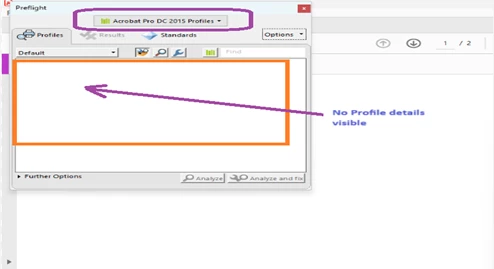
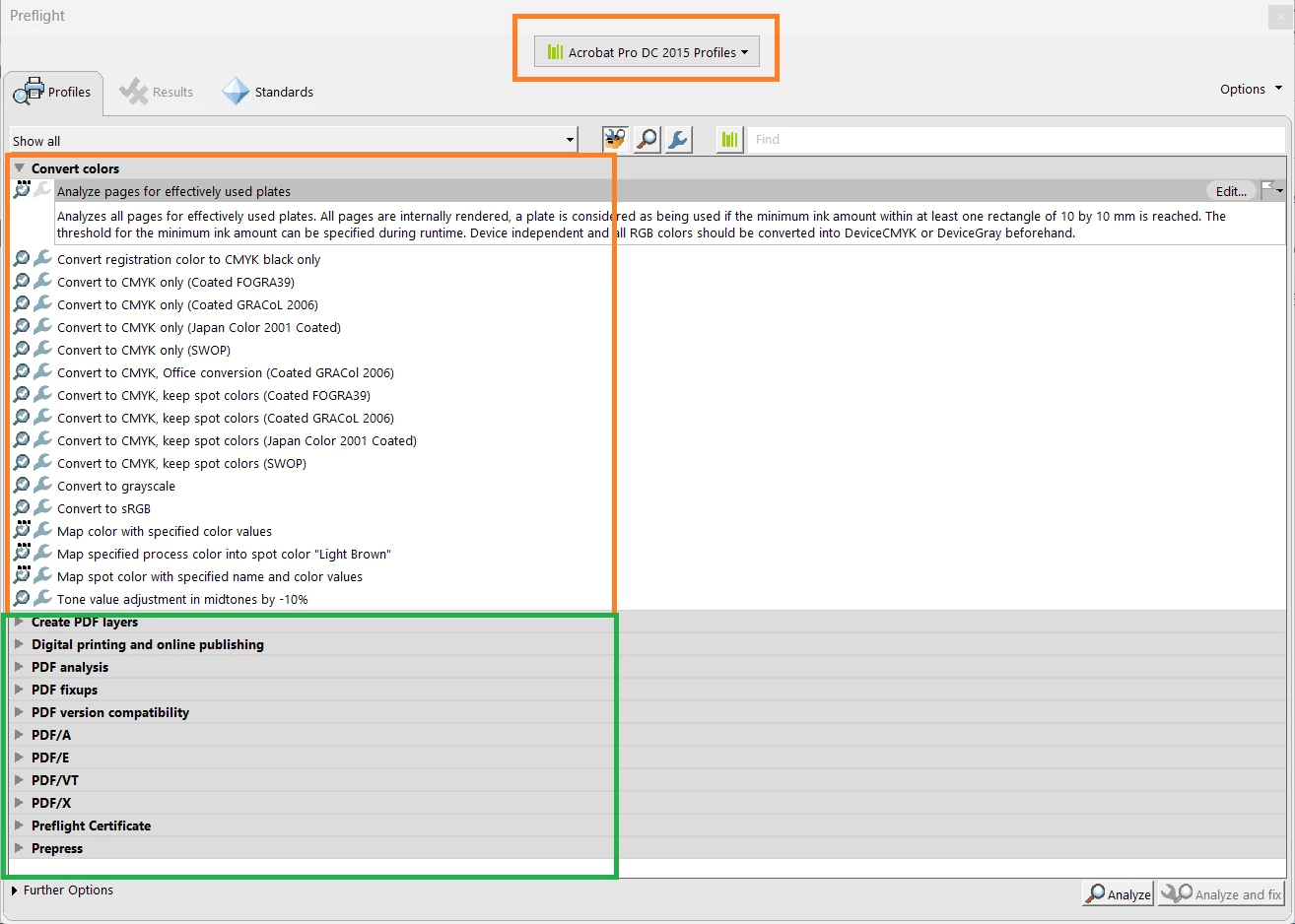
Issue : Adobe Preflight profiles not loading on Windows 10/11 

Error Screenshot : 
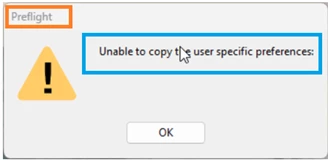
Resolution:

Step 1 :

  1. Launch the Adobe DC pro
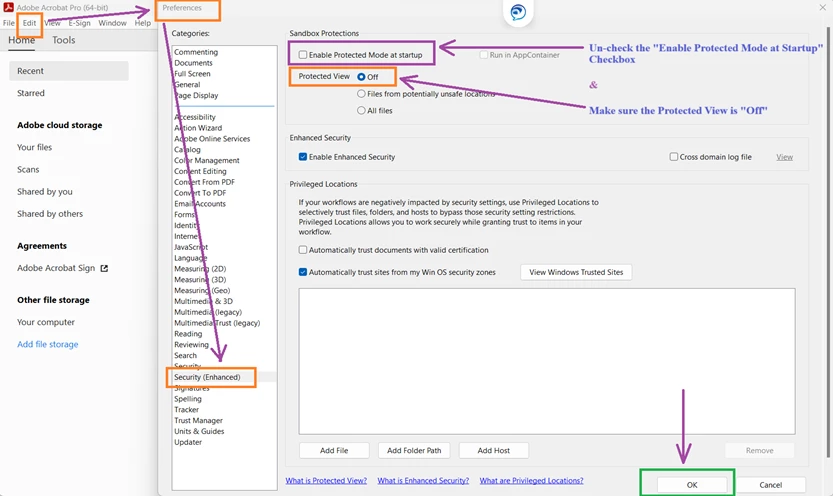
  2. Click on Edit and then select Preferences
  3. Once the Preferences page has loaded,

  Click on Security(Enhanced) option from the left panel

  1. On the right side on the Security (Enhanced) :
  2. Uncheck the “Enable Protected Mode at Stat up” Checkbox
  3. Set the Protected View to “Off”


Step 2 :

  1. If the Preflight profiles are still not loading,
  2. Close the Adobe DC pro and navigate to C:\Users\userid\AppData\Roaming\Adobe\Acrobat (replace      userid with user’s actual user ID, e.g., C:\Users\XYZ\AppData\Roaming\Adobe\Acrobat)
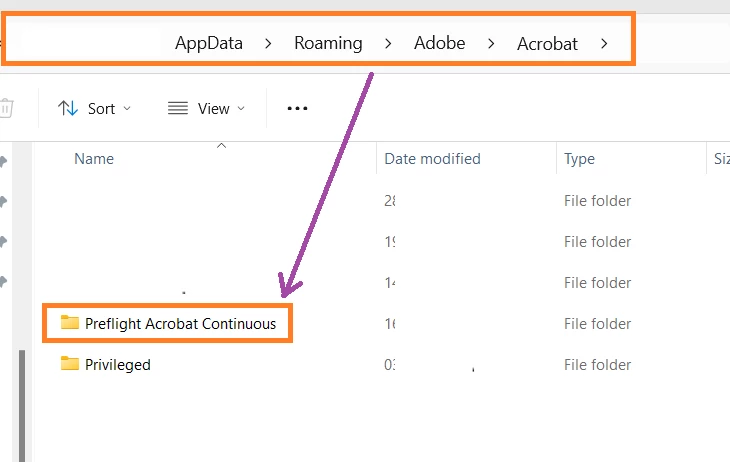
 

3. Inside this folder, you’ll find a directory named “Preflight Acrobat Continuous.”

4. Delete this folder “Preflight Acrobat Continuous.” (Make sure take a copy before delete)

5. Relaunch Adobe DC pro

6. Once you select the Preflight option, all the profiles should load successfully.


Correct answer m_5094

Thanks 😊, worked for me!

3 replies

m_5094Correct answer
Participant
July 11, 2025

Thanks 😊, worked for me!

michaelf92657981
Participant
March 19, 2025

Thank you very much. This helps.

AnandSri
Community Manager
Community Manager
March 20, 2025

Hello Michael,


I'm glad to hear that the steps shared by our amazing community product experts helped you! If you ever need further assistance, feel free to reach out. For future reference, you can learn more about the Preflight tool and its functionality in Acrobat by visiting this article: Preflight Tool in Acrobat.


Thanks,

Anand Sri.

Participant
March 17, 2024

Tanmoy Chakraborty :[Moderator deleted private information. Please do not post private information like e-mails and phone numbers]

Abambo
Community Expert
Community Expert
March 17, 2024

Do not post your e-mail here in this public forum. It's against the rules in this community, and the way you did it may be considered as spam.

ABAMBO | Hard- and Software Engineer | Photographer