Participant
November 29, 2023
Question

Adobe Acrobat Pro 2017 on Mac - recently unable to print

  • November 29, 2023
  • 4 replies
  • 2980 views

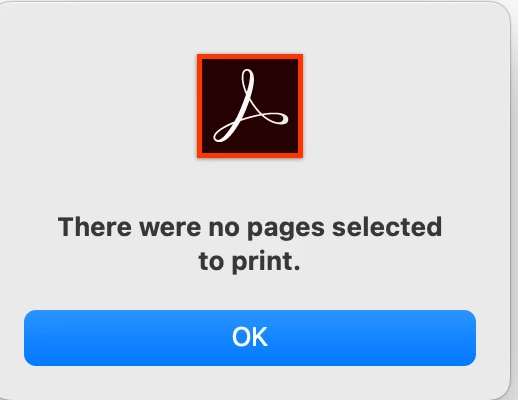
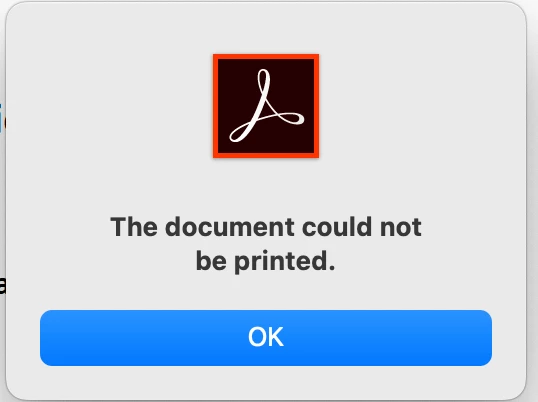
This is just started happening since late October 2023.  I open a PDF in Adobe Acrobat Pro 2017 on my Mac to print. I get this popup "The document could not be printed".  When I select OK, then I get this popup "There were no pages selected to print". [All pages were selected to print.]  My workaround is to open in Adobe Reader app and print from there. 


Does anyone know what is going on and how to fix it?  Is Adobe forcing everyone to go to subscription (yes of course they are) and so are not updating bugs in Adobe Acrobat Pro 2017?  Thanks for any insight. 
4 replies

NickArtPhotography
Participating Frequently
May 9, 2025

Same issue here, any updates on when we can expect a fix?

Participant
May 9, 2025

I open my doc with Acrobat READER (after having saved it in Adobe Acrobat) and print through READER.  I do believe all this is Acrobat's way of trying to force people to subscribing and having to pay a monthly fee. (But I have been told I am too suspicious!)

Participant
August 18, 2024

I have the same problem. 

S_S
Community Manager
Community Manager
November 4, 2024

Hi @Stephane33450367mbgs,


Hope you are doing well. Sorry for the trouble.


Would you mind going to Advanced (in the Print dialog)-> toggle the checkbox saying, "Print as Image"-> Ok-> then try printing again?


Let me know if this works.


-Souvik

marks48445735
Participant
November 12, 2024

I had the same issue and your suggestion solved it.  Thanks.

Participant
May 9, 2024

I have exactly the same problem. Started straight after my last Max OS update. 

Abambo
Community Expert
Community Expert
May 9, 2024

Does print as image work?

ABAMBO | Hard- and Software Engineer | Photographer
Participant
January 29, 2024

I dont have a clue. I can't print pdf's which i used to be able to do. Did you figure it out? So frustrated. I'm not a techie. txs

Participant
February 6, 2024

I finally talked to Adobe support last night.  They were supposed to send me an email with this information and/or an article but I haven't received it.  But here is what he said.  The problem began with the Mac OS14 update.  Acrobat distiller runs in the background and the post-script file shoves the document to the printer.  With the Mac OS14 update, the distiller will not run in the background and then the file is not converted to a post-script file.  Hopefully this may make sense to a more tech-savvy person.  The options are (1) to print as an image, or (2) open in Adobe Reader and print from there.  So the problem remains until Apple has a fix (according to Adobe tech support). 

Participant
January 27, 2025

It's been  a year and they still have not fixed it. Thanks for this. At least I know I am not crazy! LOL