

Adobe Acrobat Pro DC crashing
Hi @9264381
I've some troubles since a few days. My Acrobat Pro DC crashes all the time after a few minutes (even also when I'm doing nothing and the program is just running without any other activities on my mac), and I don't no why! This is the error-message:
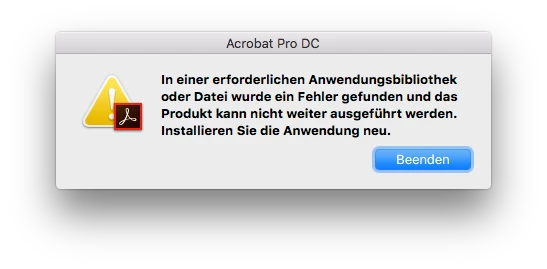
I've tryed to uninstall it with the CreativeCloud-Tool and install it again, but this also failed for some reasons...

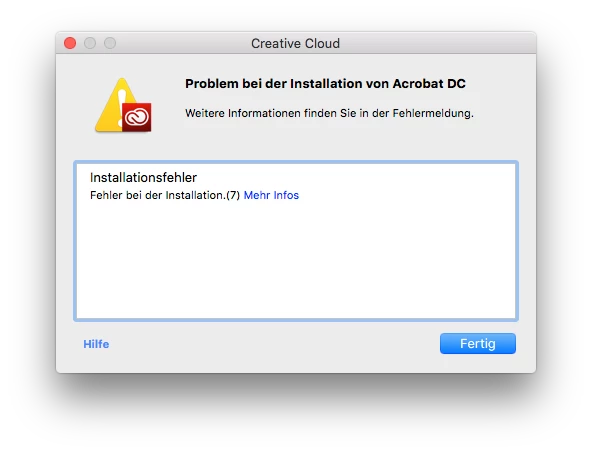
When I click on "Mehr Infos" then the following message will be shown:
Exit Code: 7
Please see specific errors below for troubleshooting. For example, ERROR: DW003, DW006 ...
-------------------------------------- Summary --------------------------------------
- 0 fatal error(s), 2 error(s)
----------- Payload: Adobe Acrobat DC 17.9.20058.0 Acrobat DC/Acrobat DC Installer.pkg_17.009.20058 -----------
ERROR: DW006: Apple Package failed to install successfully.
ERROR: DW003: Third party payload installer /tmp/DC1A521C-3F74-46A1-AEE4-7FF0D98E70A2/Acrobat_DC_Web_WWMUI/Acrobat DC/Acrobat DC Installer.pkg failed with exit code: 1
-------------------------------------------------------------------------------------
What is wrong - and how can I fix it?
Thank you very much for your help.
Kind regards,
Roland Stuber


 AdChoices