


Participant
April 25, 2025
Question

Adobe Acrobat Pro keeps crashing when adding text to a PDF

  • April 25, 2025
  • 2 replies
  • 500 views

Myself and a colleague, both on Windows 11 Pro machines (updated to the latest version) both are having encountering a complete freezing of Adobe Acrobat Pro when adding text to an existing PDF. For my own laptop, I hardly think this is due to hardware or software limitations. It seems to happen when a few documents are open, and is really slowing down our work. It's faster to use the free Microsoft Edge PDF comments tool!


Adobe version: 
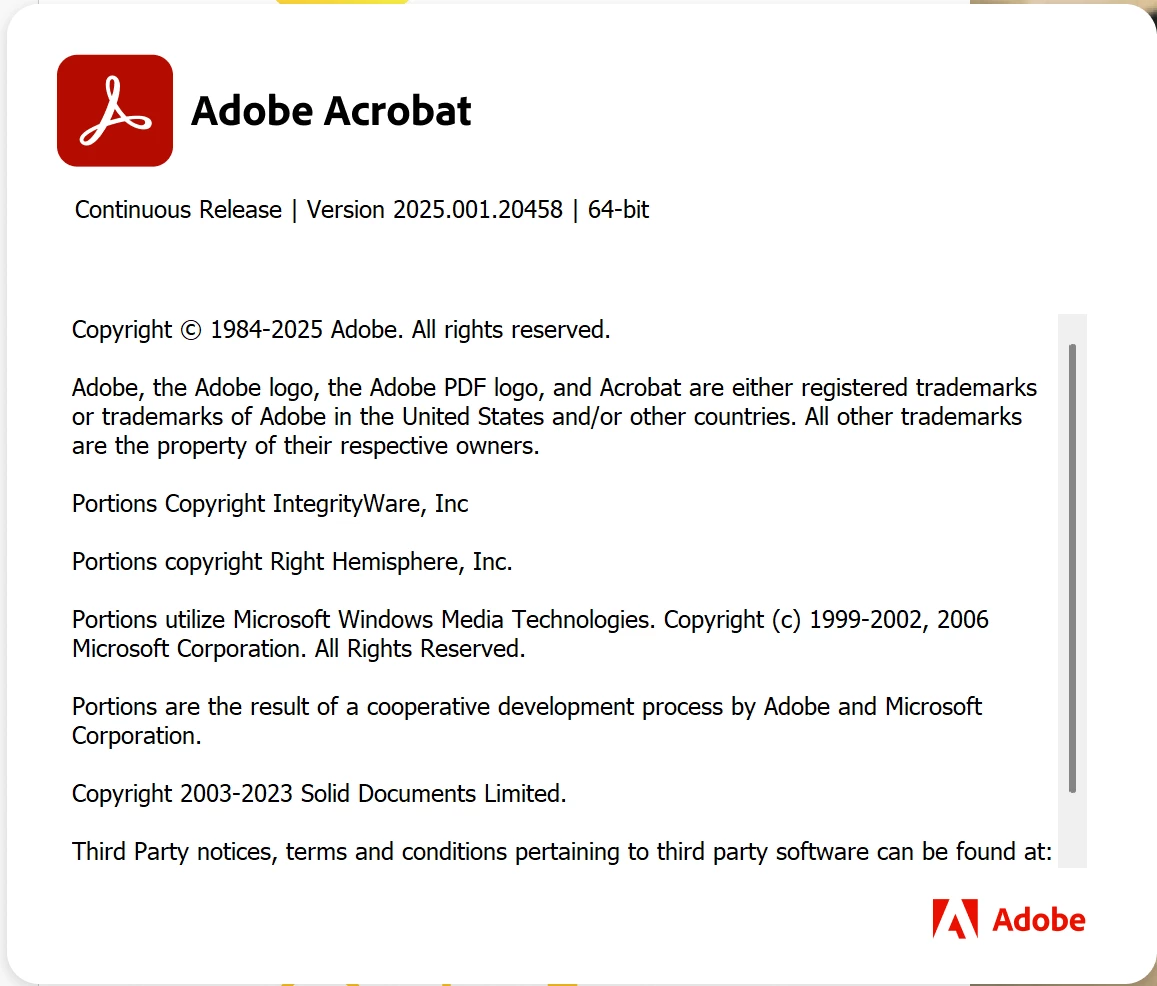
 

Laptop spec:


Hardware:

ThinkBook 16p G5 IRX - Type 21N5

CPU 14th Generation Intel® Core™ i9-14900HX Processor (E-cores up to 4.10 GHz P-cores up to 5.80 GHz)

Ram 32 GB DDR5-5600MHz (SODIMM) - (2 x 16 GB)

Storage 512 GB SSD M.2 2280 PCIe Gen4 TLC

Graphics card NVIDIA® GeForce RTX™ 4060 Laptop GPU 8GB GDDR6


Software

Windows 11 Pro 64 English

Version 24H2

OS build 26100.3775

    2 replies

    Community Manager
    April 25, 2025

    Hi @Certifix_Ltd5807


    Sorry for the trouble experienced, and thank you for reaching out. 

    Could you confirm when this started to happen? Is this happening with all files? If the file is located on a shared/network drive, try copying locally and check if that helps. Also, try disabling Protected Mode at Startup, and check if that helps. To do so, launch Acrobat, press Ctrl/Cmd + K > Preferences > Security (Enhanced).


    Also, we would require the following logs to triage this issue: 

    - Crash logs https://adobe.ly/3EHeMsR upload to any cloud drive and share a downloadable link. 

    - Diagnostic logs: https://adobe.ly/4jrGatW - Share the log ID. 

    - How many users are affected? 


    ~Tariq

    Participant
    April 28, 2025

    Hi Tariq,


    It is happening with all files. It started in the last couple of weeks.


    There aren't any crash logs because Adobe just stays on freezing until it is force quit.


    2 users.

    AnandSri
    Community Manager
    Community Manager
    May 29, 2025

    Hello @Certifix_Ltd5807!


    Thank you for shairng the details. Please force quit Acrobat, then run the Crash log collector tool: https://adobe.ly/4jt4F9o

    It will generate the logs, share it with us, along with the Log id.

    Download the Diagnostic tool: https://adobe.ly/43PTHWO

    Run it, ensure all the log options are selected, try to reproduce the issue, and then close the log collector tool. It will generate the logs and the log id, share it with us for further investigation.


    Regards,

    Anand Sri.

    kglad
    Community Expert
    Community Expert
    April 25, 2025

    in the future, to find the best place to post your message, use the list here, https://community.adobe.com/

    p.s. i don't think the adobe website, and forums in particular, are easy to navigate, so don't spend a lot of time searching that forum list. do your best and we'll move the post (like this one has already been moved) if it helps you get responses.


    <"moved from using the community">