
Participant
November 22, 2022
Question

Adobe Acrobat Pro layout is different

  • November 22, 2022
  • 22 replies
  • 68255 views

Hi there


Thanks in advance for any support.


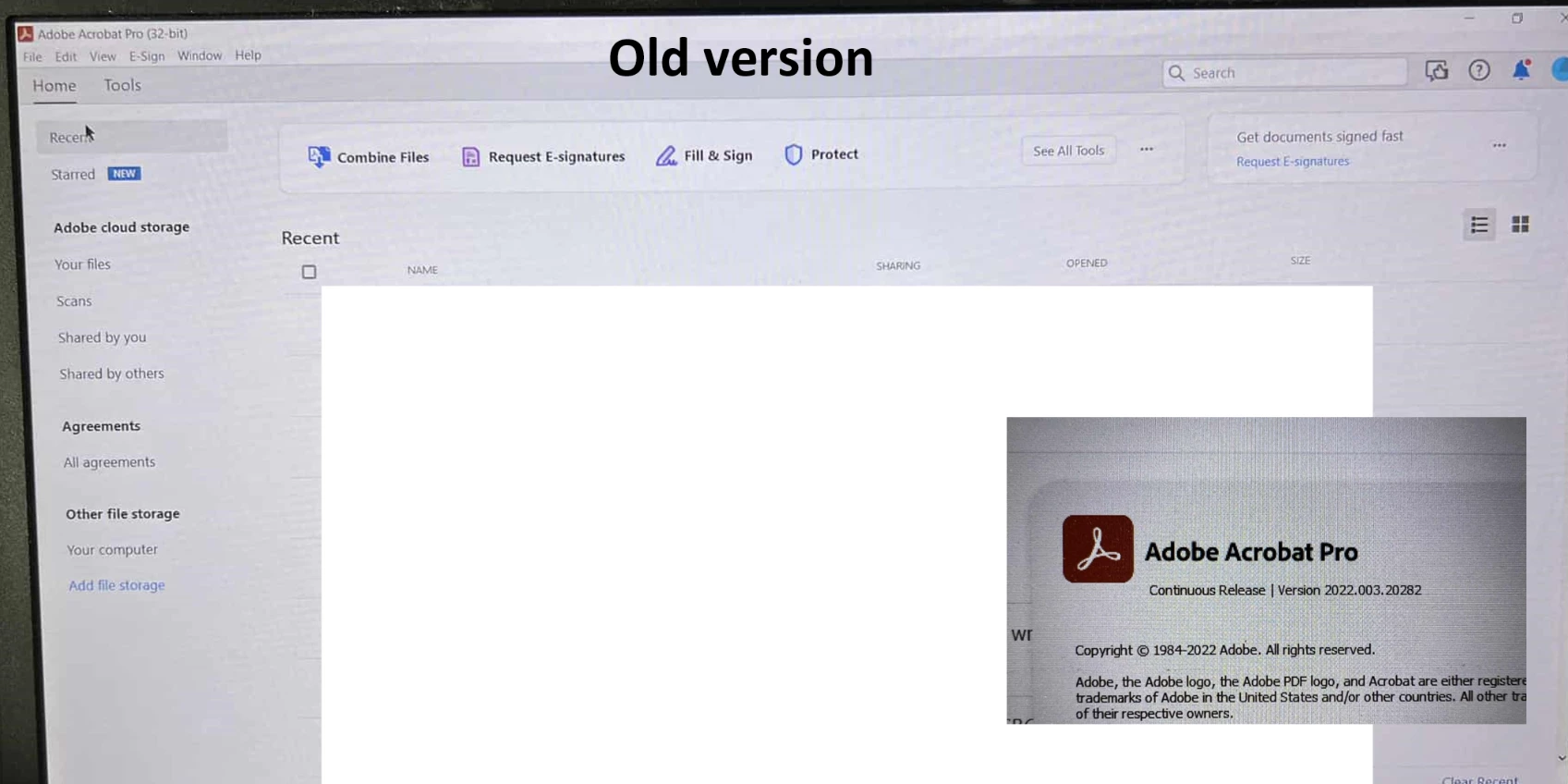
I had Adobe Acrobat Pro installed on my old work laptop last year, and it looked like the first attached image, called old version. It looks more like your traditional installed program with the menu bar.


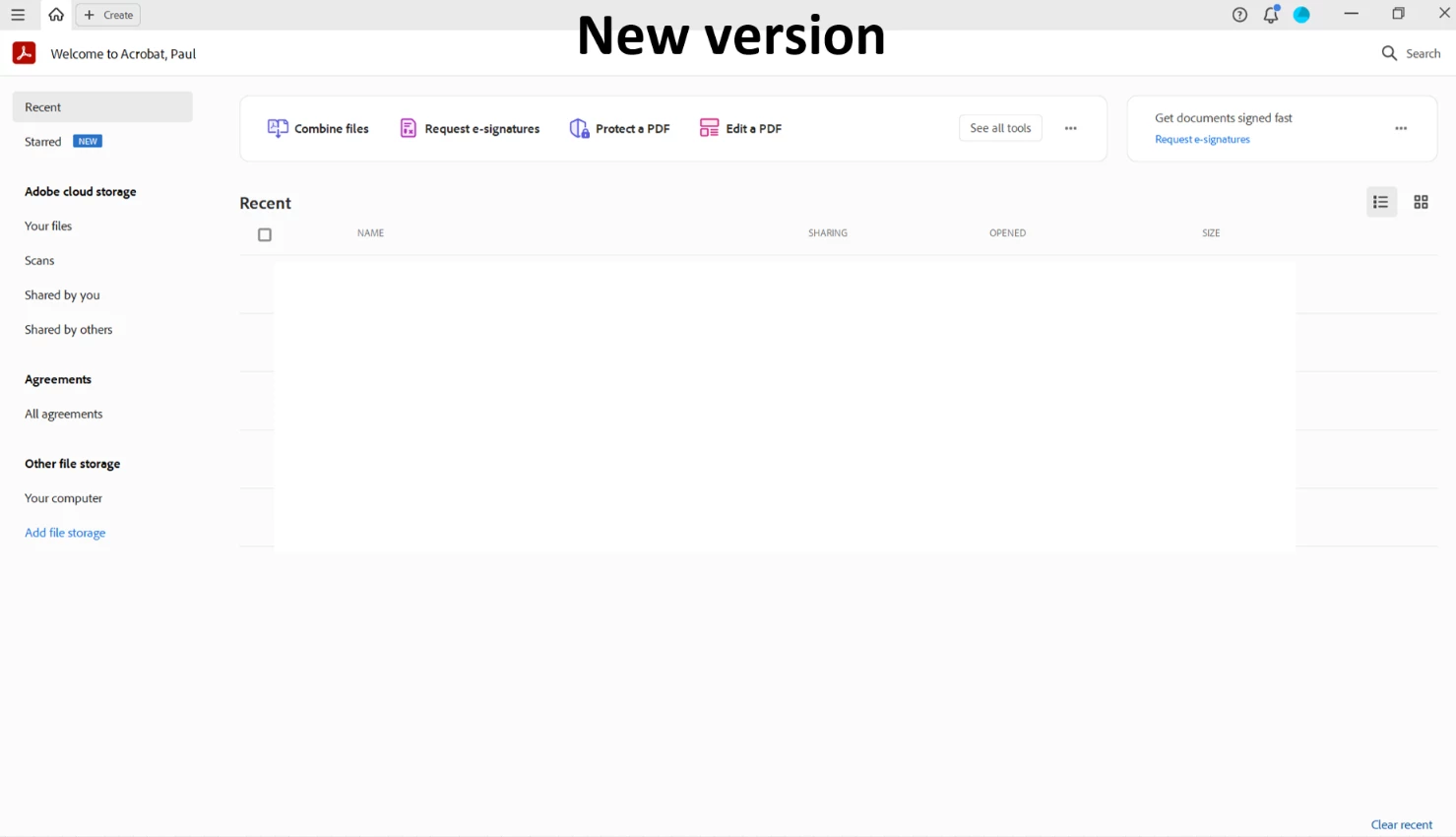
My IT department* just installed Adobe Acrobat Pro on my new laptop, and it looks like this, see image attached called new version. This gives more of an online vibe which I'm not keen on, and no menu bar. 


Is this how it should be? Did Adobe redesign it? I preferred the old version. Maybe people familiar with the 'new version' can tell me if this is a good thing and I just need to get used to this drastic new layout. Am I missing any features from the old version?


Many thanks in advance for any help that can be affored to me.


Thank you.


Paul


*I'm asking this forum because I don't think my IT department knows much about Adobe Acrobat, only how to install the programme so they won't be able to answer my query.


22 replies

Participant
September 5, 2023

Re new changes and recently pinned comment, read the room! I don't feel that you are listening, how can our feedback be valuable if you ignore it and tell use we will like the totally different thing you created without asking?

AnandSri
Community Manager
Community Manager
September 5, 2023

Hi All!


We appreciate your valuable feedback! We're always looking for ways to make Acrobat better, and we appreciate the time and effort you have taken to share your feedback with us.

We acknowledge that the new Acrobat represents a notable change, however we hope that as you get familiar with the new interface, you are able to be more productive & get more out of Acrobat. With the new interface, we aim to:


  1. Provide a simplified viewing experience that helps reduce clutter & optimise it for most used PDF actions that are relevant while viewing a document.
  2. Easily allow users to discover PDF tools they need by ensuring tools are intuitively grouped and a click away,
    • For example, all tools that allow content, page & file level edits can be found under one action-based verb called “Edit”; tools that allow converting files to & from PDFs can be found under “Convert”; tools that allow filling & signing documents or requesting signatures from others under “Sign”.
  3. Most importantly, the new interface enables users to effortlessly move between different PDF tools to complete their document related tasks.
  • For example, someone viewing comments in a PDF should also be able to easily edit the text of it without interrupting their workflow.
  • A user can seamlessly perform page level edits such as reordering, inserting, extracting, rotating or deleting pages while editing content and/or commenting on the file.


We would also like to highlight that we have exhaustively tested these changes with users over the past 12 months, keenly monitoring user behaviour & addressing top user issues before gradually rolling out the new interface to the Acrobat user base.


A point to note is that as we made these changes in the interface, we have ensured all tools & features that are currently supported, retain their familiar functionalities and workflows as they did in the previous version. We are proactively addressing any gaps or issues reported by users related to any break in current workflows.


We will follow up on this response with a detailed article explaining the changes, a guide to help familiarise you to the new interface, along with regular updates on upcoming changes.


Thank you once again for your feedback and do look forward to our upcoming releases!


~Anand Sri.

Inspiring
September 5, 2023

Ummm thanks - BUT...


If I have to search for the functions I use daily, how is this an improvement. I don't mind the Edit tools being easier to find/use, but moving the navigation tools for changing pages, zooming in and out and page functions doesn't speed my production. I have not switched back to the new interface to "get familiarized" with it and likely won't unless forced to and even then I may simply install an older version. Relearning interface is not assisting my productivity.

Bevi Chagnon - PubCom.com
Legend
August 26, 2023

Many users don't like the new Acrobat user interface.

You can revert to the previous traditional user interface with the instructions here:

https://community.adobe.com/t5/acrobat-discussions/acrobat-2023-how-to-revert-to-classic-gui-user-interface/m-p/14052807#M426838 


|    Bevi Chagnon   |  Designer, Trainer, & Technologist for Accessible Documents ||    PubCom |    Classes & Books for Accessible InDesign, PDFs & MS Office |
Participant
September 6, 2023

Thank you for telling me how to go back to old version.  I hate the new layout and agree with others here.  No one has time for a steep learning curve and I'm not just stuck in my ways.   I've used Adobe Pro for decades and this new version hides the basic tools I need. It's maddening.  I also have Adobe stock that I may sell because this was poor judgment.

Participant
October 27, 2023

Hi, I too am disappointed  with the new look. Have been using adobe over 10 years now.

I want to revert to the old look. Else  if this is not possible then i would want to discontinue my subscription . Please , always  consider the  ease of usage before implementing changes. 

Participant
August 23, 2023

Thank you.  The new version is terrible.  I am now converted back!! Appreciate this  post. 

Participant
August 10, 2023

THANK YOU!!!! I hate the new layout it was driving me crazy!

Participant
August 23, 2023

Thank you helped a ton!

Participant
July 5, 2023

Thank you so much that new version was messing me!!! Thanks 🙏 

Participant
June 22, 2023

I have two computers with Win 11 installed. Exact same version of Acrobat Pro, but the laptop doesn't have "Enable new Acrobat" in the View menu, the desktop has. How come?? Driving me nuts...

Bernd Alheit
Community Expert
Community Expert
June 22, 2023

Not all installations get this feature. 

JR Boulay
Community Expert
Community Expert
May 15, 2023

robertm43519250: "The new layout is absolutely horrible and labor intensive trying to use anything. Thank goodness there is a disable button to bring back the old User Friendly layout where averything is available in front of you and customizable. The new layout makes no sense.

Adobe, leave what works well alone."

Much the same was said about the move to the "new interface" of Acrobat X.
But they did it anyway...
Prepare yourself for the worst.

Acrobate du PDF, InDesigner et Photoshopographe
Mike Witherell
Community Expert
Community Expert
February 7, 2023

Hi all,

I installed the new 64-bit Acrobat and later found the File menu > Disable New Acrobat.

It went back to the old layout.

Now, how do I switch it back to the New Acrobat layout? I cannot see it.

Mike Witherell
Mike Witherell
Community Expert
Community Expert
February 7, 2023

Oops, duh. View > Enable New Acrobat.

i found it

Mike Witherell
AkanchhaS8194121
Legend
February 7, 2023

Great @Mike Witherell 

Let us know if there's anything else we can help you with in future.


~Akanchha 

Participant
January 5, 2023

I'm so glad you asked this question. I had been persevering, trying to get used to the new format but it's just horrid. I'm so glad that you can revert to the old format. 

AkanchhaS8194121
Legend
January 5, 2023

Hi @default50ljj8fby8k4 @defaultbhnp5pqqliax 


Sorry to hear about your frustrating experience.

Please share your feedback with our engineering team here: https://acrobat.uservoice.com/ and share your observation/findings about the New UI experience with Acrobat Pro.


Thanks,

Akanchha 

Participant
May 15, 2023

I agree as well. This is a horrible design, and thank God you can go back to the orginial GUI. Please keep this layout option forever. Or atleast have a layout section that user's can switch from. For example, the old layout, new layout, and future new layout. Thanks!!