
Participant
March 14, 2022
Answered

Adobe Acrobat Pro XI no me permite abrir archivos en red local.

  • March 14, 2022
  • 2 replies
  • 2680 views

Hola comunidad, espero me puedan apoyar con este error, les comento mi situación:


Tengo Adobe Acrobat XI Pro instalado en mi equipo Windows, cuando intento abrir un archivo .pdf en mi equipo local lo hago sin problemas, puedo editarlo, etc, pero cuando intento abrir archivos .pdf compartidos en una red local y que estos archivos se encuentran en un servidor me genera el siguiente error "Error al abrir el documento. El archivo no se encuentra".
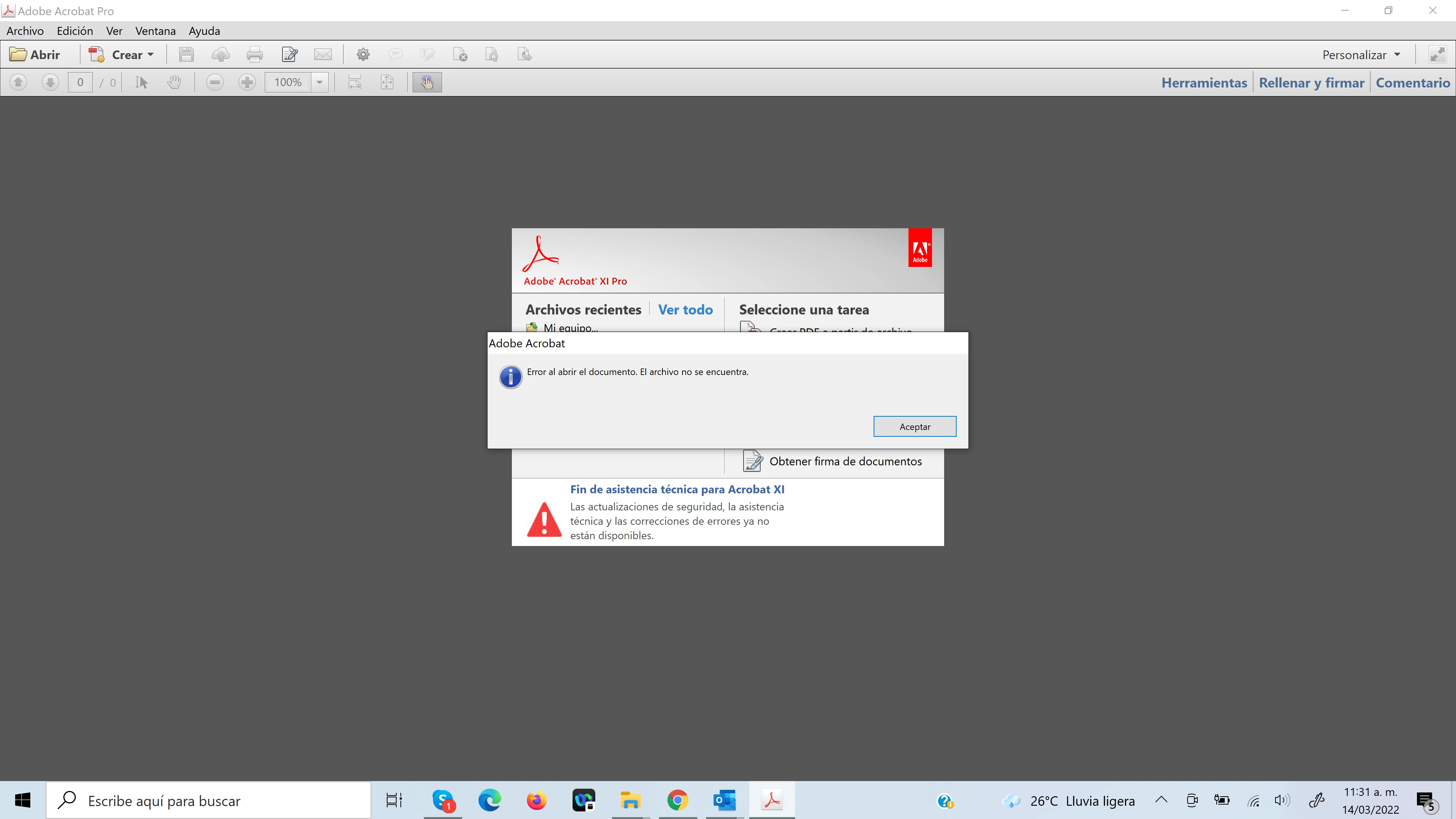
 

Ya intenté instalando todas las actualizaciones de Adobe, reinstalando la aplicación sin embargo nada de esto a funcionado.


Espero me puedan apoyar.

Saludos.
This topic has been closed for replies.
Correct answer Julio32678121j0t5

Hola,

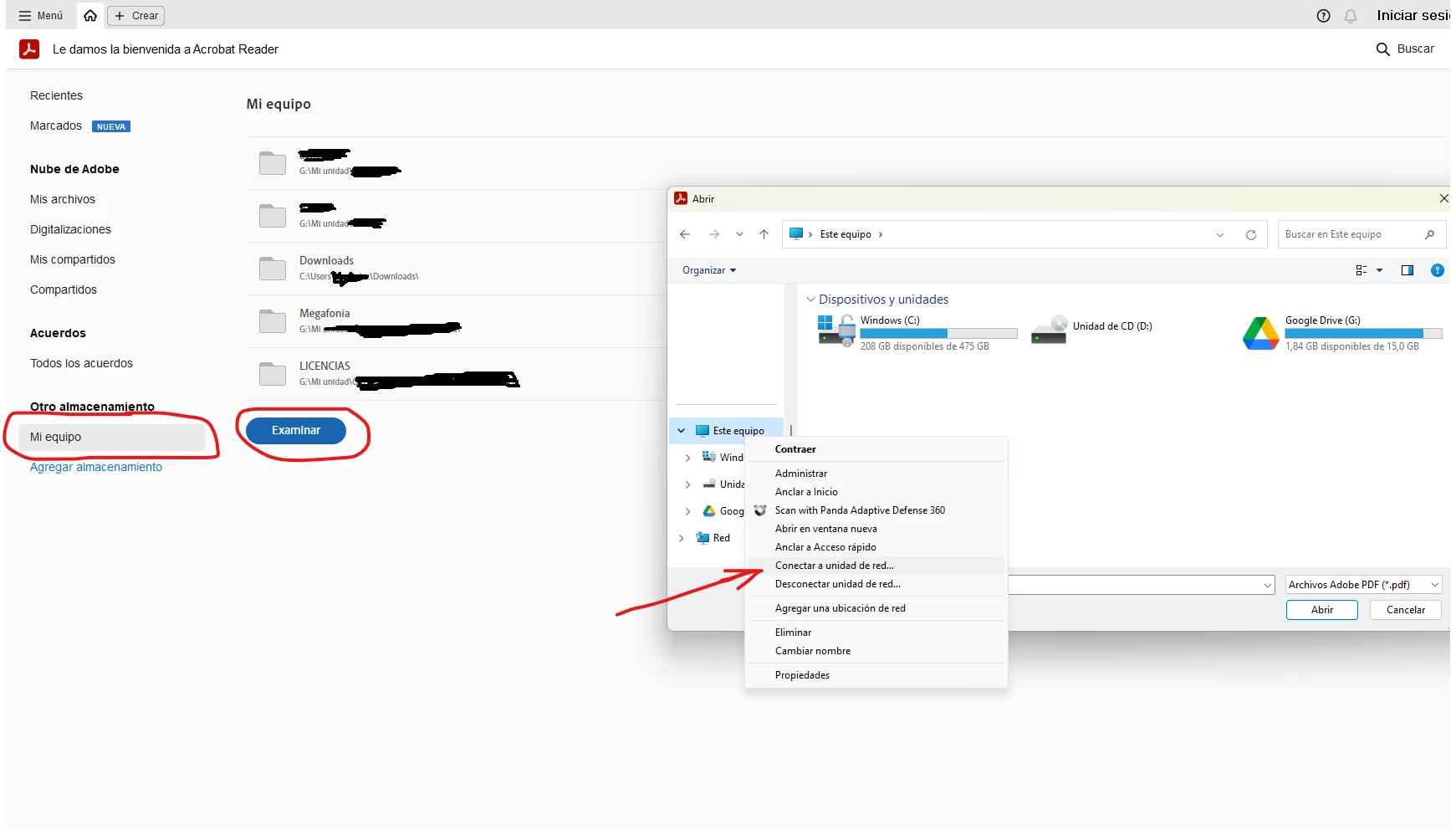
Prueba a mapear la unidad de red desde dentro de acrobat reader.


También pude tener la solución no navegando directamente por la unidad de red, si no creando un acceso directo hacia la ruta tipo \\172.56.X.X\datos.


Un saludo.

2 replies

Julio32678121j0t5Correct answer
Participant
October 3, 2023

Hola,

Prueba a mapear la unidad de red desde dentro de acrobat reader.


También pude tener la solución no navegando directamente por la unidad de red, si no creando un acceso directo hacia la ruta tipo \\172.56.X.X\datos.


Un saludo.

Amal.
Legend
March 14, 2022

Hi there


hope you're doing well and am sorry for the trouble.


As described you are getting the error when trying to open the files stored on your shared network while the files from your local computer work well with Adobe Acrobat 11,  it seems to be some issue with your network setting, please try and get in touch with the IT admin at your end to check network settings and group policies.


Also please try to download the files to your computer locally and then try to open them with Acrobat 11 and check.


Thanks

Amal


Participant
March 14, 2022

Thank you for your response.


This error started last week, no changes have been made to the network, I downloaded the file to my local computer and there if I can view the content.


I temporarily disabled the Kaspersky antivirus and the firewall for the local computer to avoid any conflict but I still can't find the error.


Regards