



Adobe Acrobat's "print on both sides" option does not do anything, and instead defers to the settings the printer has selected
I would like the print on both sides checkbox that appears when you try to print through adobe acrobat to change whether or not the file prints one sided or two sided, but currently the button does nothing
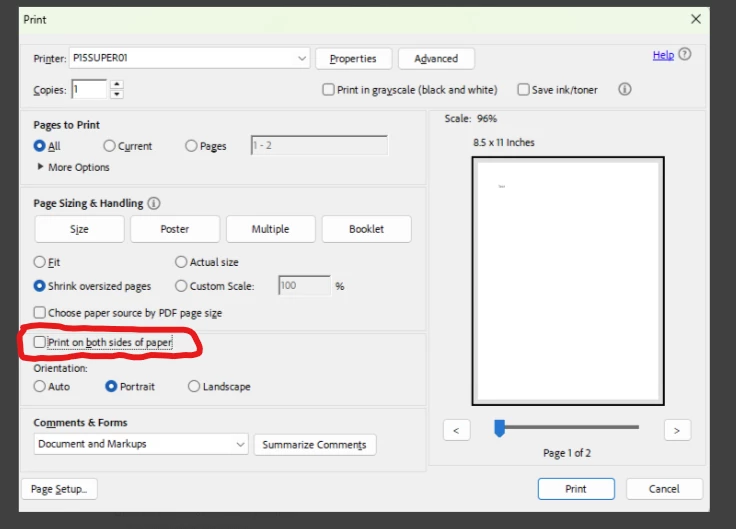
whether it is checked or not, adobe instead uses the option that the printer has selected in its properties. The printer in question is an hp laserjet 404dw. Originally I was using the HP smart universal printer driver for said printer, but decided to change the driver to be the specific driver for my model located off HPs website to see if that would fix the issue and it did not.
This is only an issue in adobe acrobat, as printing from edge, excel, word, or notepad all print based off of the setting selected when printed, not the default setting in the properties.
incase it is important, I am running windows 11

 AdChoices