



Adobe Acrobat Shared Reviews - Permissions and Commenting
Hi -
In a previous post, I indicated that I found a pretty clean workflow for Adobe PDF shared reviews using the Commenting tool to approve or review a document in place of the legacy stamp feature.
I am sending the Shared Reviews via the Share > Linked feature (giving reviewers the ability to comment). They can then click the PDF in their email and open it in a web browser.
However, I have three reviewers who are experiencing issues. These reviewers have always been in my review cycles and have never had an issue until we moved to this new workflow.
Reviewer #1 can open the shared PDF but cannot use the Commenting tool to post any comments or respond to my comments. And, for some of my comments, all he sees is the generic Typed a Note message:
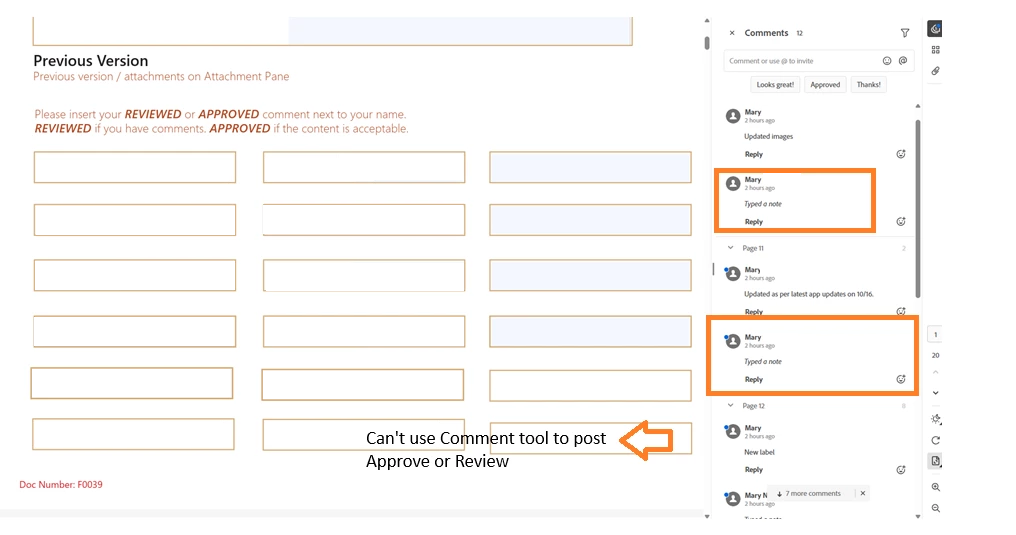
Reviewer #1 has Adobe Acrobat Pro.
Reviewer #2 can’t even open the document from his email:
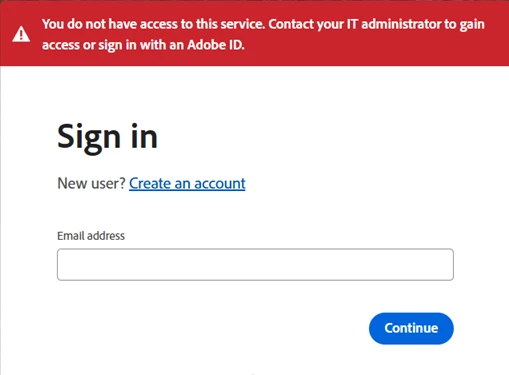
It was my understanding that if I invite reviewers via Shared Review, they would be able to access and comment on that PDF without having a paid license or and Adobe ID. Can someone clarify what is the criteria please?
If the reviewers do need an Adobe ID, is it free? And if so, I can they assigned an ID?
And finally, another reviewer is seeing this message:
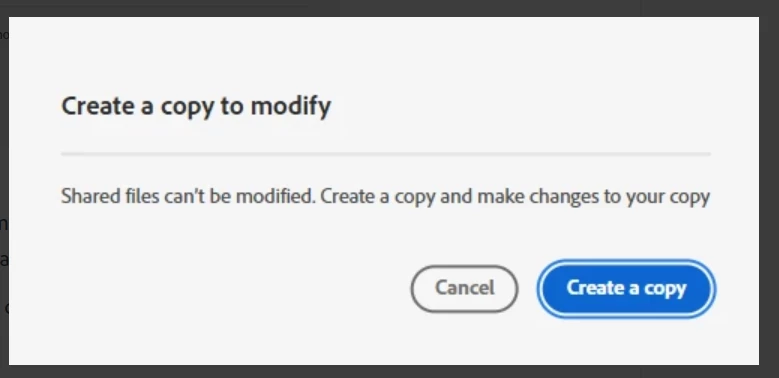
This reviewer clicked Cancel, closed the document, and and then they were able to open the document and make comments without issue.
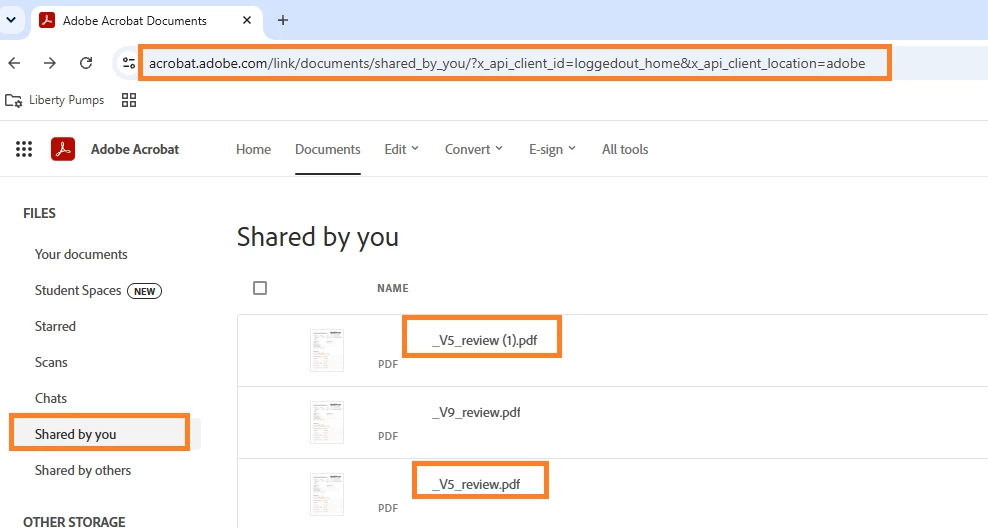
On my end, however, I am seeing a copy of some of my documents in Shared by You folder--I’m wondering if this is related to the above Create a copy to modify issue?
Thank you.
 AdChoices