
Participant
June 13, 2022
Question

Adobe Acrobat showing different folders from SharePoint

  • June 13, 2022
  • 1 reply
  • 314 views

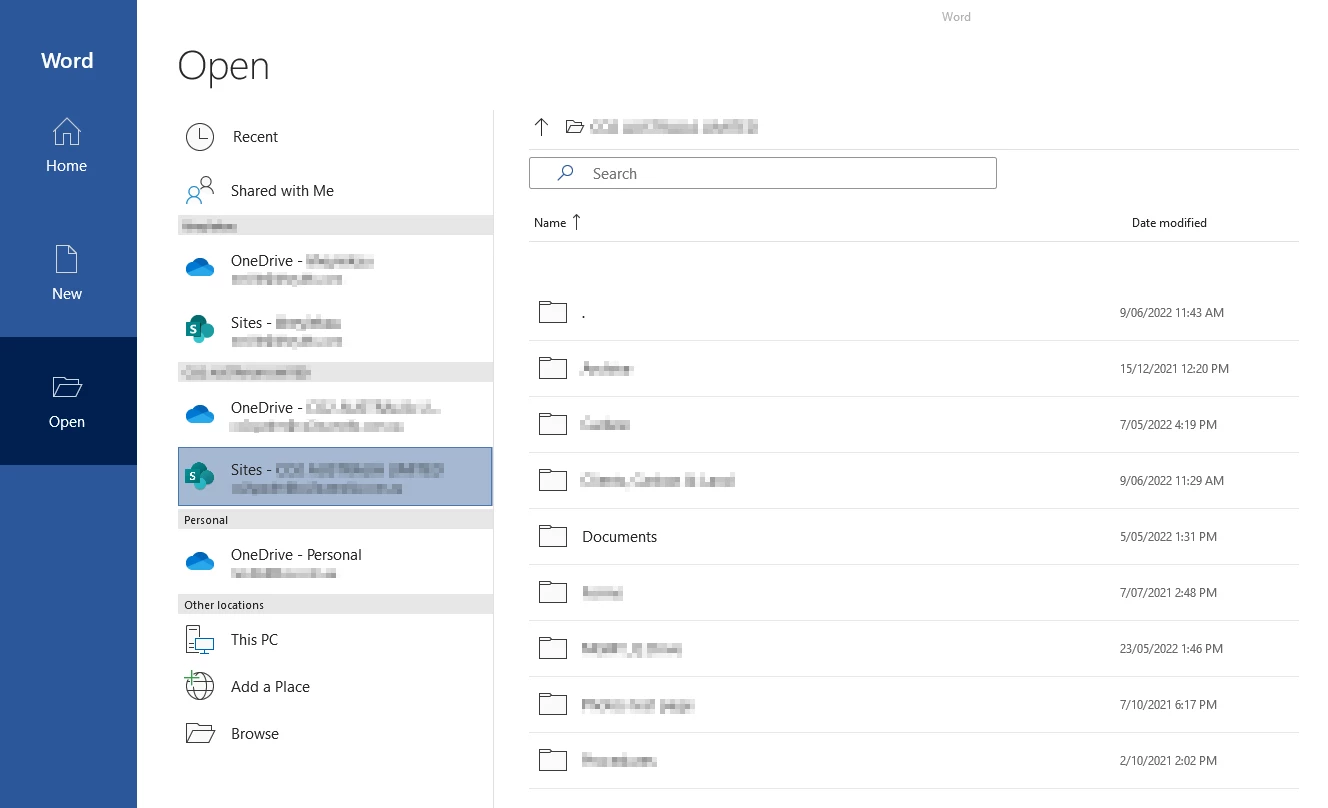
When I use Microsoft Word to open a file from SharePoint I see these folders:
However when I use Adobe Acrobat Reader to open a file from SharePoint I see a lot of extra folders and some of the folders show different names:
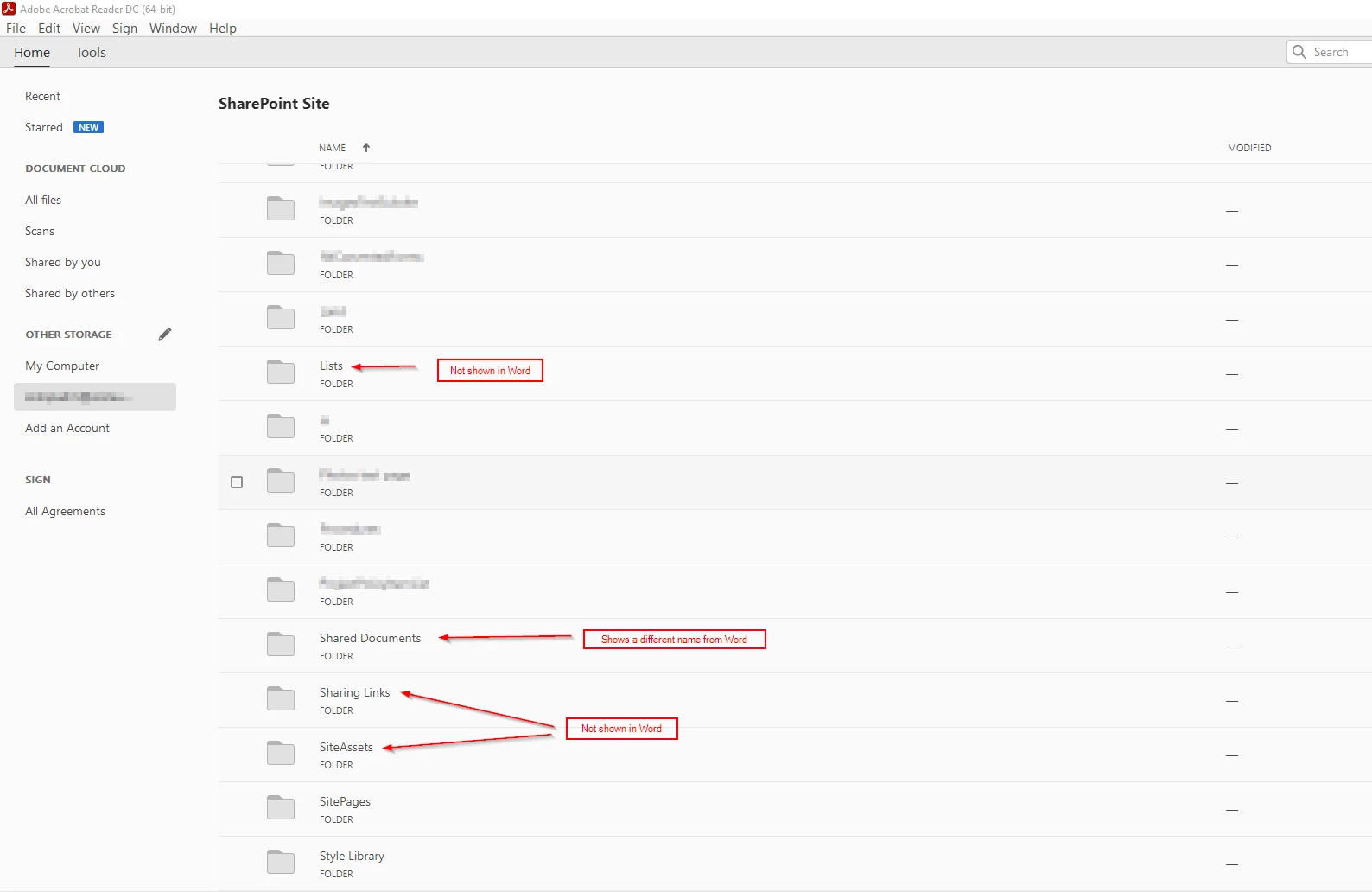
Does anyone else see the same issue? Is there a fix for this?

This topic has been closed for replies.

1 reply

Meenakshi Negi
Community Manager
Community Manager
June 14, 2022

Hello,


Thank you for reaching out and reporting this.


Could you please confirm if these folder names are the same in Sharepoint as in the Word application?

Do you see only the difference as shown in the screenshot above?

Please share the version details for both the applications and OS on the machine.

We will try to replicate the behavior at our end and get back with more information on this.


Thanks,

Meenakshi


AUserOzAuthor
Participant
June 14, 2022

Hi Meenakshi,

Yes, the Word application is showing the correct Document Library (Folder) name as per SharePoint. Whereas Adobe Acrobat Reader seems to be showing the old name of the Document Library. 

As shown in the screenshot, Adobe Acrobat Reader is also showing some additional folders that are not shown when using the Word App.

Adobe Acrobat Reader Version: 


Word version:

Regards,

Neville