
Participant
May 20, 2024
Question

Adobe Acrobat - Textboxes - Merging

  • May 20, 2024
  • 1 reply
  • 275 views

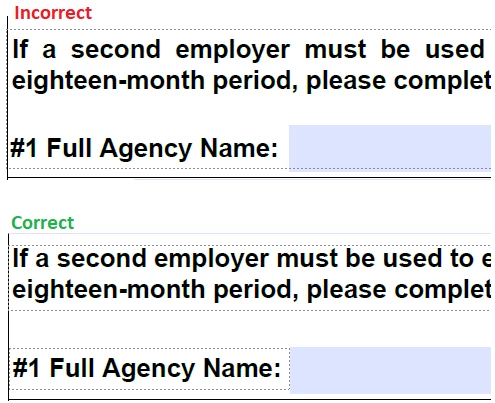
How do you prevent 'text boxes' from merging? I have created 'text boxes' individually to place in a form, however, when I click away and click the box again, the text box is merged with another nearby text box. I have to remove the text out of the merged box and make it "individual" again. This also has happened when I close a file and open it back up.


Thanks in advanced!
 

This topic has been closed for replies.

1 reply

try67
Community Expert
Community Expert
May 20, 2024

These are not text boxes, but static text, and you can't explicitly prevent them from "merging" as they are not defined as individual objects in the first place. Acrobat interprets the structure of the file (according to certain rules we don't know) and merges them for your benefit, but they are not really connected.