
Participant
October 28, 2024
Question

Adobe Acrobat turning font to dots
  • October 28, 2024
  • 2 replies
  • 555 views

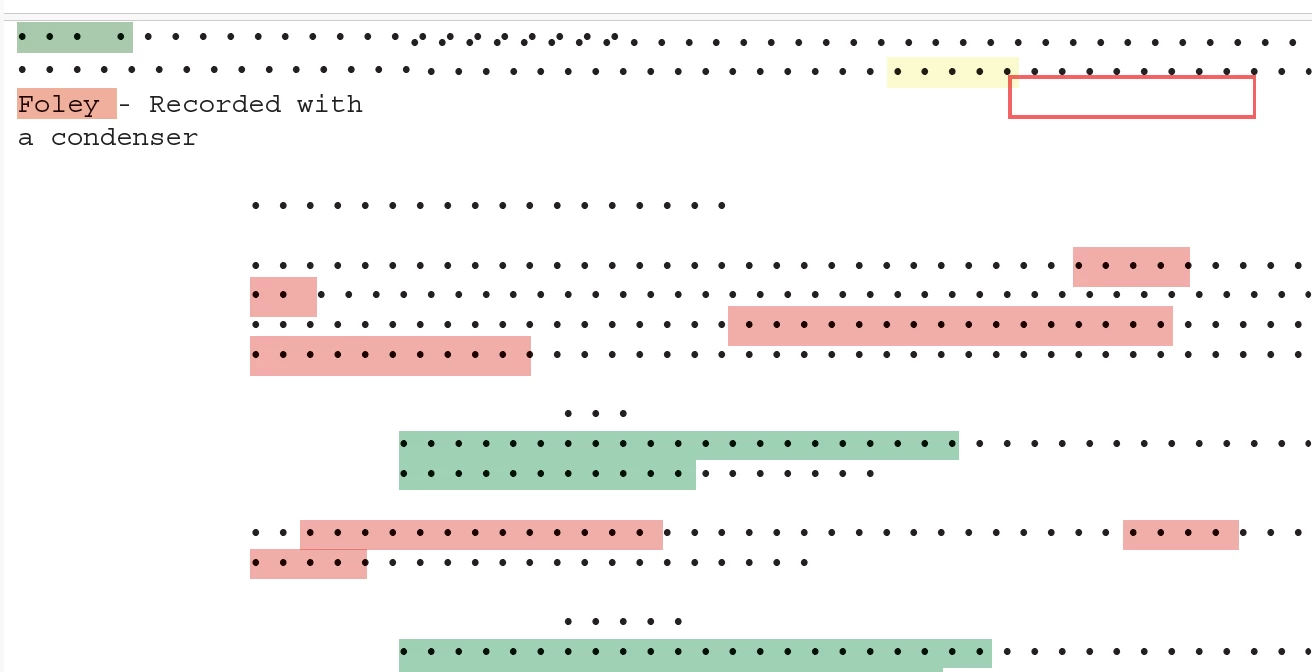
I was editing a mark-up script for my coursework and I saved my work, and all my words turned to dots, except what it says in that screenshot and the three words written in italics.
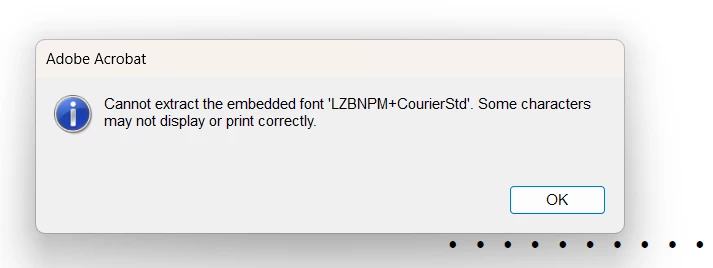
I get this error when opening it and haven't been able to find a working fix.

It's in the latest version of adobe acrobat on windows 11. 


This topic has been closed for replies.

2 replies

S_S
Community Manager
Community Manager
October 28, 2024

Hi @reeve_0812,


Hope you are doing well. Sorry for your experience with Acrobat! 


From the error message, I feel the issue here, is fonts are not embedded within the document, which throws the error.


I would suggest trying to embed the font in the document and let me know if it works for you.

Steps can be found here: How to Embed Fonts in a PDF | Adobe Acrobat


Let me know if this works for you.


-Souvik

kglad
Community Expert
Community Expert
October 28, 2024

in the future, to find the best place to post your message, use the list here, https://community.adobe.com/

p.s. i don't think the adobe website, and forums in particular, are easy to navigate, so don't spend a lot of time searching that forum list. do your best and we'll move the post (like this one has already been moved) if it helps you get responses.


<"moved from using the community bugs">