vco1969
Participant
January 11, 2022
Question

Adobe Acrobat "Unable to Share" Error

  • January 11, 2022
  • 2 replies
  • 6258 views

All...

I've exhausted all attempts to remedy this, to no avail.

The problem just started.

No updates or recent machine changes.

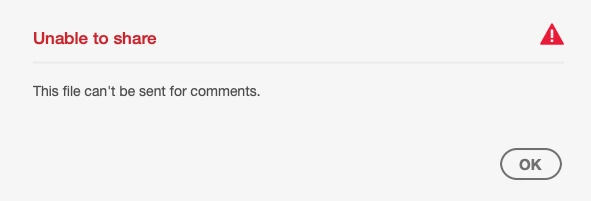
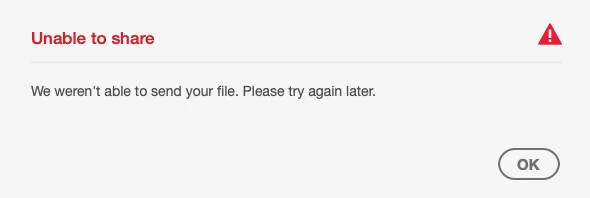
Unable to share documents via Acrobat for review/commenting.

Acrobat DC (up to date).
2 replies

Adobe Employee
January 14, 2022

Hi there,


Sorry for the inconvenience , Could you please us with the below queries to resolve the issue at priority.

1. Win or Mac and OS details

2. happening for all files or for some specific files

3. Acrobat version ? if not 21.11.20039 then please update to latest- Go to Help > Check for updates and reboot the computer.


Regards

Gaurav

Amal.
Community Manager
Community Manager
January 12, 2022

Hi there


Hope you are doing well and sorry for the trouble. As described you are unable to send the document for review/commenting and getting the above error.


Is the PDF file secured/protected? please try to share a different PDF file and check. If its a file specific issue please share the PDF file with us for testing.

Note: You may use any cloud storage to share the file.


Would you mind sharing the version of the Adobe Acrobat DC you are using? To check the version go to Help > About Acrobat and make sure you have the recent version 21.11.20039 installed. Go to Help > Check for updates and reboot the computer.


Also try to turn off the protected mode for testing (Win Only) Go to Edit > Preferences > Enhanced Security > Uncheck 'Enable protected mode at startup' turn off the protectedmode and uncheck 'Enhanced Security' > Click OK and reboot the computer.
Note: Please turn on the security after testing to avoid any security risk.


Regards

Amal


vco1969
vco1969Author
Participant
January 12, 2022

Thank you for your reply.

 
I have exhausted each/every suggestion below.
I’m using the very latest Acrobat DC. I uninstalled/reinstalled.
I get the same message for any/all documents.
I collaborate with this feature. Simply uploading to the cloud ads another step.
If this is a feature of a product I pay for, I expect it to function properly.
 
 
Amal.
Community Manager
Community Manager
January 13, 2022

Hi there


We are sorry to hear that. I have tried to share the PDF for review and its working fine on my end using Acrobat DC version 21.11.20039 on Win 10.


Pleae try to create a new test user profile with full admin rights in Windows or enable the root account in MAC and try using the application there.


Also, please share a small video recording of the steps you are doing for a better understanding.


Regards

Amal