Participant
August 4, 2017
Answered

Adobe Acrobat VI: Print from Excel

  • August 4, 2017
  • 1 reply
  • 585 views

I have used Adobe Acrobat VI Pro for long time, but yesterday I got problems with printing from Excel:

%%[ ProductName: Distiller ]%%

%%[ Error: invalidfileaccess; OffendingCommand: showpage ]%%

%%[ Flushing: rest of job (to end-of-file) will be ignored ]%%

%%[ Warning: PostScript error. No PDF file produced. ] %%

[Title edited for clarity by moderator]

.
This topic has been closed for replies.
Correct answer jane-e

Here is a more detailed answer:

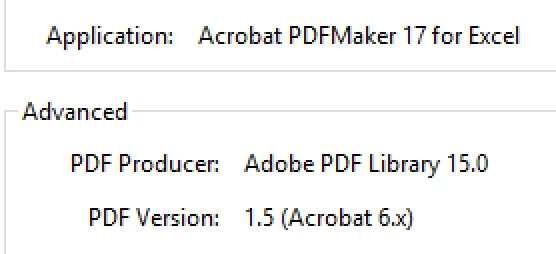
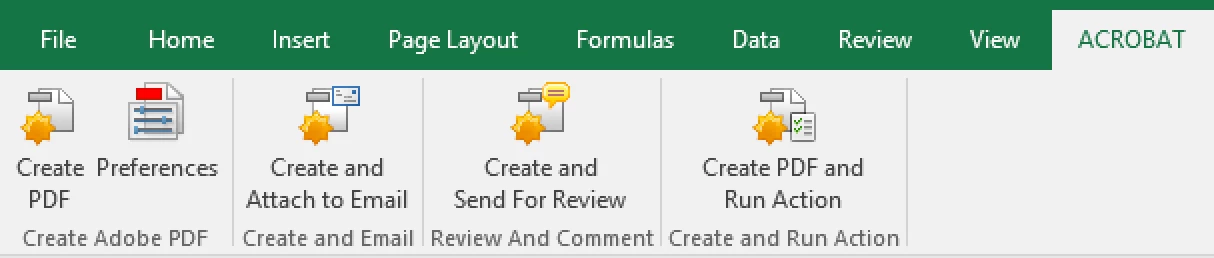
The best method from Microsoft Office is to use the Acrobat tab on the Ribbon. First, confirm your choices in Preferences, then click Create PDF.

When you go in to Properties in Acrobat, you will see:

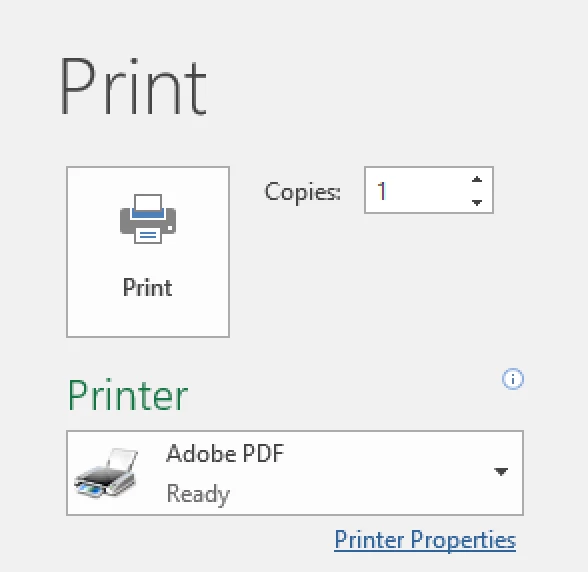
The obsolete method that we used 20 years ago is:

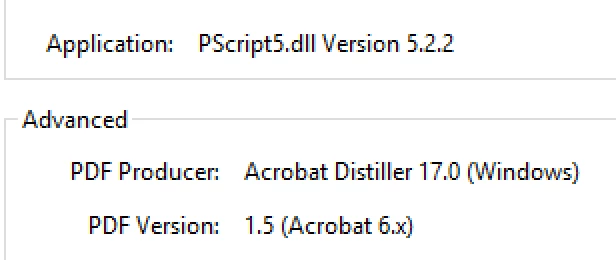
Printing to Adobe PDF will show this in Acrobat Properties:

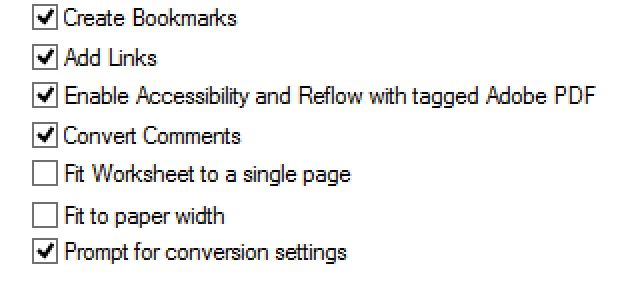
Using PDFMaker (Acrobat tab) will keep interactivity, such as those listed below. Printing to Adobe PDF will not.

1 reply

jane-e
Community Expert
Community Expert
August 4, 2017

A couple of questions:

When you say Acrobat VI, do you mean Acrobat 6 or Acrobat XI, aka Acrobat 11?

When you say you are printing from Excel, do you mean you are attempting to create the PDF by printing? What is your procedure?

Which version of Excel?

The correct method to create a PDF from Microsoft Office is to use the Acrobat tab and then the first button that says Create PDF. The second button for Preferences should be examined before creating the PDF.

ALVIM58Author
Participant
August 7, 2017

Adobe Acobat Xi, sorry.

I have printed dirirectly from Excel 2013 for many years and it has worked without problems until last week.

To use "Create PDF" I have used now and then and it Works.

jane-e
Community Expert
jane-eCommunity ExpertCorrect answer
Community Expert
August 7, 2017

Here is a more detailed answer:

The best method from Microsoft Office is to use the Acrobat tab on the Ribbon. First, confirm your choices in Preferences, then click Create PDF.

When you go in to Properties in Acrobat, you will see:

The obsolete method that we used 20 years ago is:

Printing to Adobe PDF will show this in Acrobat Properties:

Using PDFMaker (Acrobat tab) will keep interactivity, such as those listed below. Printing to Adobe PDF will not.