Hello,
Thanks for reaching out, and we understand how frustrating this can be, especially when you are unable to even reach the sign-in screen.
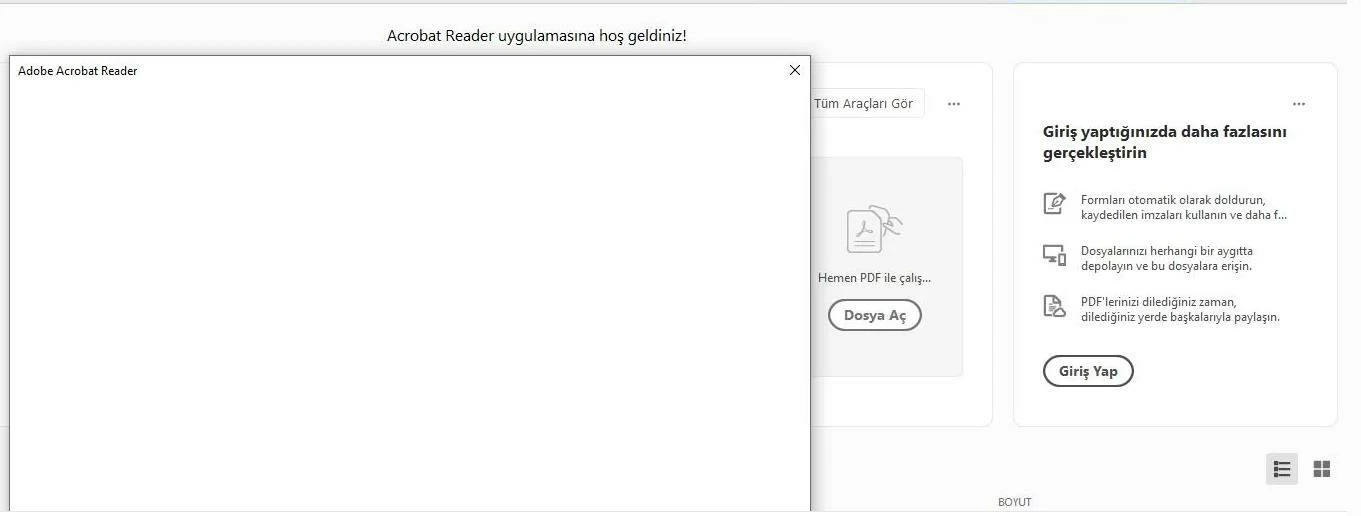
A white screen during sign-in is typically related to issues with embedded web components, cached data, or network-related restrictions. Let’s try the following steps:
Recommended troubleshooting steps:
Check if Acrobat is fully updated
Go to Help > Check for Updates and install any available updates.
You can check the latest update availability here: https://adobe.ly/3QwagTt
Clear the Acrobat sign-in cache
Close Acrobat completely, then delete the following folders:
Then relaunch Acrobat, and try signing in again.
Verify system web components (important)
Acrobat uses embedded web technology for sign-in. Please ensure:
Try launching Acrobat first
Open Acrobat directly, then go to Help > Sign In, instead of triggering sign-in via file open.
Check network or security restrictions
Disable VPN or proxy temporarily
Check if the firewall or antivirus is blocking Adobe services
Try on a different network if possible
Run Acrobat as an administrator
Right-click Acrobat and select Run as administrator, then try signing in.
If the issue persists
Please share the following details so we can investigate further:
Acrobat version and build number
Operating system version
Whether this happens on all networks or only on a specific one
A screenshot or screen recording of the white screen (if possible)
We appreciate your patience, and with a bit more information, we can help narrow this down further.
~Tariq



 AdChoices