
Participant
October 28, 2024
Answered

Adobe Acrobat "You do not have access to this feature"

  • October 28, 2024
  • 1 reply
  • 1451 views

Having an issue with Adobe Creative Cloud giving me the error message below.
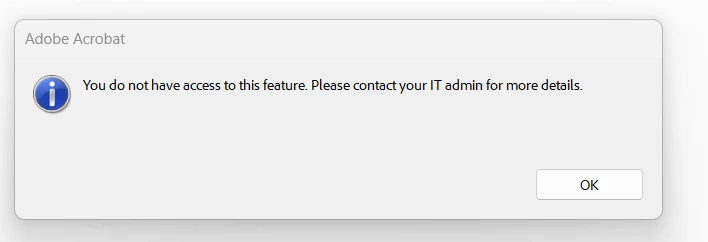
This error message occurs after I upload the document into the files section of Adobe Creative Cloud and then try to open the document. The document will open ok if I open regularly through Adobe Acrobat. 

Here are a few things I've tried: 

  1. Uninstalling and reinstalling Adobe Acrobat
  2. Restarting my computer after reinstalling
  3. Moving the document out of share point and saving on my desktop, then uploading the document via desktop to the creative cloud files. 
This topic has been closed for replies.
Correct answer Souvik Sadhu

Hi @asdfsadfsdfasdfasdfasdfsa,


Hope you are doing well. Sorry for the trouble.


Creative Cloud synced files has been discontinued for your account type starting October 1st, 2024. More info here: Discontinuation of Creative Cloud Synced files for business plans (https://adobe.ly/4eWBnyu).


You can access your files from here: Files | Adobe.


Let me know if you are not able to access the files from the link shared here, and we can troubleshoot accordingly.


-Souvik

1 reply

Souvik Sadhu
Souvik SadhuCorrect answer
Legend
October 29, 2024

Hi @asdfsadfsdfasdfasdfasdfsa,


Hope you are doing well. Sorry for the trouble.


Creative Cloud synced files has been discontinued for your account type starting October 1st, 2024. More info here: Discontinuation of Creative Cloud Synced files for business plans (https://adobe.ly/4eWBnyu).


You can access your files from here: Files | Adobe.


Let me know if you are not able to access the files from the link shared here, and we can troubleshoot accordingly.


-Souvik