
Adobe Collaboration Synchronizer 15.6 has stopped working - Acrobat DC Standard
Working in an Virtual Desktop running Windows 7 and Acrobat DC standard, I have a user getting an error when Acrobat opens stating the Adobe Collaboration Synchronizer 15.6 has stopped working. The only options are to check on line for a solution to the problem and close program. When clicking the close program it pops up several times causing the user to have to click that multiple times before it is cleared. I have repaired removed and re-installed, repaired that checked for and installed updates and rebooted several times, I am at my wits end with this issue and would like to find a solution.
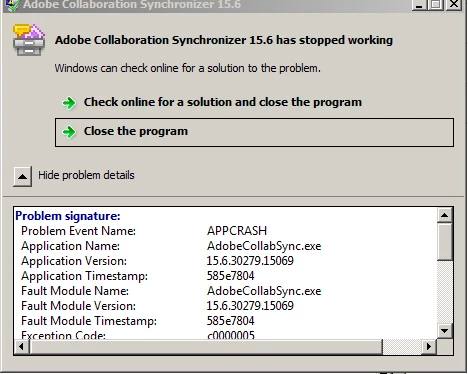
Problem signature:
Problem Event Name: APPCRASH
Application Name: AdobeCollabSync.exe
Application Version: 15.6.30279.15069
Application Timestamp: 585e7804
Fault Module Name: AdobeCollabSync.exe
Fault Module Version: 15.6.30279.15069
Fault Module Timestamp: 585e7804
Exception Code: c0000005
Exception Offset: 00056591
OS Version: 6.1.7601.2.1.0.256.48
Locale ID: 1033
Additional Information 1: 0a9e
Additional Information 2: 0a9e372d3b4ad19135b953a78882e789
Additional Information 3: 0a9e
Additional Information 4: 0a9e372d3b4ad19135b953a78882e789
 AdChoices