


Participant
June 19, 2025
Question

Adobe Collaboration Synchronizer -- Rapid Drain of Battery

  • June 19, 2025
  • 2 replies
  • 922 views

Hello,


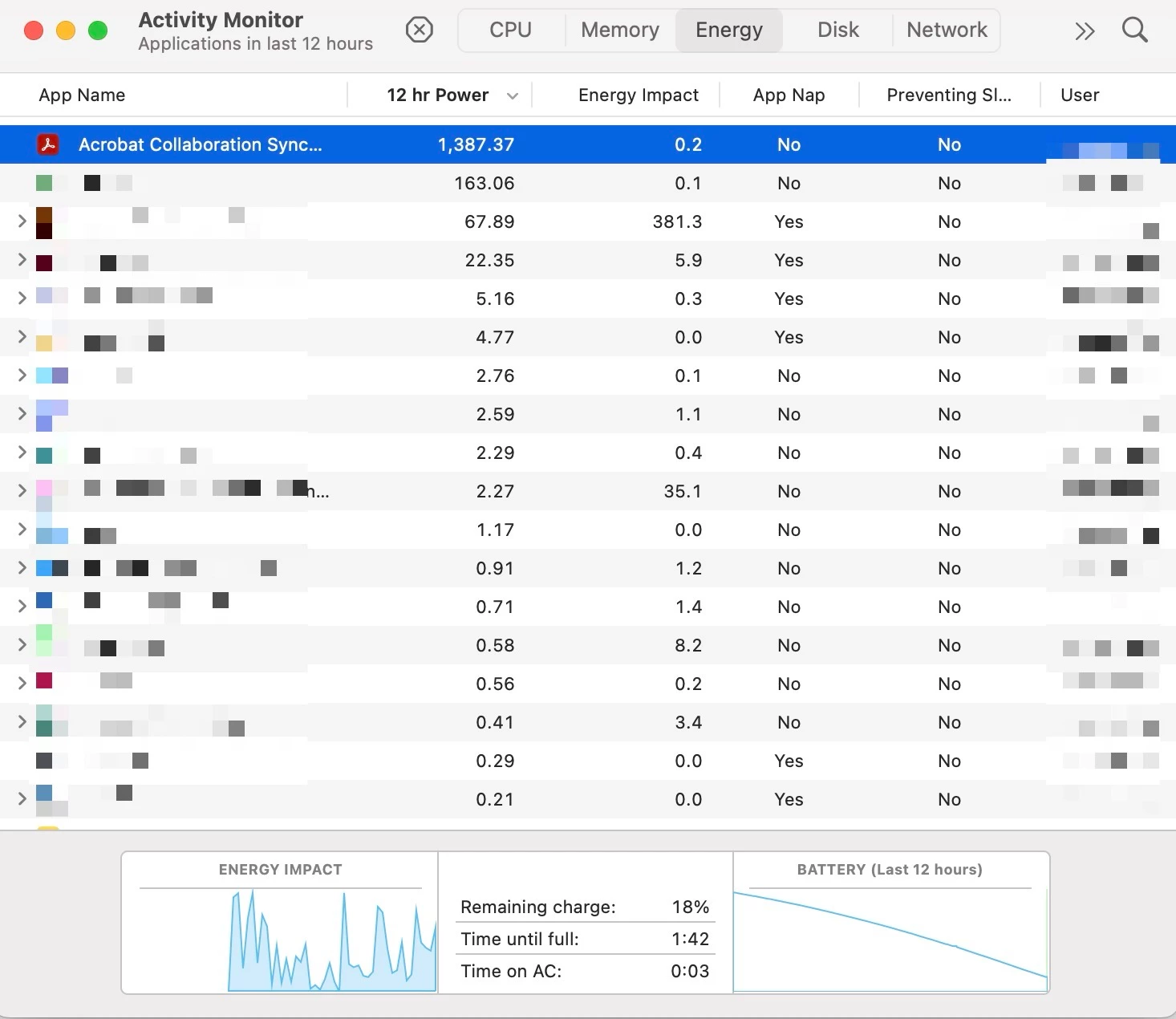
I am using a M4 MacBook Pro (MacOS Sequoia 15.5) and have been consistently experiencing an issue with a background process known as "Acrobat Collaboration Synchronizer" that is rapidly draining battery, regardless of Acrobat being closed and my computer being in sleep mode. When in sleep mode, the computer gets extremely warm. 


I've noticed a thread about this from last year; however, the issue is still not fixed. I have Acrobat and all other Adobe apps on my computer up-to-date. My computer is also up-to-date.


Does anyone have a working fix for this? Is Adobe even working on a solution?


Thank you!
 

2 replies

onefjef73
Participant
March 31, 2026

Same here. And these posts were from nine months ago, so it’s clear this still hasn’t been solved. A cursory google search indicates that there are many many people experiencing this issue. 

I just uninstalled it since Adobe seems incapable or unwilling to fix it.  

Legend
June 19, 2025

Hi @lori_0948,


Sorry for the troubled experience, and thank you for reaching out. 

Please ensure your copy of Adobe Acrobat is updated. To check for any pending updates, launch Acrobat > Help > Check For Updates.


To help us investigate the issue further, could you please share the diagnostic logs? 


To collect the logs:

  1. Download and run the Diagnostics Utility from:  https://adobe.ly/3HL8R7j
  2. Click on Start Diagnostics. Ensure advanced logging is checked.
  3. Launch Acrobat, and reproduce the issue with your file.
  4. Once done, click Stop Monitoring.
  5. Copy the Log ID and share it with us.
  6.  

We would require crash logs: https://adobe.ly/4kNW8zj

  • Upload logs to any Cloud Drive(OneDrive, Google Drive, Dropbox, etc)

Once we have the logs, we will share the details with the engineering team for review.


~Tariq

lori_0948Author
Participant
June 19, 2025

Hello,


I've followed the instructions. Adobe Acrobat is already up to date. The Log ID is 881207fe-bbd7-43d7-b70b-61e032faa3f0.


For additional reference, I recommend reviewing a previous thread regarding the issue:

https://community.adobe.com/t5/acrobat-discussions/acrobat-collaboration-synchronizer-energy-consumption/m-p/15150329

Legend
June 20, 2025

Thank you for the logs. 
I am sharing these details with the engineering team for review. If we find any root cause for this issue through logs, we may not need additional information. If the logs were inconclusive, we may need your further help.


We appreciate your support and patience.

~Tariq