


Participant
August 10, 2023
Question

Adobe Crashing due to font embedding issues

  • August 10, 2023
  • 1 reply
  • 1027 views

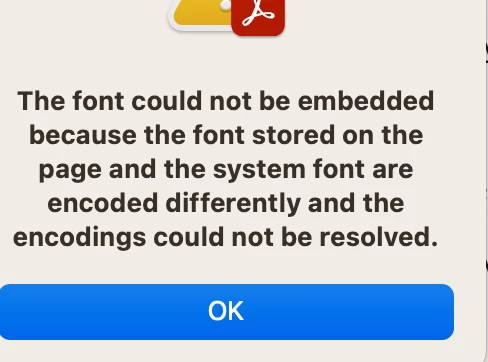
I have been editing the same documents with the same fonts for over a year. No issues until yesterday. I get an error whenever I hit "Edit". Then if I make a change the error I get is this.

" the font could not be embedded because the font stored on the page and the system font are encoded differently and the encodings could not be resolved"

I have logged out, restarted, logged back in and that did not work. No changes are saved obvisouly...any thoughts on this? single user on a single computer.
 

This topic has been closed for replies.

1 reply

Amal.
Community Manager
Community Manager
August 11, 2023

Hi @Slater22560619tvo6 


Thanks for reaching out.


Please go through the correct answer marked in the similar discussion https://community.adobe.com/t5/acrobat-discussions/font-embedding-error/m-p/9169880#M57950 and see if that works.


Hope this information will hep


Regards

Amal

Participant
August 11, 2023

Thanks for the reply. I did see that post and I attempted to address that in my post. I am the only editor and user of these files and we are basically a single user. No multiple users with multiple software versions etc. 

I did finally try a different approach. I went to our website and re-downloaded the files (that I had uploaded last week from my computer) and edited those versions of the file. And miraculously I had no crashing or editing issues. I guess somehow my versions got corrupted? not really sure but I am glad I can move forward with my editng. 

Amal.
Community Manager
Community Manager
August 18, 2023

Hi there


We are glad to hear that. Feel free to contact us for any assistance required in the future.


Regards

Amal