Question
Adobe DC Open File or Save As - No minimize or maximize button, no tool ribbon
In Adobe DC, I go to save as or to open a new file, the explorer window opens but there is no minimize or maximize buttons in upper right corner, there is no toolbar ribbon, and, when I drag the explorer ribbon to the top of a screen, it no longer automatically maximizes. I have screenshot below. This just started a couple of days ago. Any solutions? Thanks. 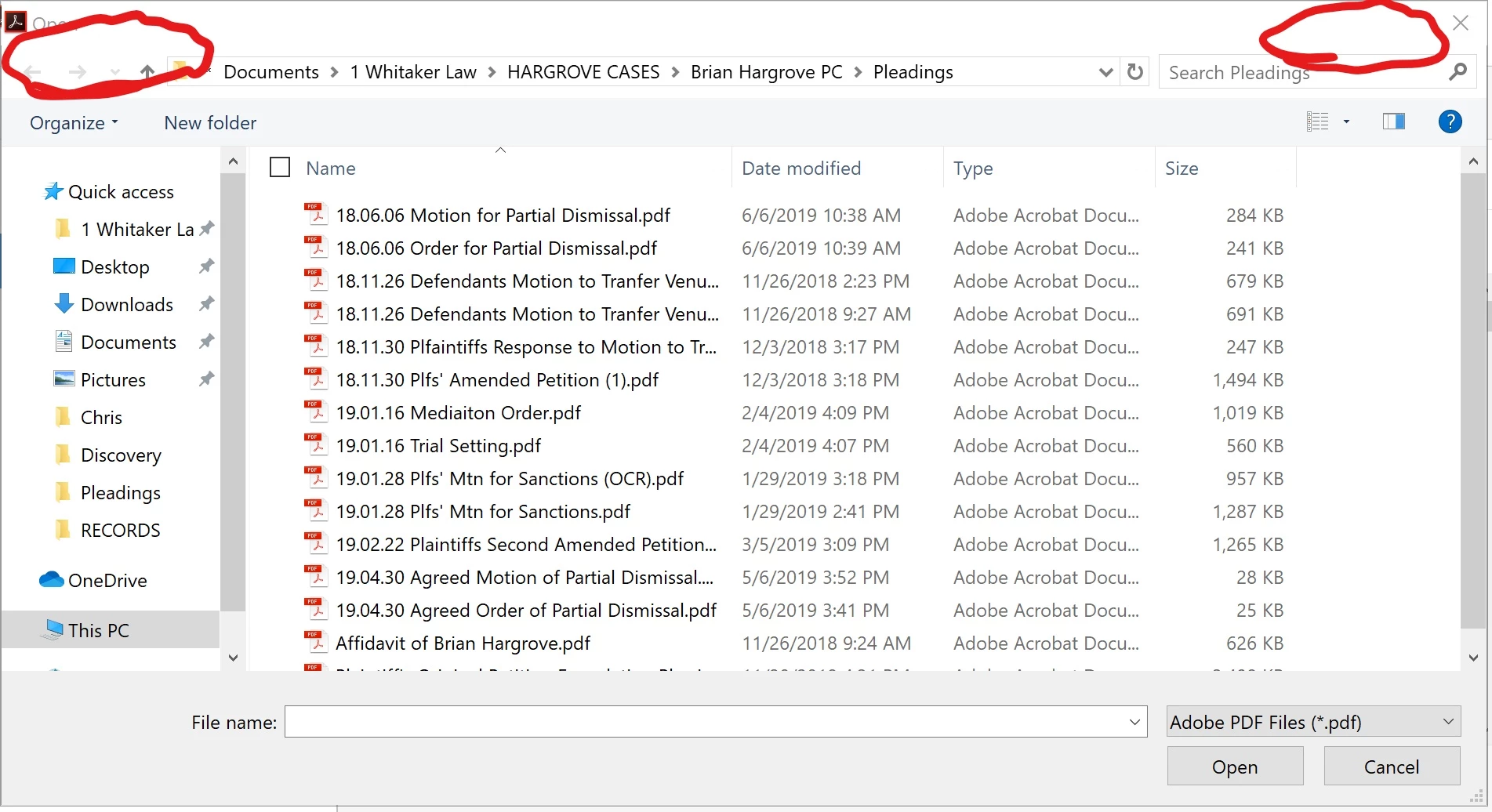
 AdChoices