
Participant
December 6, 2021
Answered

Adobe DC will NOT uninstall

  • December 6, 2021
  • 3 replies
  • 7035 views

Hi Support,


I have tried so many solutions online but cannot seem to find a solution!


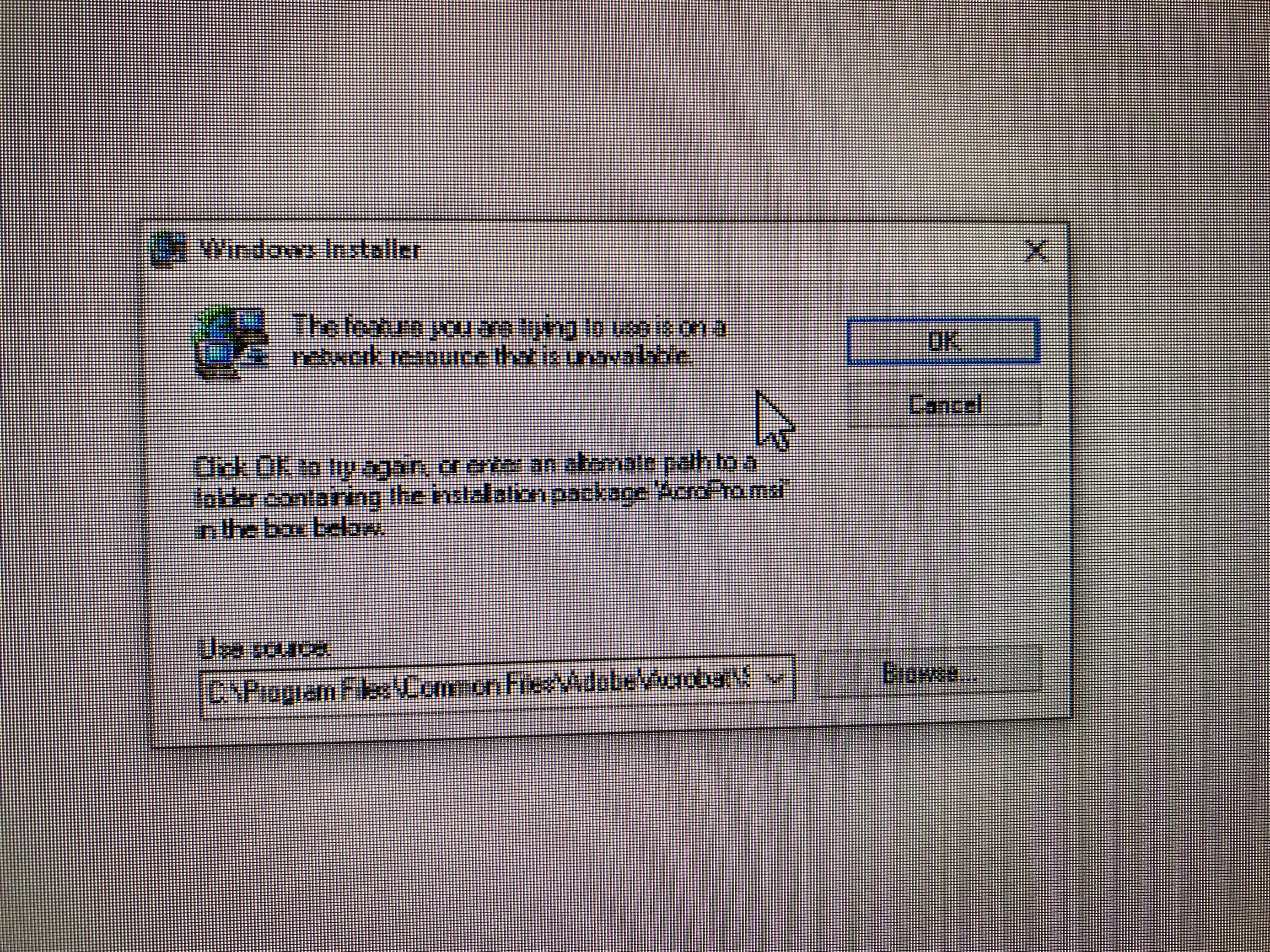
When I try to uninstall Adobe DC I am getting the message "The Feature you are trying to use is on a network resource that is unavailable. 


I have tried uninstalling using Creative cloud uninstaller, Adobe Cleaner and even just uninstalling via control panel. But It just doesnt work. Even when I try to reinstall Adobe it is saying that the program is already installed.. When I search for it in windows it the icon is showing a blank page file.


Please can someone help me..
 

This topic has been closed for replies.
Correct answer Mason22113077rsdy

Hi @Amal. 


After doing some digging online, i found a quick solution which ended up finding a corrupt patch file in the registry.


Thought i'd link it below incase anyone has any similar issues in the future:


https://support.microsoft.com/en-gb/topic/fix-problems-that-block-programs-from-being-installed-or-removed-cca7d1b6-65a9-3d98-426b-e9f927e1eb4d


thank you,


Mason

3 replies

NewO
Participant
February 15, 2024

Or use this Adobe Acrobat DC Cleaner Tool. Wored for me 🙂

Mason22113077rsdyAuthorCorrect answer
Participant
December 7, 2021

Hi @Amal. 


After doing some digging online, i found a quick solution which ended up finding a corrupt patch file in the registry.


Thought i'd link it below incase anyone has any similar issues in the future:


https://support.microsoft.com/en-gb/topic/fix-problems-that-block-programs-from-being-installed-or-removed-cca7d1b6-65a9-3d98-426b-e9f927e1eb4d


thank you,


Mason

Amal.
Community Manager
Community Manager
December 6, 2021

Hi Mason


Hope you are doing well and sorry for the trouble. As described you are unable to remove the application and getting the Windows installer error as shared above.


It seems to be the windows issue. Please check out the steps shared in the MS support page that i have found here https://answers.microsoft.com/en-us/protect/forum/all/the-feature-you-are-trying-to-use-is-in-a-network/80d4be22-aab6-47f0-a7dc-8a3131fc8df0 and see if that works for you.


Regards

Amal


Participant
December 7, 2021

Hi Amal,


I have tried these steps but can't seem to find 'Microsoft Security Client' when CTRL+F.. I've even tried reinstallign adobe but it says it's already installed. is there any other solutions for this I could try? as I use adobe everyday for my work.


thank you,


Mason