
Participant
April 1, 2025
Question

Adobe E-Sign Global Setting to Not Merge Documents

  • April 1, 2025
  • 2 replies
  • 534 views

Trying to manage settings in AdobeSign.

Our service level is an "adobe for teams" subscription for Adobe Acrobat Pro which includes the Acrobat Sign service.

I have been made an Adobe Acrobat Account Admin.

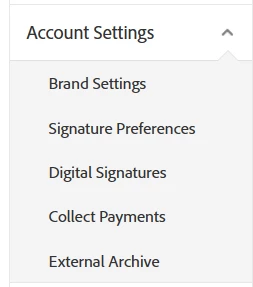
I go to e-sign settings and there is no "global settings" option.

I would like to disable the setting that Merges signed documents.
 

2 replies

RiandaAuthor
Participant
June 4, 2025

Is there no answer as to why the option is missing in my settings?

creative explorer
Community Expert
Community Expert
April 3, 2025
RiandaAuthor
Participant
April 3, 2025

The link leads me to a page to subscribe to Adobe Acrobat Pro for Teams. That's the product we have already. It includes the Adobe Sign service.

Clicking on Acrobat Sign takes me to the Adobe Acrobat home

Legend
April 4, 2025

Hi 

Please check this help page: https://adobe.ly/3XJXNwm;


Configuration

Availability: The option to keep documents separated is available for team and enterprise license plans.

Configuration scope:

The feature can be enabled at the account and group levels.

The controls for this feature can be assessed by navigating to Global Settings > Merge multiple documents into one document after signing


Let us know if you have further questions


~Tariq