Answered
adobe error status 0xc000012f
Hi,
Could anyone shed some light on what to do here. It keeps appearing upon boot up.
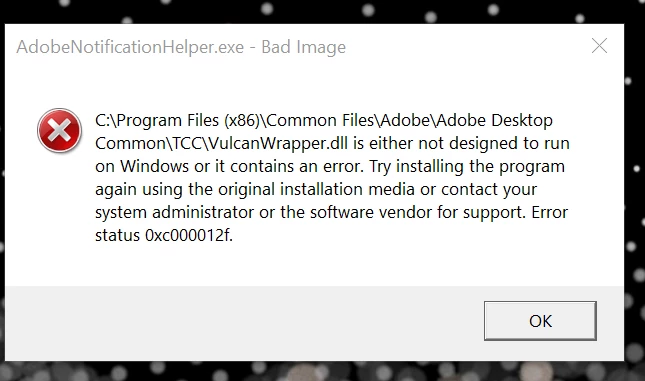

Hi,
Could anyone shed some light on what to do here. It keeps appearing upon boot up.
From what I've read looking up error 0xc000012f, it is typically a corupted file and the solutuon is a clean install. You should also see if you have latest Windows updates. See the discussion below. Hope this helps your situation.
https://community.adobe.com/t5/indesign-discussions/bad-image-error-status-0xc000012f/m-p/11695417
Already have an account? Login
Enter your E-mail address. We'll send you an e-mail with instructions to reset your password.
 AdChoices