Inspiring
November 25, 2025
Question

Adobe Extension for MS Edge - Signature Issue

  • November 25, 2025
  • 4 replies
  • 865 views

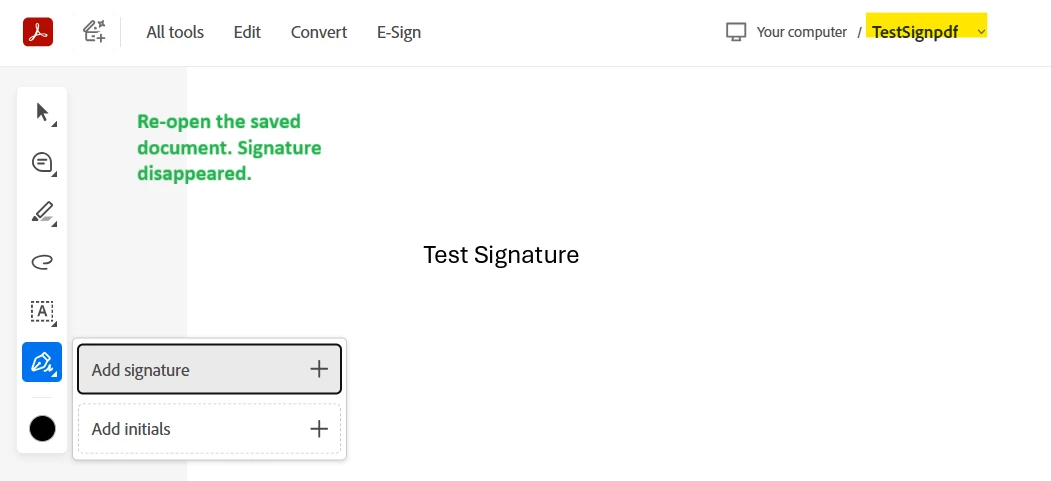
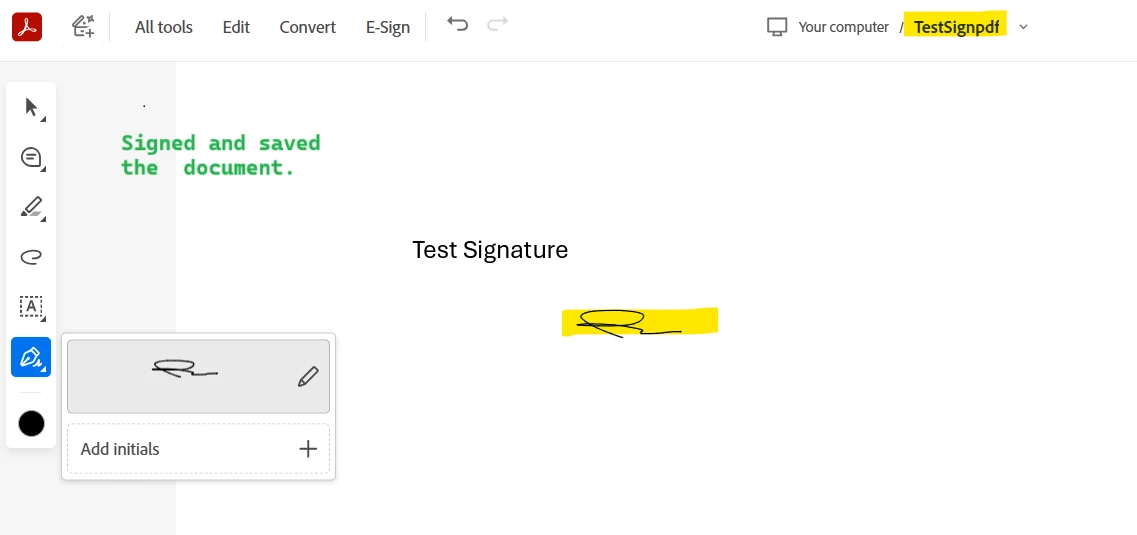
The signature can’t be saved or reused in other documents, and when reopening the saved file, the signature only appears for a second before disappearing from view — though it still shows in print view. The signature also appears when the Adobe extension is turned off. Tried sending the file to my colleague and the same happened on their side. This makes users feel uncomfortable since it looks like the signature is missing.


Extension version: 25.9.2.0

Edge version: 142.0.3595.94
 

4 replies

MrTech86Author
Inspiring
December 11, 2025

Looks like a new version of the extension was released on December 8th, but I am still having the issues as before with the signature disappearing after a few seconds of opening the PDF.

Meenakshi_Negi
Legend
December 26, 2025

Hi MrTech86,


Sorry for the delay in response.


Please confirm if you are still experiencing the same behaviour. If yes, do you experience this issue only with the Acrobat Extension on MS Edge? 


Please try using an alternative browser and see if you experience similar behaviour.

Let us know how it goes.


Thanks,

Meenakshi


MrTech86Author
Inspiring
December 31, 2025

I just tested signing a PDF with Chrome and it is the same result.


In both browsers, if I turn off the Adobe Extension, the signatures pop back onto the PDF. 

MrTech86Author
Inspiring
December 2, 2025

@Tariq Ahmad 

Have you seen this one before? 

November 28, 2025

I have the same issue.
I've read a lot of posts about reset settings, cookies, flags, but the issue remain.

December 2, 2025

let me do an update.

In my case, the signature remain in the doc assigned, but for a new doc I have to add the signature again. The steps for any new doc.

tks

MikelKlink
Participating Frequently
November 26, 2025

There is an error in the file revision with the signature. But it is an error that will usually be ignored by PDF processors. So this error probably is not the cause of the issue.

(In detail: The error is that the PDF object cross reference table has gaps; this is forbidden but most PDF processors handle the object numbers without table entry as free object numbers.)