glendat21572690
Participant
August 20, 2024
Answered

Adobe form calculations fields not working

  • August 20, 2024
  • 3 replies
  • 782 views

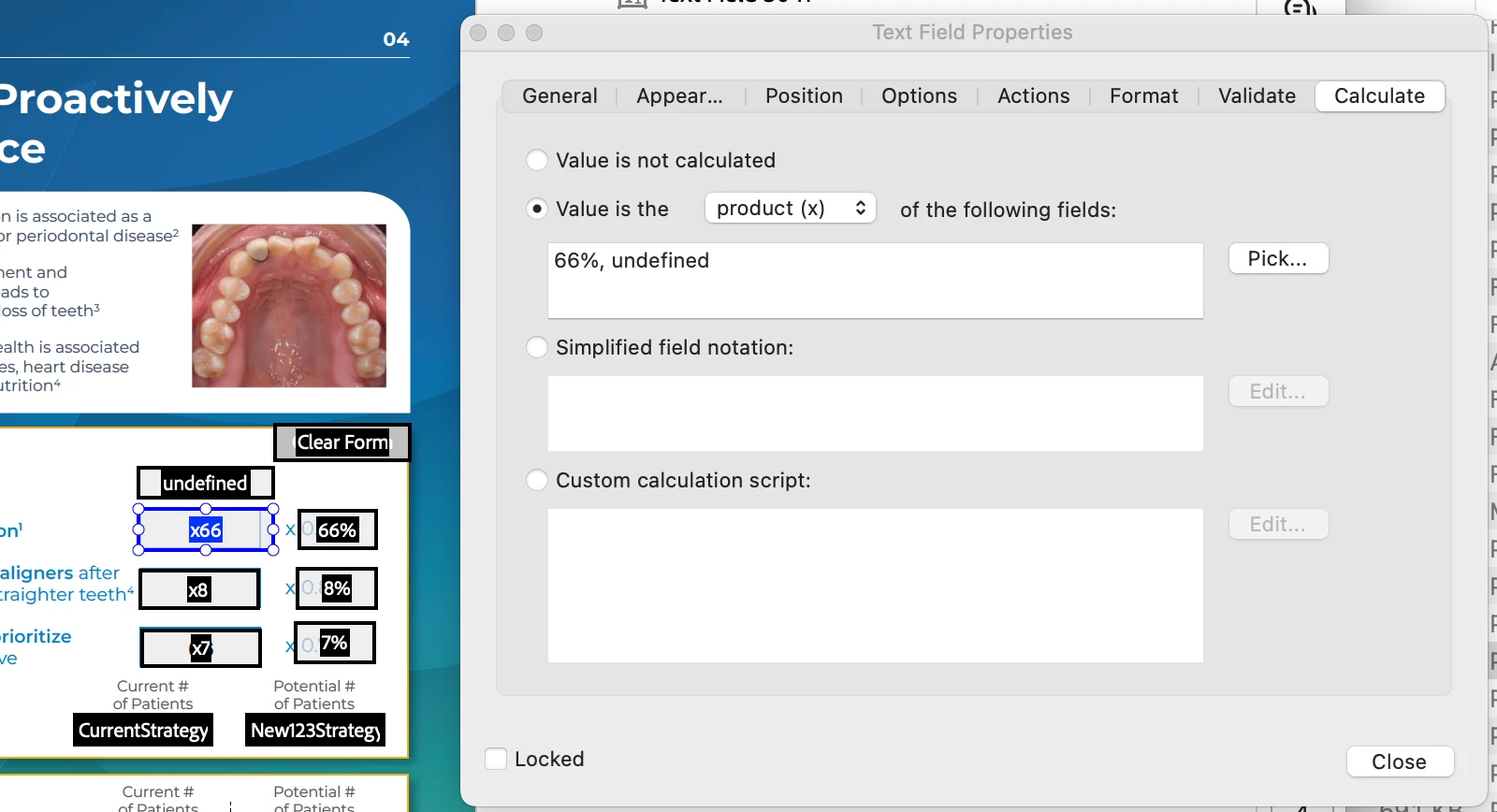
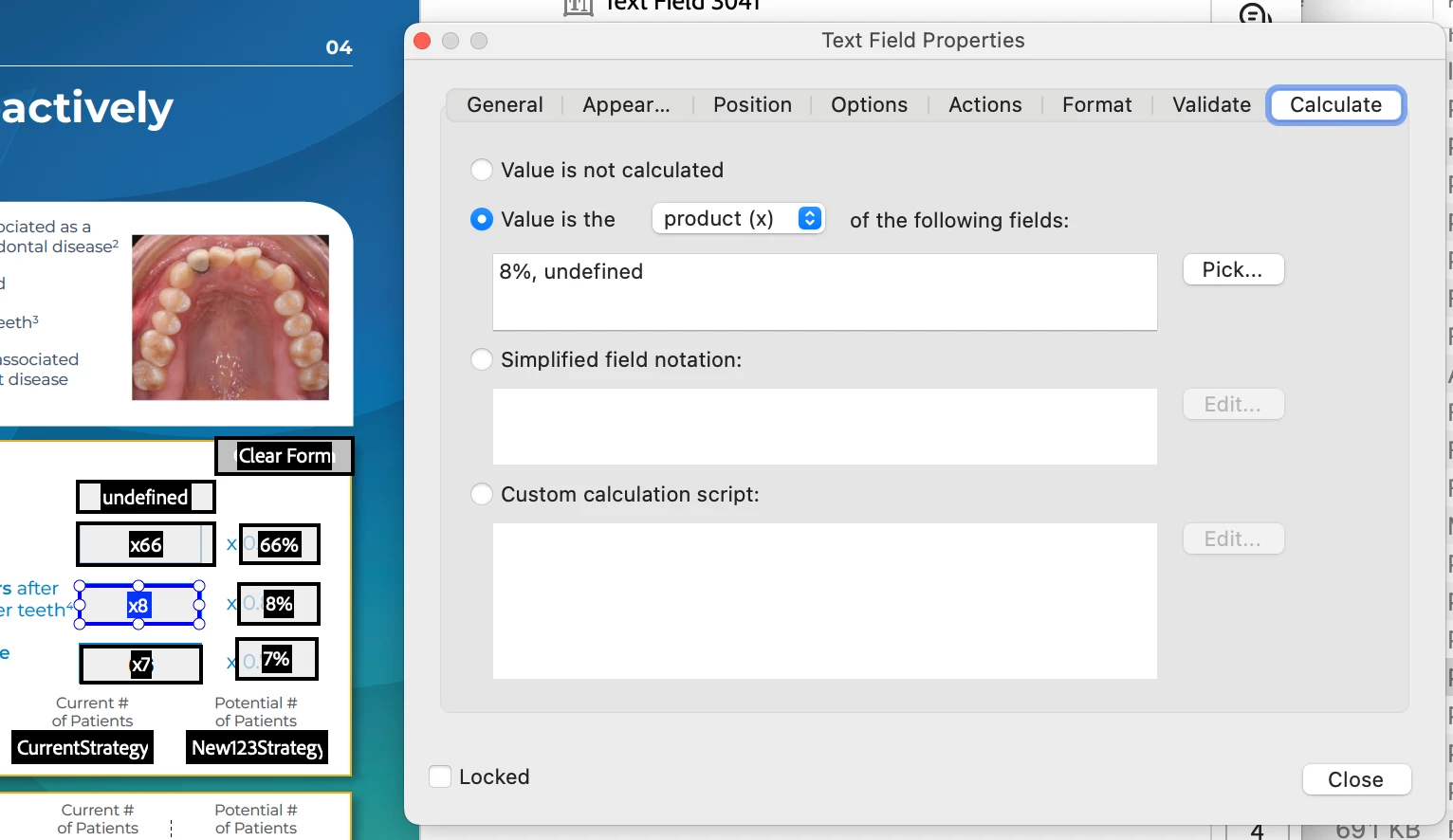
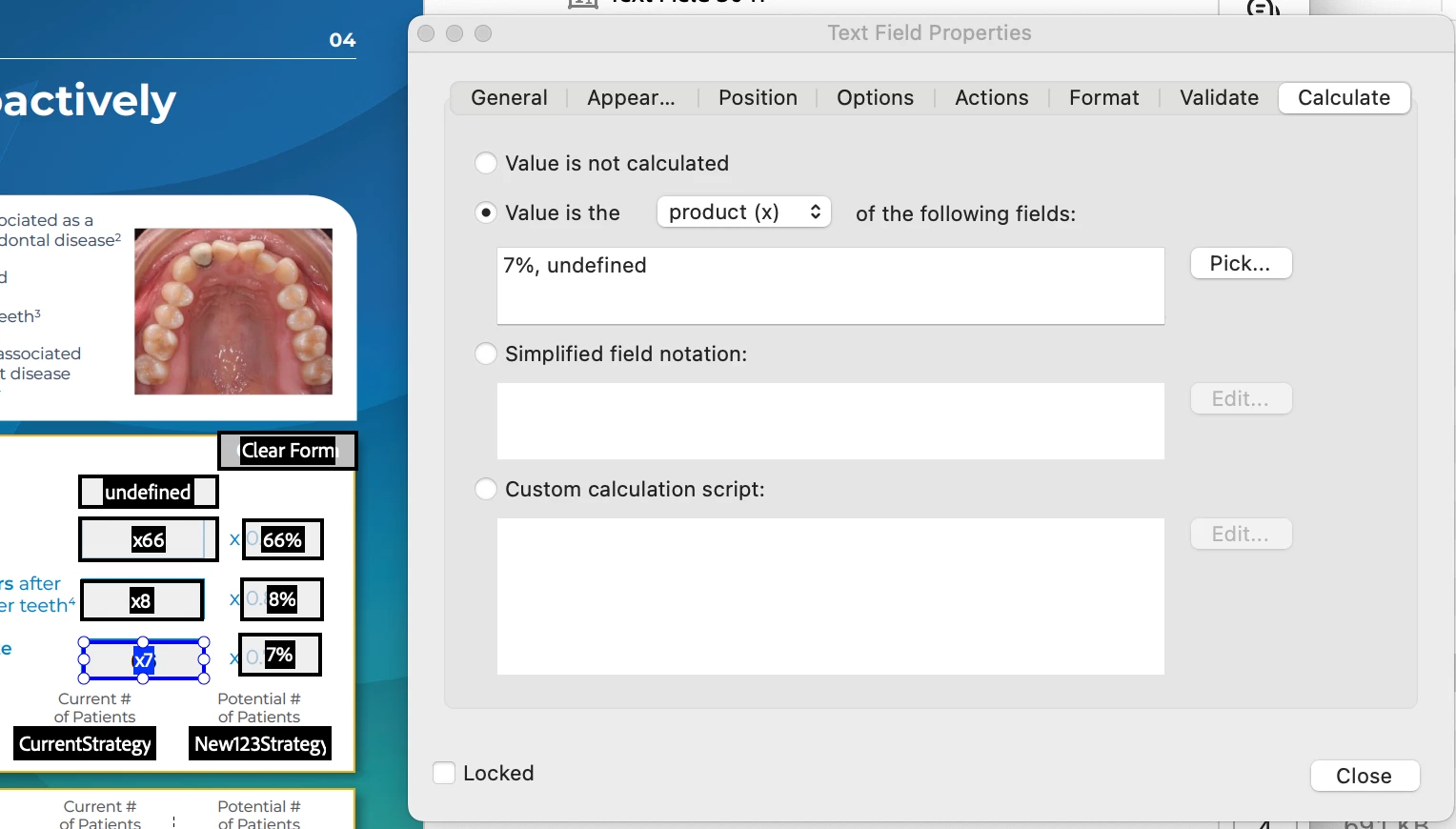
I'm having difficulty having the calculations in the following order to calculate automatically. However, I'm getting the results I need for only 1 row instead of all 3.


For example I want the value of 100 to multiply by 66% (which is CORRECTLY calculating in the 2nd row)

But then when I want the value of 100 to multiply by 8% (but the results arn't calculating correctly and giving me the results of the 2nd row). Same applies for wanting the value of 100 to multiply by 7%.


(CALCULATION SCREENSHOTS BELOW!)


Can anyone help?!
Correct answer PDF Automation Station

I can't see any values in your % fields.  You don't need those fields from what I can see.  Use a custom calculation script in the x fields:

event.value=this.getField("undefined").value * .66;// for x66

event.value=this.getField("undefined").value * .08;// for x8

event.value=this.getField("undefined").value * .07;// fro x7


You really should choose better names for your fields, avoiding non-alpha numeric characters like % and non-descriptive terms like "undefined" to avoid confusion.

3 replies

Participating Frequently
June 27, 2025

This is what I've found since the "Cloud" has been in extensive use by folks.  I develop lots of Adobe Pro Dc forms with extensive formulas.  If this file is sent from the Cloud/Google Drive/One Drive, the formulas do not work correctly *and* if the file is retrieved from Cloud/Google Drive/One Drive, the formulas will NOT work correctly.  However, if the file is saved/sent from your hard drive to another and the other party uses the form file from their hard drive, there are NO problems whatsoever and all the formulas work fine.  So what's the deal on this?  What is going on with Adobe Pro DC formulas not being compatible with the Cloud/Google Drive/One Drive?   We know this is the issue, because we have tested it and it IS only when these are sent, retrieved, or saved to the Cloud/Google Drive/One Drive.  Why is this happening?   Thanks. 

PDF Automation Station
Community Expert
Community Expert
June 28, 2025

Web browsers are extremely limited with the JavaScripts they support.  Users should save the files locally and open with an Adobe PDF viewer.

glendat21572690
Participant
August 20, 2024

Nevermind. I figured it out.

Thanks for all your help!

PDF Automation Station
Community Expert
Community Expert
August 20, 2024

I can't see any values in your % fields.  You don't need those fields from what I can see.  Use a custom calculation script in the x fields:

event.value=this.getField("undefined").value * .66;// for x66

event.value=this.getField("undefined").value * .08;// for x8

event.value=this.getField("undefined").value * .07;// fro x7


You really should choose better names for your fields, avoiding non-alpha numeric characters like % and non-descriptive terms like "undefined" to avoid confusion.

glendat21572690
Participant
August 20, 2024

THANK YOU!

It worked!!


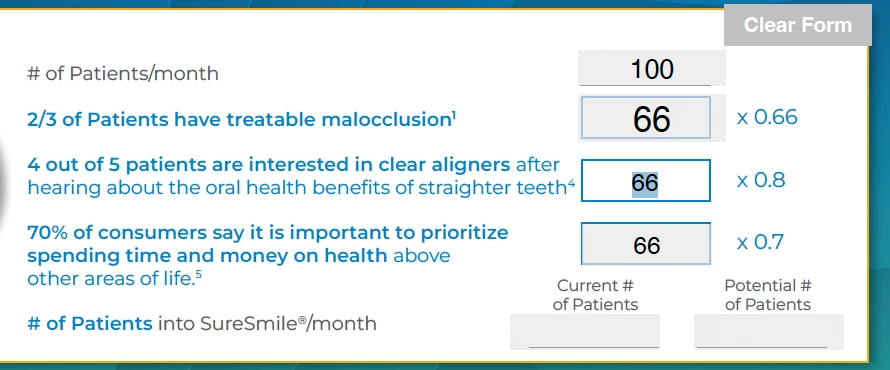
However, for some reason only the 7% section keeps giving me this result.

I've tried deleting the text field and creating a new one. And the results are still the same.

Any idea why?