
Answered
Adobe Form Question - Custom in-line field spacing
Hi,
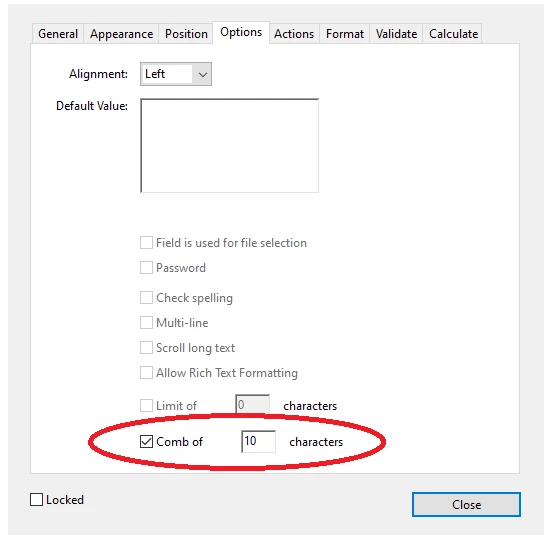
Does anyone know how to create a form field that has custom in-line (not between lines) spacing? An example is field 35b in the IRS form 1040:

https://www.irs.gov/pub/irs-pdf/f1040.pdf
I have a similar PDF line and I would like to make a form field that will space-out the numbers as the user is typing.
Any help would be appreciated.
Thank you!
P.S. I tried copying and inspecting the field from the 1040 form but unfortunatelly it is locked. I can unlock it but then the field disappears.
 AdChoices