This topic has been closed for replies.
Correct answer Document Geek

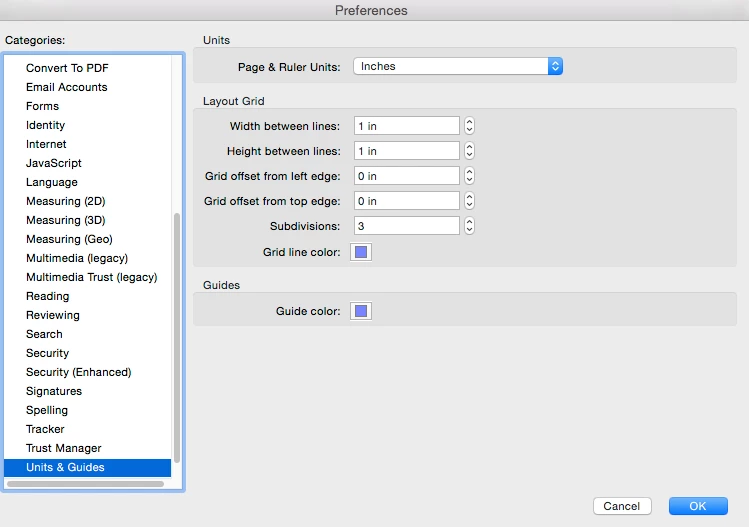
Are you opening the files on a different computer? The units of measurement are application-specific, meaning that you set those units in the Preferences dialog box and it will affect how each document is displayed.
1 reply

Document Geek
Community Expert
Document GeekCommunity ExpertCorrect answer
Community Expert
June 1, 2017

Are you opening the files on a different computer? The units of measurement are application-specific, meaning that you set those units in the Preferences dialog box and it will affect how each document is displayed.

Participant
June 1, 2017

No our default unit preferences are set to inches and the scale is set to the appropriate unit per the plans we are working on. (i.e. 1"=20').

We export the measurement markups to an excel spreadsheet. Some export correctly, some come out  completely useless.

Clean Export

Bad Export

Participant
March 27, 2018

I have similar problem as well.

So far I havent got the answer yet.

But I just come to realised that the bad export only happen with drawings which has been created with AutoCAD and plotted/saved to PDF using pdfplotxx.xxxx.

PDF files which was created using other than AutoCAD (eg. PScript5.dll/GPL Ghostscript, Acrobat Pro/Nuance PDF Create) doesnt have that problem.

May it be because the original unit was not transferred properly??

Can anybody help?
