
Participant
May 2, 2023
Question

Adobe PDF validation slowing pdf

  • May 2, 2023
  • 3 replies
  • 1472 views

Hi ! I'm having issues with my PDF scripting ..
I'm creating a PDF with a lot of fields (around 450) 

Around 150 of them are Calculation field 

Around 50 of them are actually scripted dropdown that can affect 4-5 other dropdown
EX:  If Dropdown1 = EXCLUSIVE   then
Dropdown2 = someArray1

Dropdown3 = someArray2

Dropdown4 = someArray3...

These are the 20 first line of it
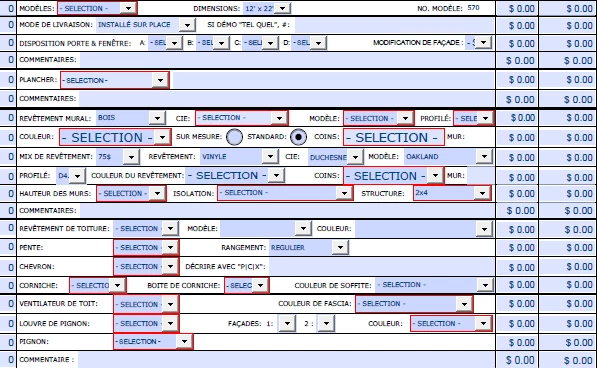
Now my PDF run slow ... like 1 selection can take up to 10-15 sec
I'm quite new to work with PDF and i see there is a lot of place where you can imbed your code (Validation, calculate, custom format script, Document Level script, etc ... )


My question is ... is this normal that it take that much time if not is there a method or good behavior I should follow to get better ...


This topic has been closed for replies.

3 replies

JR Boulay
Community Expert
Community Expert
May 3, 2023

Make sure that the debugger is not enabled, it slows down the forms containing many scripts.


Acrobate du PDF, InDesigner et Photoshopographe
try67
Community Expert
Community Expert
May 2, 2023

That is not a normal time for 150 calculated fields, which is not that many... I've worked with files that had hundreds of calculated fields and it took less than that. Maybe your code is not efficient, or you're doing things in it that can be moved to other events, such as Validation scripts of drop-downs (which only execute when the value of that field is changed, not the value of any field in the file).

try67
Community Expert
Community Expert
May 2, 2023

At a more advanced level you could adjust your code to check which field triggered the calculation event (via event.source) and then only update those fields that depend on it. To do that I would recommend combining all the code into a single script, though.

Bernd Alheit
Community Expert
Community Expert
May 2, 2023

This happens when you use many calculation scripts.