
Participant
June 21, 2017
Question

Adobe Pro DC Form multiline dropdown list text wrap

  • June 21, 2017
  • 1 reply
  • 5138 views

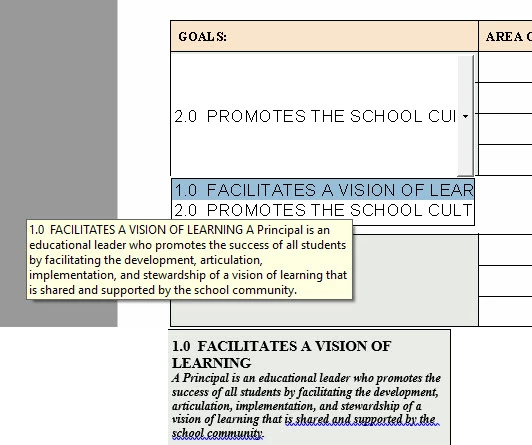
I have a dropdown list in my form made in Adobe Pro DC with 7 entries, some of which are quite long. They do not fit in the space I have designated on the form. Is there a way to script, so that the text wraps and shows all the information?

Thanks in advance.
This topic has been closed for replies.

1 reply

try67
Community Expert
Community Expert
June 21, 2017

You can include line-breaks in the items when you use a script, but it's an undocumented feature and a bit buggy, so I would advice against it.

Participant
June 22, 2017

Thank you for the reply. I have read that in other forums, but unable or do not know the script needed, nor where to place it. I presume Properties/Format/Custom Format Script. Can you point me in the right direction or give me a sample script? I need to try it at least, else will not be able to use it.

try67
Community Expert
Community Expert
June 22, 2017

No, this script doesn't need to be placed anywhere under the field itself. You need to run it from the Console.

An example would be:

var items = ["Item 1\nSecond line of text", "Item 2\nSecond line", "Item 3"];

this.getField("Dropdown1").setItems(items);

After running it you'll see that it looks and behaves in an odd way. For example, the last item will switch locations between being on the first line and the second one...