


Participant
May 7, 2025
Question

Adobe pro releases pdf review as a restricted file even after changing security preferences

  • May 7, 2025
  • 3 replies
  • 1157 views

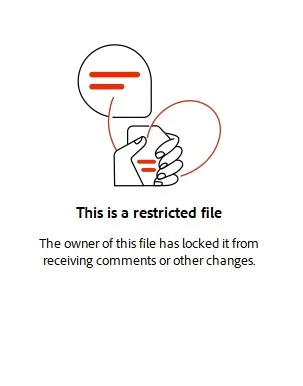
No one can make comments in the pdf reviews because Adobe releases the pdfs as a restricted file.  I  disabled Enhanced Security in preferences and Secruity Method is set to "No security" in Document properties.  When I look at the document restrictions summary, commenting is allowed but when reviewers open the pdf review, the commenting tools are unavailable.  How can I get around this issue?
 

3 replies

DebLaroche
Participant
February 17, 2026

I had someone in my group open the shared review I sent out.  They got that restricted file message on the right-hand side.  He just closed that out and made a comment and his comment posted.  Perhaps you could see if they could do the same.

Participant
July 18, 2025

This seems to be a bug that only appeared in the new Acrobat interface. Try running a simple command: Menu > Create > Blank page, and you will be surprised to see that your blank page is restricted.

DebLaroche
Participant
February 17, 2026

But her question was, “How can I get around this issue?”  I am now having the same problem, and I sent out four shared reviews yesterday.  I initiate it with the “Send for Shared Review” and Acrobat is treating it like a restricted file!  Has Adobe corrected the problem?

Community Manager
May 7, 2025

Hi @nayetta_6492


Sorry for the troubled experience. 

Once you have removed the security on the file, have you re-shared the file? 


Here are a few things to check:

  1. Are you initiating a Shared Review through Acrobat’s “Send for Comments” or “Send for Shared Review” feature?

    These methods automatically enable commenting, tracking, and versioning. If you send a PDF via email or upload (outside of the review workflow), Acrobat may not treat it as a review-enabled file.

  2. Check if the file is opened in Adobe Reader or another PDF viewer:

    If reviewers are opening the file in a non-Adobe PDF viewer, commenting may be disabled, even if Document Restrictions say “Allowed.”

  3. Ensure the PDF isn’t being opened in a browser preview (e.g., Chrome, Edge):

    These built-in PDF viewers don’t support review/commenting workflows.

  4. Make sure commenting rights were extended (for Reader users):

    In Acrobat, you can go to File > Save As Other > Reader Extended PDF > Enable Commenting & Measuring to allow Reader users to add comments.


Suggested steps:

  • Use Send for Shared Review (under the Comment or Tools > Review & Approve panel).

  • Ensure reviewers open the file in Adobe Acrobat or Reader (not a browser).

  • If needed, extend rights for Reader users as mentioned above.


~Tariq

Participant
May 15, 2025

Thank you for the response.  I sent the review using the "Send for Shared Review" option in Adobe.  One reviewer noticed that she did not receive the prompt below for one particular review and that's the review she had this issue with (she is using Adobe Reader and not a browser).  She and another reviewer are able to see and use the commenting tool in other reviews that have this "restricted file" message.  I can't figure out why Adobe is adding this to my reviews or why only certain reviews seem to have this issue.  I have been using it for years.