Participant
January 25, 2023
Answered

Adobe Recognize Text - Chinese

  • January 25, 2023
  • 1 reply
  • 2291 views

It was able to recognize the text, but when I copy it comes out as this:

;!'l#!:~ - ~~-~fL~Fi'-ivYiJtM ~*4~-=f - ~B<J:Jc~B
~i'-ivYl4~1iz;J'l#!:, *m•~


Any ideas on how to get it to work so that I can use google translate?

Recognize text is a must as the text is originally image in the PDF.


I have attached the PDF I'm talking about. TIA!
This topic has been closed for replies.
Correct answer Eric Dumas

Hi,

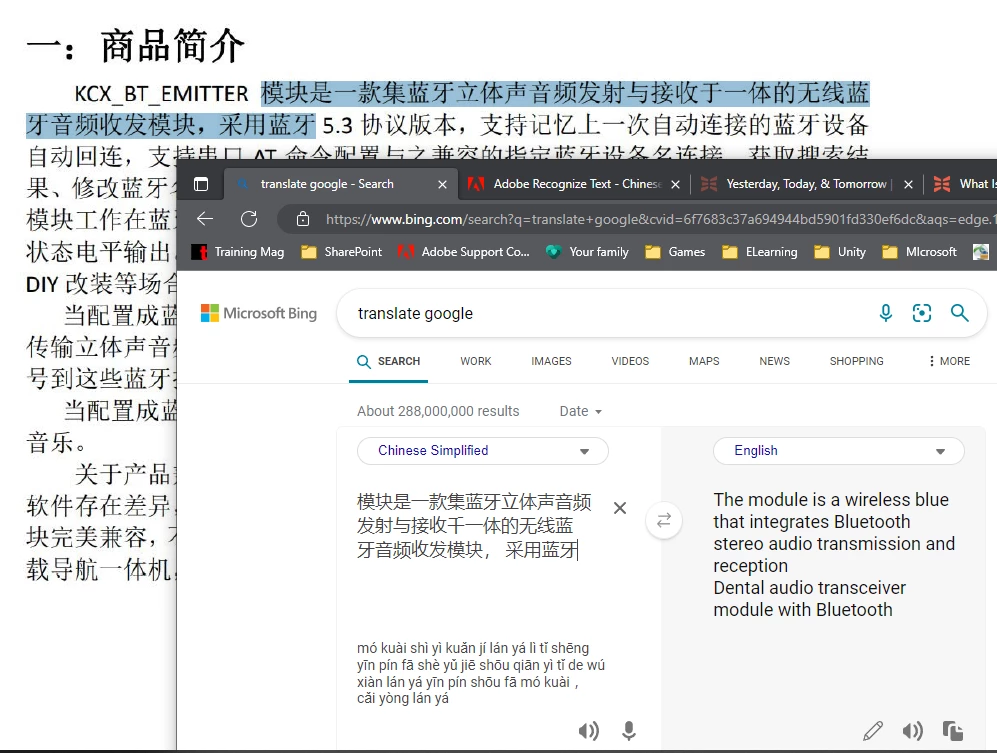
It looks like it worked for me. See screenshot below.

I selected OCR > Text Recognition > Language: Chinese Simplified > Recognize Text


1 reply

Eric Dumas
Community Expert
Eric DumasCommunity ExpertCorrect answer
Community Expert
January 25, 2023

Hi,

It looks like it worked for me. See screenshot below.

I selected OCR > Text Recognition > Language: Chinese Simplified > Recognize Text


Participant
January 25, 2023

OHHH I didn't know you could change the language! Thank you very much!
