platitudes
Participant
May 15, 2026
Answered

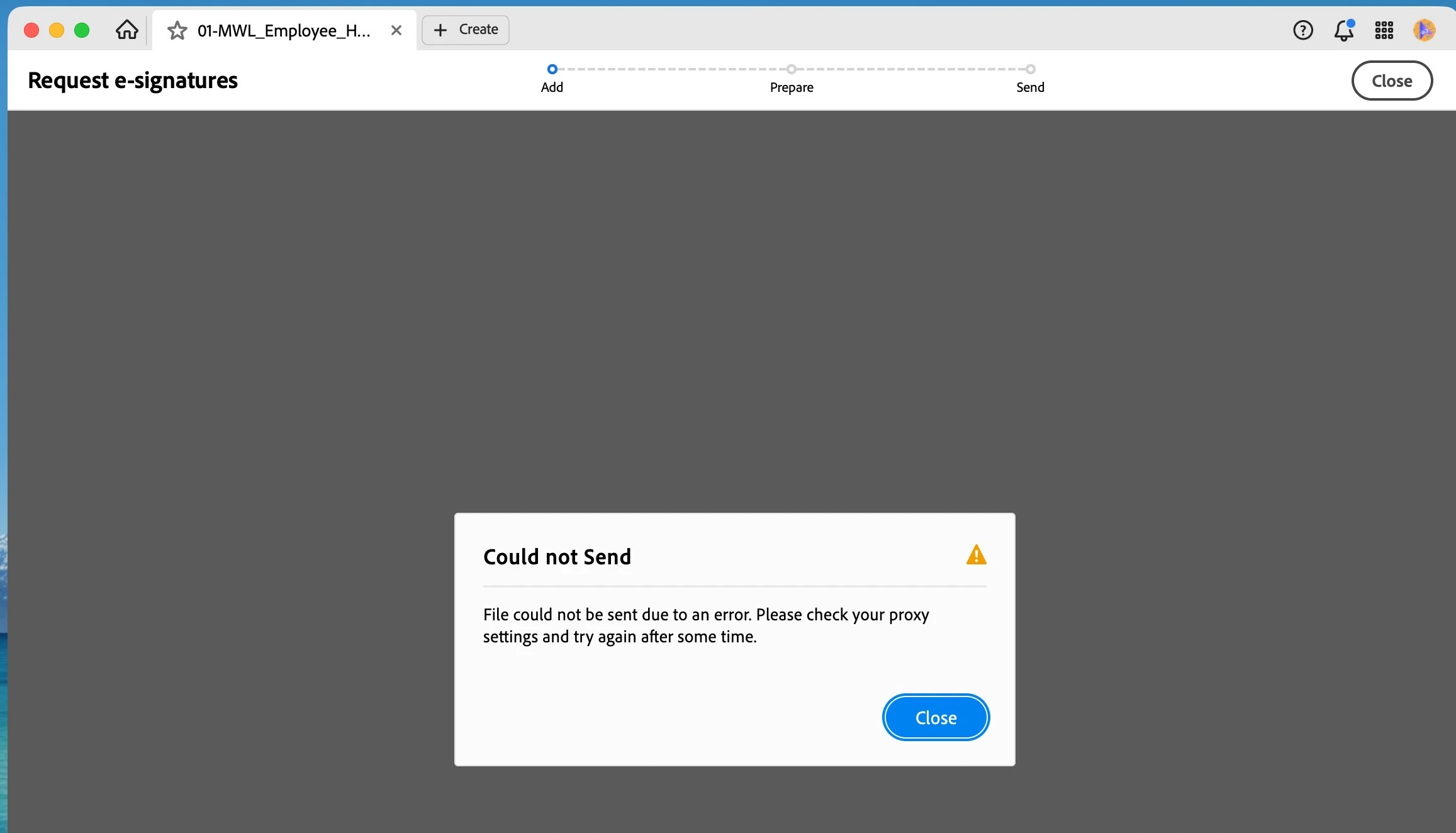
Adobe Sign is failing - I keep getting error messages such as Could not Send. File could not be send due to an error. Please check your proxy settings and try again later.

  • May 15, 2026
  • 4 replies
  • 209 views

I have a set of PDFs that I send out for signatures regularly. Same files. Same computer. Same browser, etc. All files are under 5mb. Never any issues. Today I have been getting this error on 4.8mb, 1.1mb and 271kb files. This has been going to for hours and my business process is crippled.  I’ve done the proxy check - have none. I’ve rebooted. Installed the update and rebooted.

There doesn’t appear to be an issue with the files as I was able to upload them adobe.acrobat.com and get eSignitures sent from there.

How do I fix this issue?


Thanks


    Correct answer Phillip26462573zeta

    Thank you.  It appears to be resolved.  Thanks for reaching out.

    4 replies

    Meenakshi0101
    Community Manager
    Community Manager
    May 19, 2026

    Hi platitudes,


    Thank you for reaching out, and sorry for the trouble caused.


    We have reviewed your Acrobat Sign account associated with the email address linked to your community profile. The account appears to be functioning properly. You also mentioned that you can send documents from the Acrobat web account.


    This issue seems to be specific to the desktop application. Could you please confirm if you started experiencing this behavior after the recent update, or if it occurred with the previous version as well?


    As a troubleshooting step, please try reinstalling the application using the following steps:

    • Remove the application and run the cleaner tool (https://www.adobe.com/devnet-docs/acrobatetk/tools/Labs/cleaner.html).
    • Reboot the machine 
    • Install Adobe Acrobat from the following page: https://helpx.adobe.com/acrobat/kb/acrobat-dc-downloads.html. 


    If you continue to receive the error message, we may need to collect logs for further investigation. Let us know how it goes.


    Thanks,

    Meenakshi

    Participant
    May 15, 2026

    We have several users with that same issue

    Phillip26462573zeta
    Participant
    May 15, 2026

    I just posted a question asking the same thing.  It has to be an Adobe issue right?  On my question I wrote:

    “I was trying to send a form for electronic signature using the desktop app on MS Win 11 and received the following error "File could not be sent due to an error. Please check your proxy settings and try again after some time." I have Adobe on 3 computers and all get same error. I get same error even if I am running off hotspot on my phone. Has worked fine for years and today it is an issue. Interestingly it works if it is a 1 page document but not for more than one page.”

    Phillip26462573zeta
    Participant
    May 15, 2026

    I was trying to send a form for electronic signature using the desktop app on MS Win 11 and received the following error "File could not be sent due to an error. Please check your proxy settings and try again after some time." I have Adobe on 3 computers and all get same error. I get same error even if I am running off hotspot on my phone. Has worked fine for years and today it is an issue. Interestingly it works if it is a 1 page document but not for more than one page.

    I re-installed the app and deleted cache, cookies, etc.  Any thoughts?

    Anand Sri Bhattacharya
    Community Manager
    Community Manager
    May 20, 2026

    Hello ​@Phillip26462573zeta 


    I hope you are doing well, and thanks for reaching out. We’re sorry for the trouble you had.


    We’ve reported this issue to the product team, and they are working on identifying the root cause and fixing it.

    We’ll update this thread once we have an update from the team on the fix.

    Thanks for your cooperation.


    Regards,

    Anand Sri.

    Phillip26462573zeta
    Phillip26462573zetaCorrect answer
    Participant
    May 20, 2026

    Thank you.  It appears to be resolved.  Thanks for reaching out.