
After combining files, PDF is missing elements when viewed in Preview, than in Acrobat
Hello all,
This is super frustrating and, I'm sorry to say, not the first time this has happened.
My scenario is that I have several PDF's that I've combined in Adobe Acrobat DC into one PDF. When I view each of these individual PDFs in Acrobat and the Preview application on my Mac, they are showing as they should. However, after I combine these PDFs into one single document in Acrobat, some of the elements are missing when I view the document in Preview. When I view this document in Acrobat, however, it shows just as it should.
I've attached some screen shots. The first is the document as it should be, after being combined and viewing it in Acrobat.

The second image is the same document viewed in Preview.
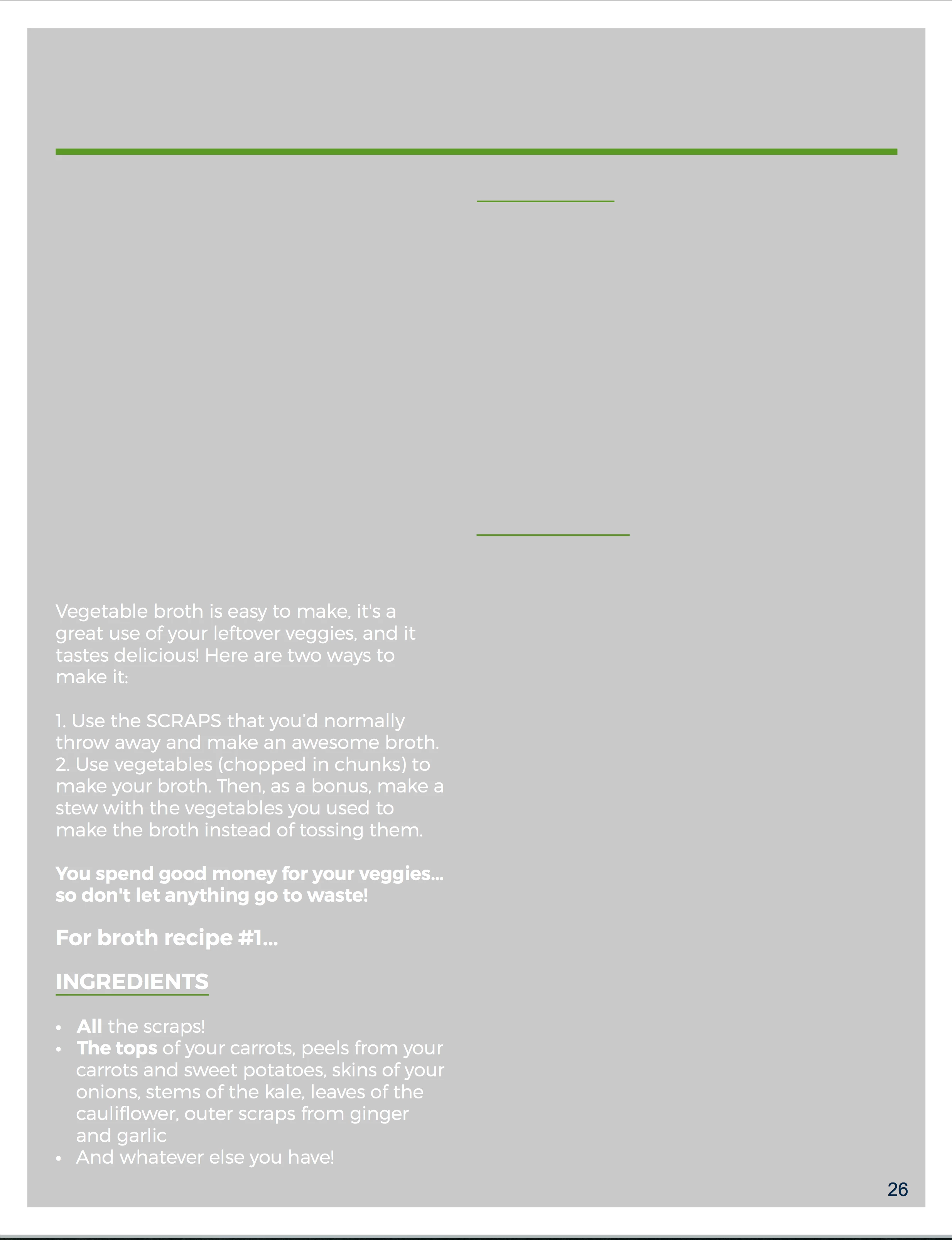
Any help would be greatly appreciated. I realize that one is an Apple program and one is an Adobe program and there's no reason that they should both behave the same. However, this file is being sent out to a lot of people and it will be impossible to control how they view this document once they get it. For those who view it in Acrobat, it should be great. However, if people view it in Preview, it won't work.
Is there any way to get around this? What about combining the files in the Preview application rather than Acrobat? Do you think that might work? I'm just shooting blind at this point.
Thanks for your help.


 AdChoices