


Participant
June 29, 2026
Question

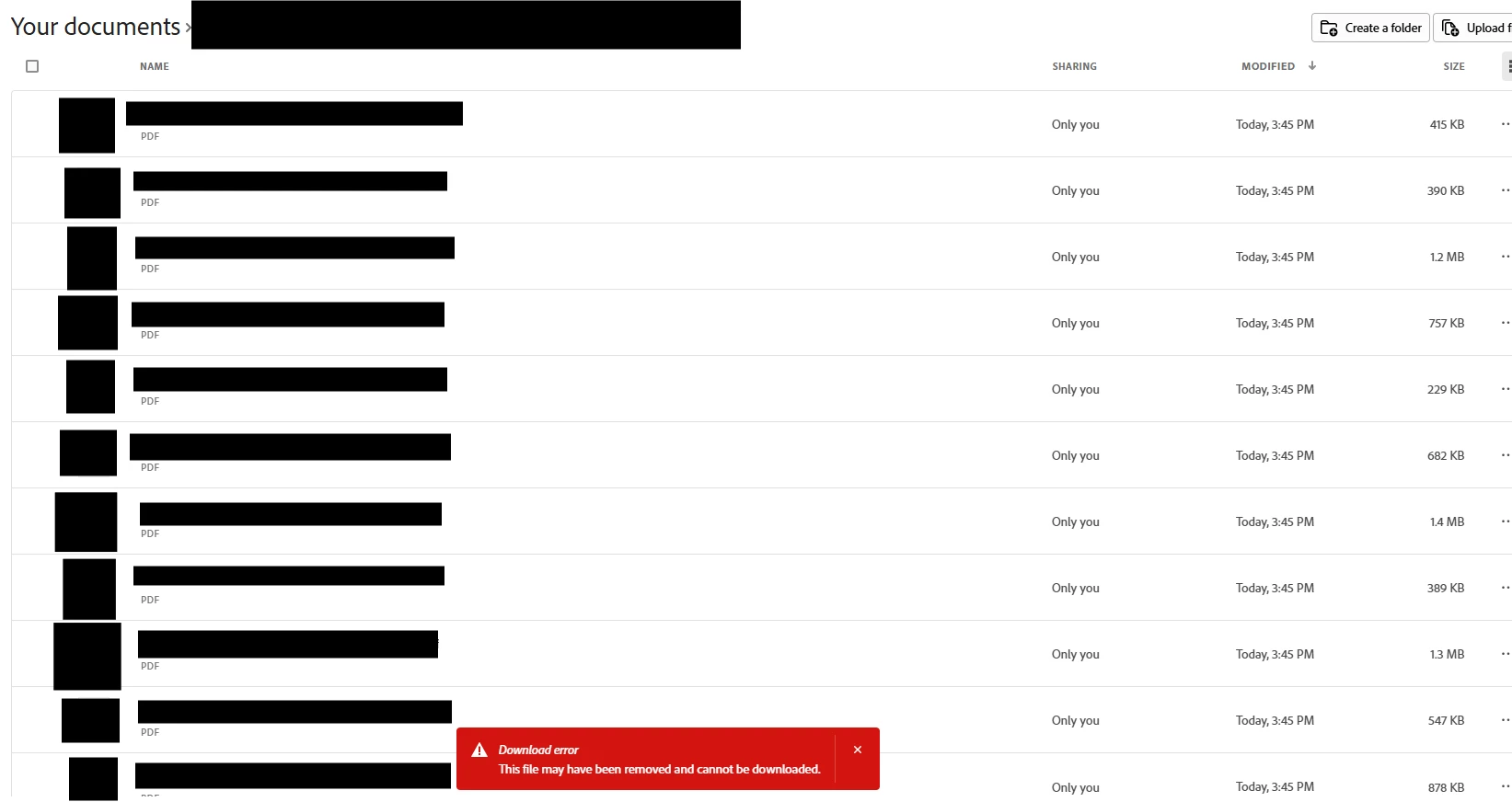
After splitting my PDF documents, Adobe Acrobat refuses to let me download all the files and comes up with Download Error

  • June 29, 2026
  • 1 reply
  • 23 views

After organising my PDFs and splitting the PDFs into multiple files, when I select all files and click download, the download error in the screenshot pops up. I have been able to do this all the time before this error started popping up last week so I’m unsure what has changed. I have to now manually download all the PDFs one by one.

 

1 reply

Randy Hagan
Community Expert
Community Expert
June 29, 2026

How are you splitting up your large PDF? Are you extracting pages to create new files? Or are you opening the large PDF, deleting pages you don’t want and using the File>Save As… menu command to save your PDF fragments, then returning to the original document to carve off chunks with Open–Delete Pages–Save As then repeat?


You might want to go to the Organize Pages toolset and try to build your smaller chunks as separate PDFs using the Extract Pages command rather than using the original, larger document to repeatedly carve off chunks of it. It’s faster, and often less problematic. If you haven’t already, please give it a try and let us know if it works better for you.


Hope this helps,


Randy

OceanAuthor
Participant
June 29, 2026

I put the large PDF into Organize Pages, deleting the pages I don’t want, then save, then click organize pages again shown on the side bar under other tools, then split into multiple files shown on the side bar, then split, then select all and download. All this done on the Adobe Acrobat webpage

Randy Hagan
Community Expert
Community Expert
June 29, 2026

Gotcha. You may want to try the Extract Pages workflow I suggested to see if you get better results. You may find that will work better for your needs.


Randy