


Participant
September 29, 2025
Question

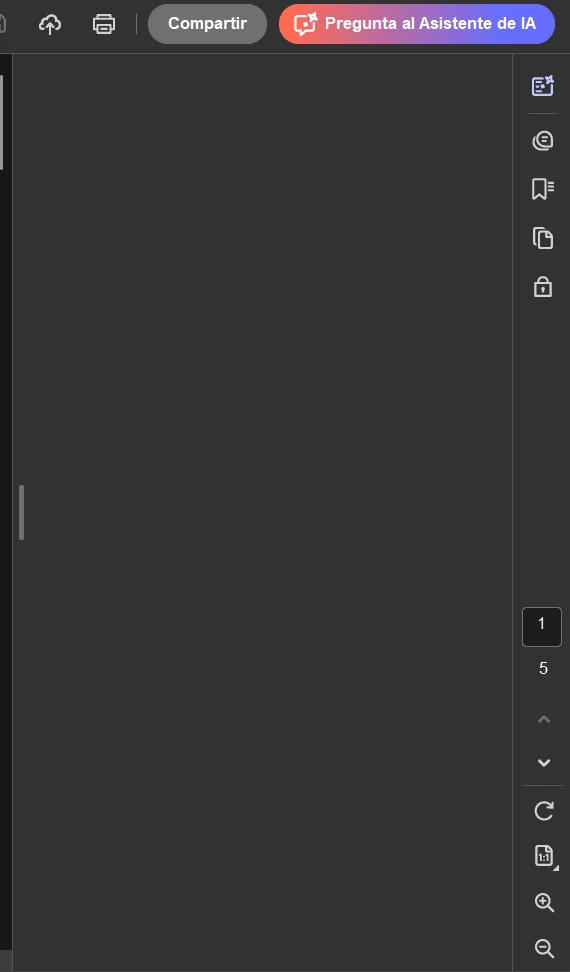
AI on Desktop App not displaying

  • September 29, 2025
  • 4 replies
  • 272 views

Hi. 

Since quite some time the AI is not working on my Acrobat Desktop App. 


When I try to open it it just shows a blank screen. I already try re installing, updating both windows and acrobat to latest version and I'm still facing the issue.


Can I get some assist? I would be really thankful.
 

4 replies

Participant
September 30, 2025

Hi.


I'm still dealing with the issue.


Adobe Employee
September 30, 2025

Hi @derling_ludwin_7246,


Could you please share Acrobat diagnostic logs with me? Below is the process to get the logs:
  1. Open Acrobat and select Help > Troubleshoot Acrobat. (If you are not seeing the option, you can go ahead and download it from https://helpx.adobe.com/acrobat/kb/acrobat-diagnostics.html)
  2. Select Yes to launch the Acrobat Diagnostics tool.
  3. Select Start Diagnostics.
  4. Launch Acrobat and perform the workflow (i.e. open AIA panel) that then select Stop Diagnostics.
  5. Fill in the information in the required fields and select Share logs.
  6. Copy the id and share it with us.
Adobe Employee
November 11, 2025

Hi @derling_ludwin_7246 - Could you please check with the latest update 25.001.20841 if the issue has been resolved?


Thanks,

Vinod

creative explorer
Community Expert
Community Expert
September 29, 2025

@derling_ludwin_7246 I would make sure the 'Enable New Acrobat' is also on if it isn't already. In th menu, go to View. Scroll down and look for an option like Disable New Acrobat or Enable New Acrobat. You want to make sure the New Acrobat Experience is enabled. If it says "Disable," the new experience is already active.


m
Meenakshi_Negi
Legend
September 29, 2025

Hi derling_ludwin_7246,


Thank you for reaching out, and sorry about the trouble caused.


As the feature is not working, we suggest a clean reinstallation using the steps suggested below:

-Remove the application and run the cleaner tool (https://adobe.ly/3Ku23ME).
-Reboot the machine
-Install Adobe Acrobat from the following page: https://adobe.ly/3IMfxmw.


Ensure that you are using the latest version of the application. In Acrobat, go to Menu > Help> Check for updates.

You may also refer to the following help document to know more about the latest updates available: https://adobe.ly/42Nx9VQ


If the issue still occurs, let us know.


Thanks,

Meenakshi