

Question
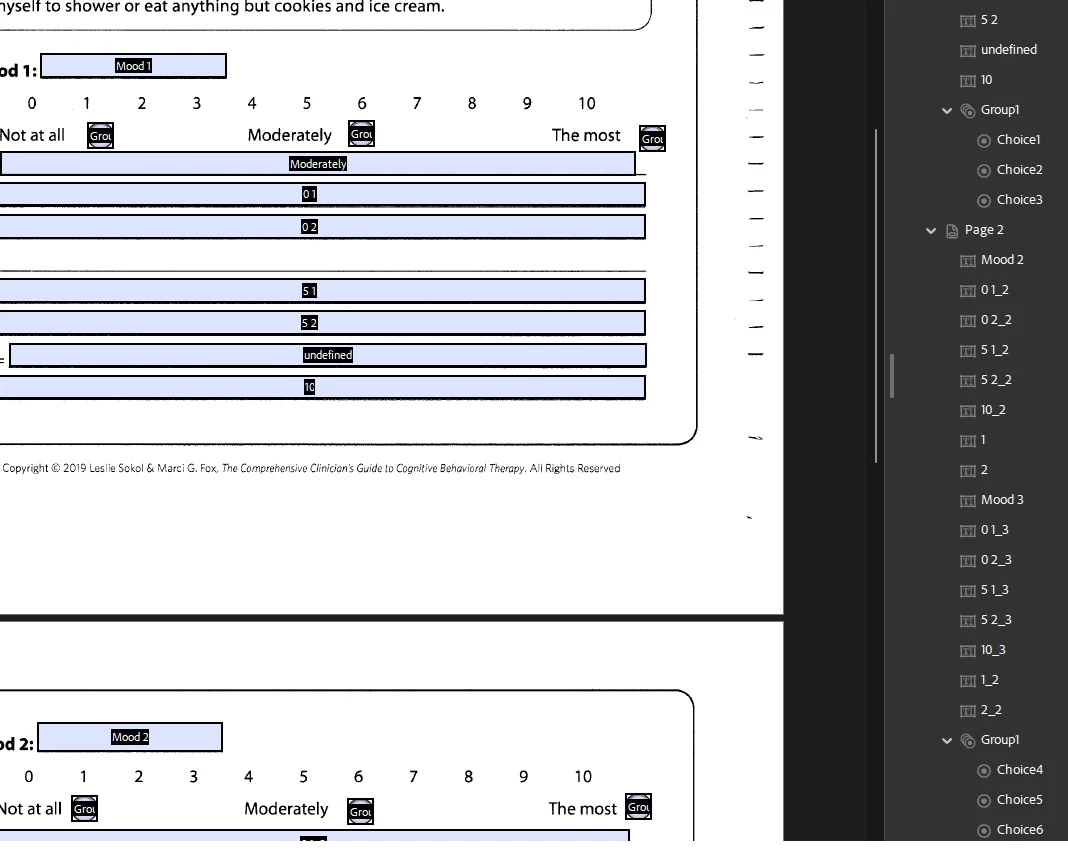
All groups of radio buttons are grouped together, and deleting/renaming one deletes/renames all
Hello. I am using Acrobat Pro Continuous Release, version 2024.002.20857 64-bit.
I have a PDF that I've converted to a fillable form with auto-detection of fields. This mostly worked, but I need 3 separate groups of radio buttons across 2 pages.
The first group works fine. I get "Group 1" in the Fields page, and under Group 1 I see "Choice 1, Choice 2, and Choice 3".
The problem comes when I try to make the second group.
The group is also Group1, with choices Choice4, Choice5, and Choice 6. I can only select one of choices 1 through 6, despite them being separate groups.
Renaming either group, or deleting either group, has the same effect on both.
How do I have more than one group of radio buttons?
Thank you!
 AdChoices