Participant
May 6, 2020
Answered

All markup tools not available when proofing/reviewing PDF

  • May 6, 2020
  • 1 reply
  • 4768 views

My team uses Adobe Pro in the Creative Cloud. When routing PDFs for review using the "Send for Comments" tool, not all comment/markup tools are available to the reviewers. We need to access the full set of "Comment" tools when reviewing/proofing PDFs.

There is an option to open the PDF in Acrobat, but that is not working for all of us. Plus, if we do that, will this become a new version of the PDF and not the original that was routed for multiple people to comment on?

And we don't know if it also might be an issue of using Creative Cloud versus having Pro installed directly on our devices. 


Bottom line, we need all our reviewers to have access to all commenting/markup tools when they are reviewing a PDF sent to them for comments.


Thank you, appreciate the help!

This topic has been closed for replies.
Correct answer Document Geek

Sadly, the limited toolset is by design. If you want to have access to the full set of tools, do not use "Send for Comments." 


If you choose "Open in Acrobat" the comments will be available both in the browser as well as in Acorbat. The catch is that the behavior to make this happens differs in both programs. In Acrobat, you need to Click "Done."


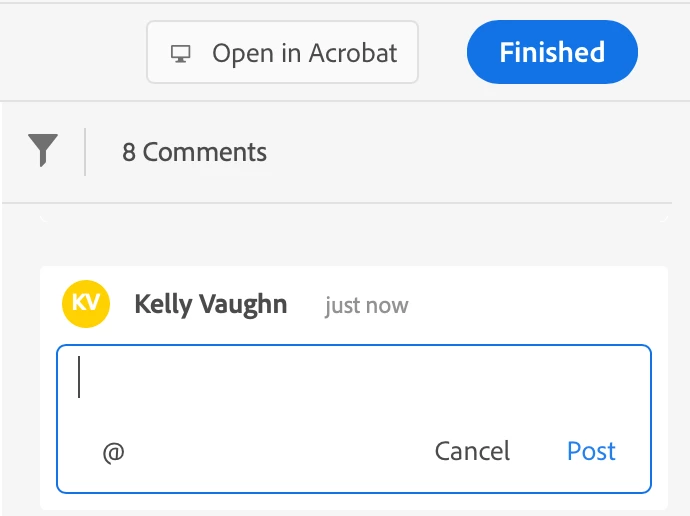
But in the broswer, you need to click "Post" on each comment, and then "Finish."


Again, regarding the commenting tools, if you need them all, then you should not use Send for Shared Commenting. I'd reccomend placing the file in a shared folder (like dropbox or One Drive, or on a network), and having people comment there. The issue with that with that only one person can work on the file at any given time. But, on the plus side, each reviewer will be able to see each other's comments. 


Alternatively, you can send each reviwer a copy of the file, have them comment on it, and export their comments as an FDF file and send it back to you. Then you can import each reviwer's comments back into the original document. The downside of this is that they will not be able to see one another's comments.

1 reply

Document Geek
Community Expert
Document GeekCommunity ExpertCorrect answer
Community Expert
May 6, 2020

Sadly, the limited toolset is by design. If you want to have access to the full set of tools, do not use "Send for Comments." 


If you choose "Open in Acrobat" the comments will be available both in the browser as well as in Acorbat. The catch is that the behavior to make this happens differs in both programs. In Acrobat, you need to Click "Done."


But in the broswer, you need to click "Post" on each comment, and then "Finish."


Again, regarding the commenting tools, if you need them all, then you should not use Send for Shared Commenting. I'd reccomend placing the file in a shared folder (like dropbox or One Drive, or on a network), and having people comment there. The issue with that with that only one person can work on the file at any given time. But, on the plus side, each reviewer will be able to see each other's comments. 


Alternatively, you can send each reviwer a copy of the file, have them comment on it, and export their comments as an FDF file and send it back to you. Then you can import each reviwer's comments back into the original document. The downside of this is that they will not be able to see one another's comments.

Mary AltAuthor
Participant
May 6, 2020

Thank you so much for that great answer! We have been trying to figure this out for weeks. Truly appreciate the help. 

Participant
May 21, 2020

I'm happy to see a definitive answer to this. I've been searching for a while and haven't found much of anything that's applicable, even as a topic. Thanks for that, @Document_Geek. 


So, it's "by design." That's unfortunate, and I think short-sighted. Why would that be? If I open the file using Acrobat Pro, I still have a limited pallet of tools, so it seems related to the method of sharing and not the version of Acrobat the user has. The "send for comments" option finally works pretty seamlessly, especially for our users that aren't very techy — except that many of the really useful tools are removed. I agree with @Mema1 that "We need to access the full set of 'Comment' tools when reviewing/proofing PDFs." We've been using the "email a separate PDF to each user" method and it's a nightmare to mange, both for the senders and recipients. I had such high hopes for this as a collaborative work flow when I saw it called-out in my sidebar as a new feature, especially when so many of us are working remotely now and can't hand-hold in person.