



Any way to crop page to the text boxes automatically?
Hi,
There is an old book I've downloaded from Archive.org.
They scan books as images using the archives machine they invented using cameras.
I can not set one unified size for the crop because pages are not scanned with care but just a quick scan.
I've extracted all pages to separate files, but when I open each page (each file in this case), I click on edit and then do the crop boxes for pages manually.
So I am wondering if there is any way, so I can open the file for editing and then run a shortcut or a script to do the crop boxes pages, but there is no preset for fixed sizes, so does there is any way that a script may check or scan the borders of the text boxes on the page, and do the crop with the far side of the page?
I mean, something like a script, a shortcut, or a preflight that scans the page and determines the margins that need to be removed so only text exists on the page.
For example, this is the page I am working on right now:
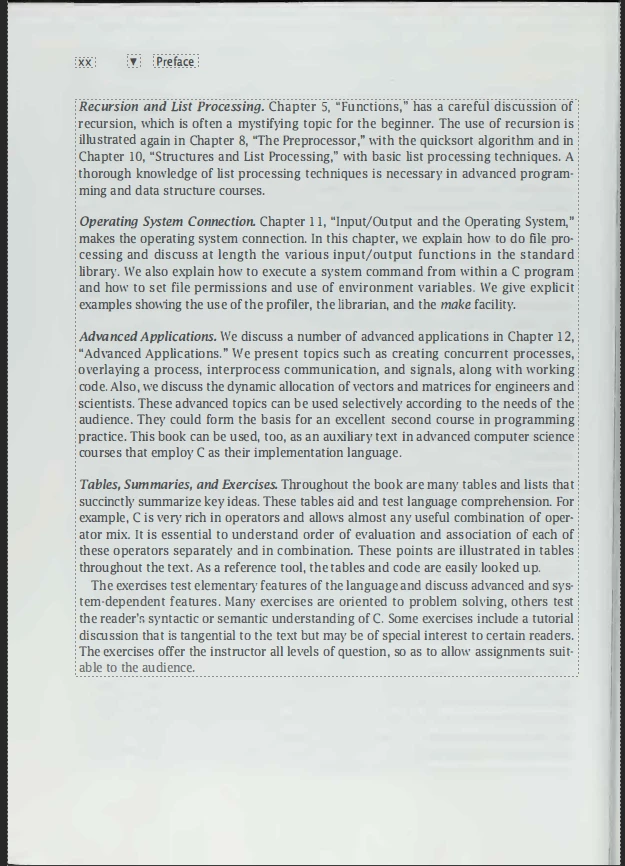
As you can see the text does already exist, so any way to do the crop and only keep the text boxes?
Thanks
 AdChoices