


Participant
February 17, 2025
Answered

App.alert parameters on ios device

  • February 17, 2025
  • 2 replies
  • 540 views

Hi there!


I'm working on a form that needs to be used on ios (iPad specifically).

I added a button that turns a group of fields to read only.

The code is:

if(app.alert("Document vergendelen?",2,2)==4)
{
this.getField("Group1").readonly = true;
}

This works perfectly on desktop, but on ios it doesn't give me the Yes/No option, only an "OK" button which cancels the action (tried on Acrobat and PDF Viewer).
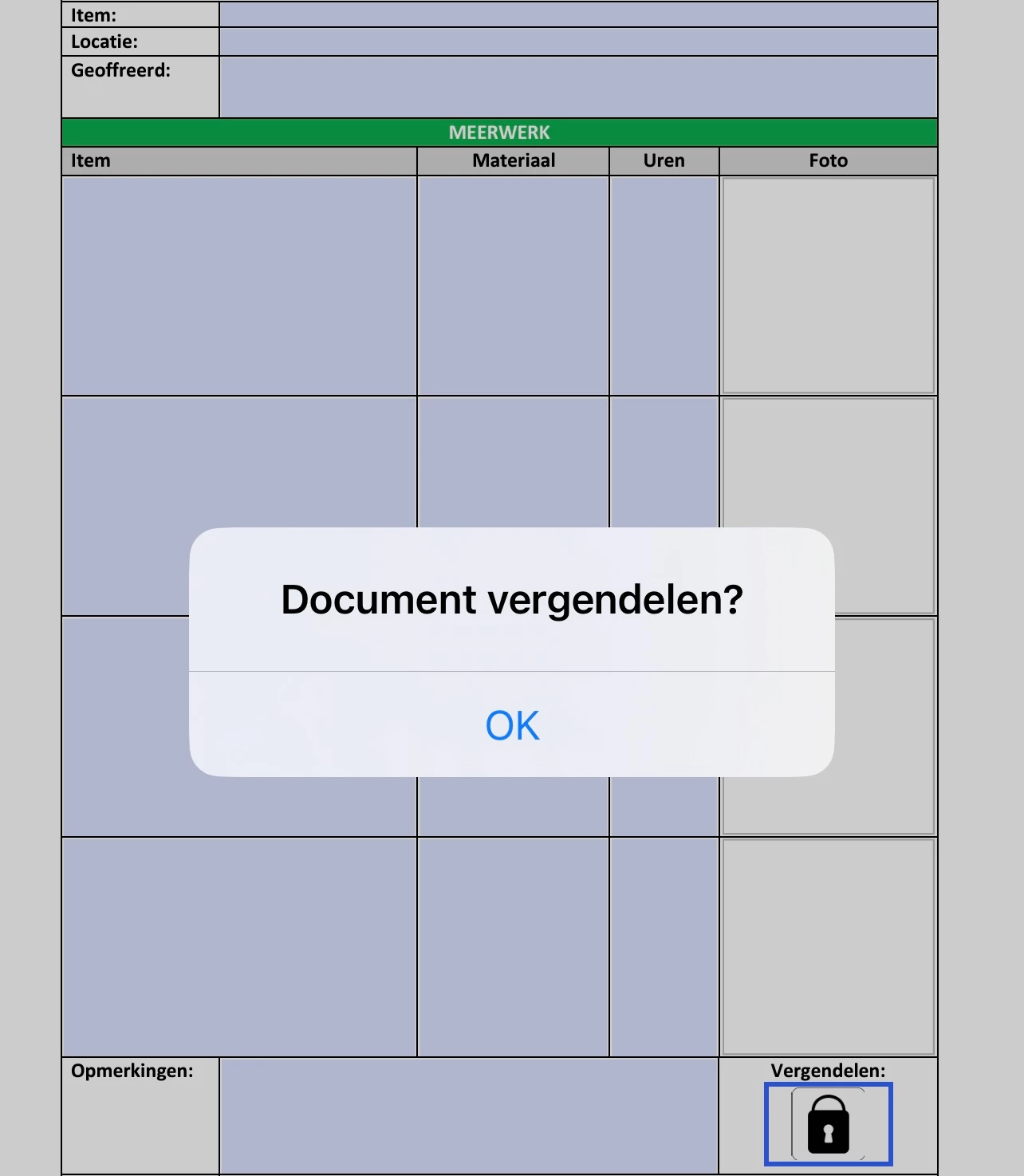
 

I also tried it on PDF Expert which does give the Yes/No option, but then the app freezes and nothing happens.

We would prefer to stick to Acrobat or PDF Viewer though for ease of use.

Any help would be greatly appreciated!

Correct answer try67

We can't help. If Adobe didn't implement this function correctly in their own application, there's nothing we can do about it, but complain to them and hope they fix it at some point in the future (but don't count on it).

2 replies

try67
Community Expert
try67Community ExpertCorrect answer
Community Expert
February 17, 2025

We can't help. If Adobe didn't implement this function correctly in their own application, there's nothing we can do about it, but complain to them and hope they fix it at some point in the future (but don't count on it).

RMDJAuthor
Participant
February 17, 2025

I see,  that's too bad.
Thanks for your reply!

try67
Community Expert
Community Expert
February 17, 2025

That documentation is a joke. How can the method return anything but 1 if there's no way to display the other buttons?