
Answered
"+" appears on graphic after inserting text box in Adobe Acrobat X Pro
Hi all,
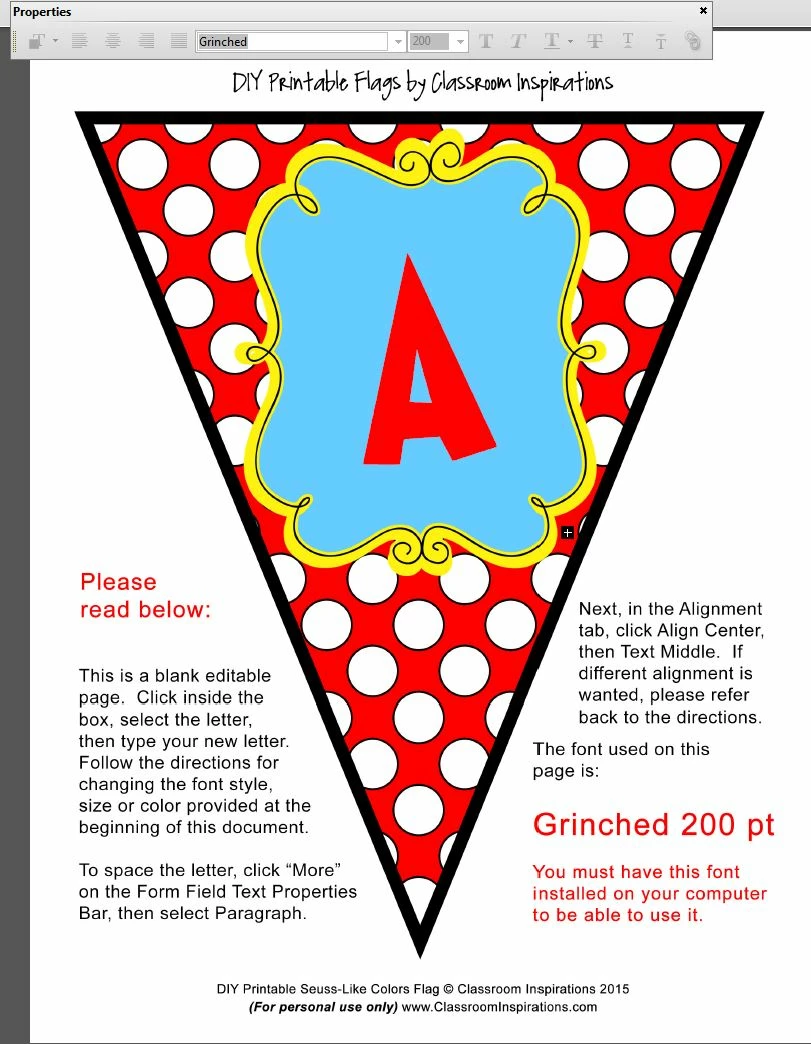
I have an "+" that appears in the left side of my graphic after a text box has been inserted. It happens when I click inside the text box to set up the text that needs to be used by my customers. I can change fonts, size, color, do alignment, etc. It's when I exit the mysterious "+" appears. I have tried everything to remove it, to no avail.
I am working in Windows 7 on a PC. Attached is a screen shot of the problem. It appears in the graphic toward the bottom of the solid blue/yellow element, right above the sentence that starts: "Next, in the Alignment tab, click Align Center...." It's a white + in a black looking square. It will also print on the graphic.
Any help would be appreciated.
Thanks!!
 AdChoices