
Append to Adobe PDF in Outlook
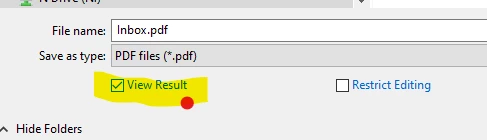
I am trying to see if anyone can assist with these issues I am having. Since I am in the legal field, I am very particular about information being in writing. When I have sent an email, I like to attach a confirmation to the PDF document as confirmation that the document was sent. In Outlook, I will normally right-click on the email in Outlook and select "Append to Adobe PDF." I will then click the document on my computer in File Explorer. After I do this, the document will pop up on another window of Adobe. Is there any way for me to change the default settings for this document not to automatically pop up and open? Also, the email that I appended to the PDF document, will also default and add the email at the end of the document. Is there any way for me to change this setting as well?
Thank you!


 AdChoices