Answered
Arial font used in Word docx not displaying in pdf
Though I can see the font perfectly on my mac, other viewers cannot and just see hieroglyphics. Any suggestions please, this is very annoying! Thanks

Though I can see the font perfectly on my mac, other viewers cannot and just see hieroglyphics. Any suggestions please, this is very annoying! Thanks
OK. Got the PDF file you posted and examined it.
The primary problem is that contrary to what you thought, the document was not formatted in Arial, but rather, in a font by the name of Ayuthaya.
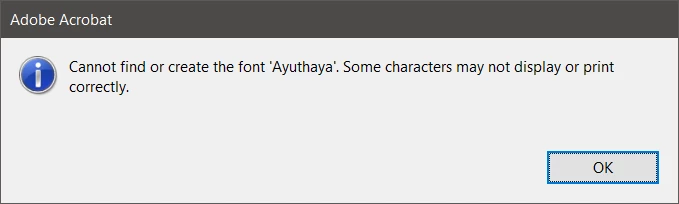
To make matters worse, whatever created this PDF file not only did not embed this Ayuthaya font, but also didn't properly create the internal font mapping tables such that a substitute font could be used.
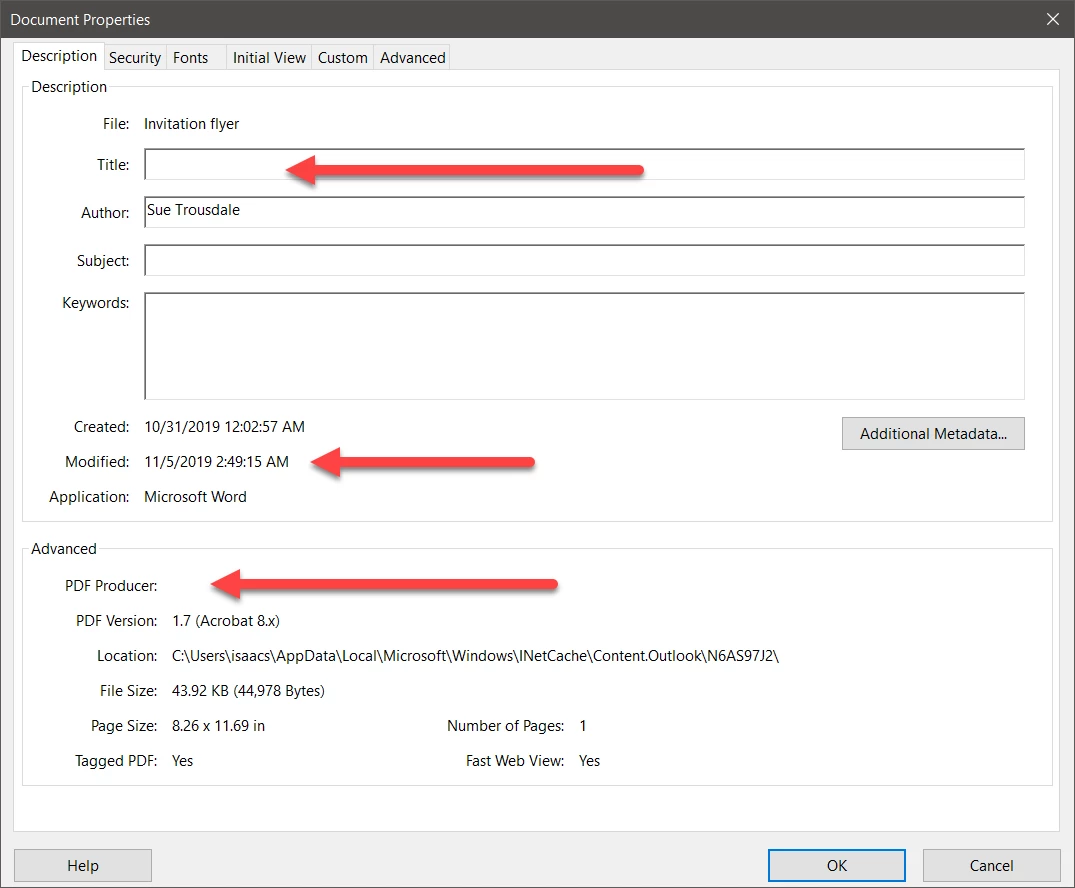
Although the file's Document Properties claim that this PDF file came from Microsoft Word, the Title is blank, the PDF Producer is blank, and even more suspiciously, the Modified date is not the same as the Created date. This PDF file does not appear to have been created by Acrobat (in conjunction with Word) and appears to have been modified in some way after PDF file creation, possibly in a way that damaged the file (if it wasn't already defective).
What you need to do is recreate the PDF file from the original Word document, making sure that the Ayuthaya font is installed or changing all the text formatted in that font to some font that you indeed have installed. And preferably, create the PDF file Acrobat's PDFMaker.
- Dov
Already have an account? Login
Enter your E-mail address. We'll send you an e-mail with instructions to reset your password.
 AdChoices