Known Participant
January 18, 2024
Answered

Auto Ajust the Width or Height of the Text field

  • January 18, 2024
  • 2 replies
  • 796 views

Dear all,

as you can see in the photo below,
I'd like to automatically adjust the height and weight of the text box according to the choice of radio buttons.

at 100%, the text contained in the text field is: "the equipment can be used" . for example


at 50%, the text contained in the text field is: "The product can be used safely (provided that the above defects and observations are taken into account)".

at 0% the text is: "the equipment must be repaired".


is it possible to automatically adjust the height and weight of the text field?

the test to be displayed is already predefined, so the user doesn't enter any information, just select between 100%, 50% and 0%.

Thanks in advance.


This topic has been closed for replies.
Correct answer Nesa Nurani

@Nesa Nurani  as you can see in the screenshot below,
depending on the percentage selected, a text is displayed in the text Field. But,
I'd like the length and width to adjust automatically (if possible) according to the predefined text to be displayed.
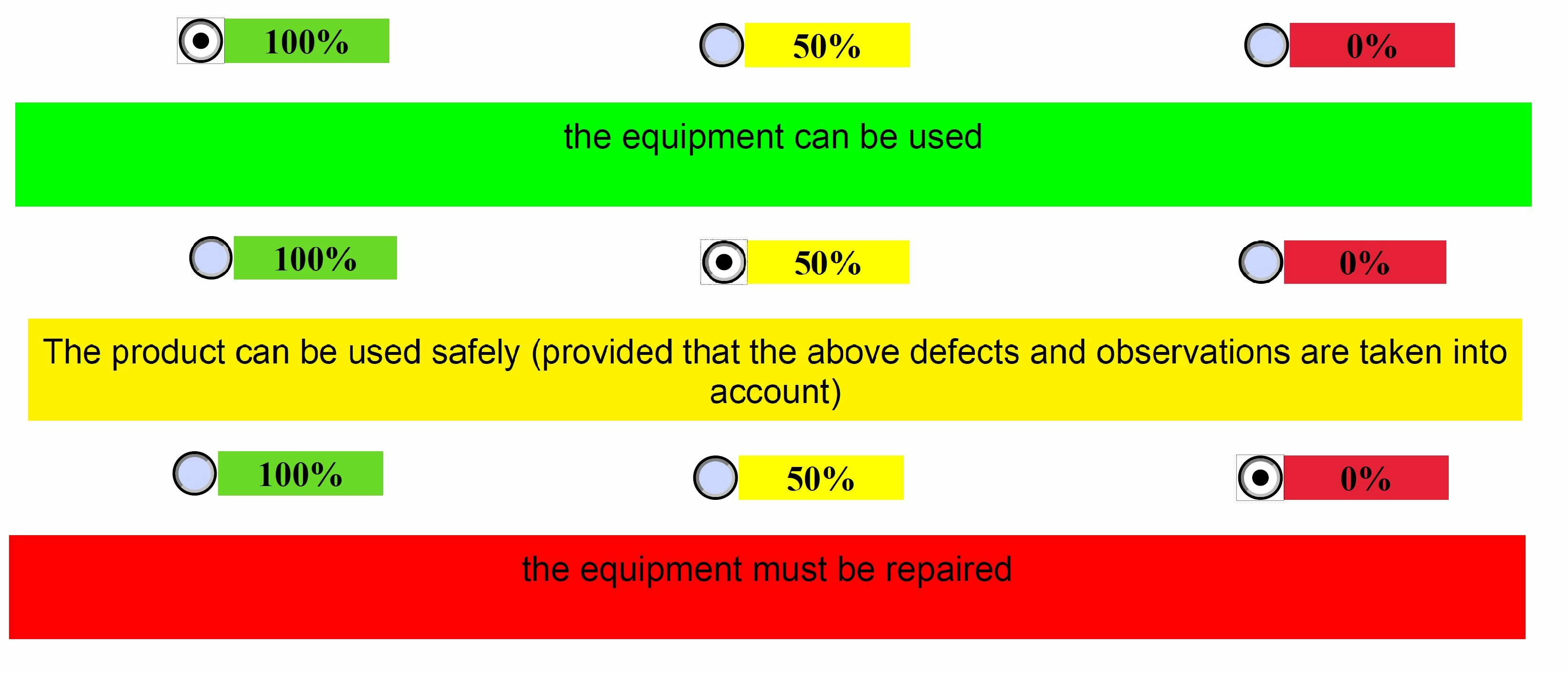


here's the code I'm currently using to display the information.

var rb = this.getField("Group1").valueAsString;
// 100%
if(rb === "Yes"){
event.target.display = display.visible;
event.value = "the equipment can be used ";
event.target.fillColor = color.green;}

// 50%
else if(rb === "Yes1"){
event.target.display = display.visible;
event.value = "The product can be used safely (provided that the above defects and observations are taken into account)";
event.target.fillColor = color.yellow;}

// 0%
else if(rb === "Yes2"){
event.target.display = display.visible;
event.value = "the equipment must be repaired";
event.target.fillColor = color.red;}

else {
event.target.display = display.hidden;}


Since you have predefined text it's possible using rect, it's best to set up field height/width manually for each text and get rect for each text, then you can use that in your script to set height/width for each text.

To get rect of a field, open console CTRL+J (on Windows) and let's say field name is "Text1" paste this into console and press enter:

this.getField("Text1").rect;

you should get a bunch of numbers now, those are rect points for your current field position, copy and paste those numbers somewhere for now and repeat process for all 3 texts.

Now use those numbers in your script like this:

var rb = this.getField("Group1").valueAsString;
var rYes = [235.45343017578125,742.2980346679688,420.0910949707031,719.7980346679688];
// 100%
if(rb === "Yes"){
event.target.display = display.visible;
event.value = "the equipment can be used ";
event.target.fillColor = color.green;
event.target.rect = rYes;}


2 replies

Known Participant
January 18, 2024

Upadte :   below, the code I use without automatic adjustment.


var rb = this.getField("Group1").valueAsString;
// 100%
if(rb === "Yes"){
event.target.display = display.visible;
event.value = "the equipment can be used ";
event.target.fillColor = color.green;}

// 50%
else if(rb === "Yes1"){
event.target.display = display.visible;
event.value = "The product can be used safely (provided that the above defects and observations are taken into account)";
event.target.fillColor = color.yellow;}

// 0%
else if(rb === "Yes2"){
event.target.display = display.visible;
event.value = "the equipment must be repaired";
event.target.fillColor = color.red;}

else {
event.target.display = display.hidden;}


Nesa Nurani
Community Expert
Community Expert
January 18, 2024

What exactly you're trying to do with text field?

Known Participant
January 18, 2024

@Nesa Nurani  as you can see in the screenshot below,
depending on the percentage selected, a text is displayed in the text Field. But,
I'd like the length and width to adjust automatically (if possible) according to the predefined text to be displayed.


here's the code I'm currently using to display the information.

var rb = this.getField("Group1").valueAsString;
// 100%
if(rb === "Yes"){
event.target.display = display.visible;
event.value = "the equipment can be used ";
event.target.fillColor = color.green;}

// 50%
else if(rb === "Yes1"){
event.target.display = display.visible;
event.value = "The product can be used safely (provided that the above defects and observations are taken into account)";
event.target.fillColor = color.yellow;}

// 0%
else if(rb === "Yes2"){
event.target.display = display.visible;
event.value = "the equipment must be repaired";
event.target.fillColor = color.red;}

else {
event.target.display = display.hidden;}


Nesa Nurani
Community Expert
Community Expert
January 18, 2024

It's possible to set height and width of field using 'rect' property.