
Participant
July 16, 2021
Answered

Auto-fill from another Field in Adobe Create a Form

  • July 16, 2021
  • 1 reply
  • 807 views

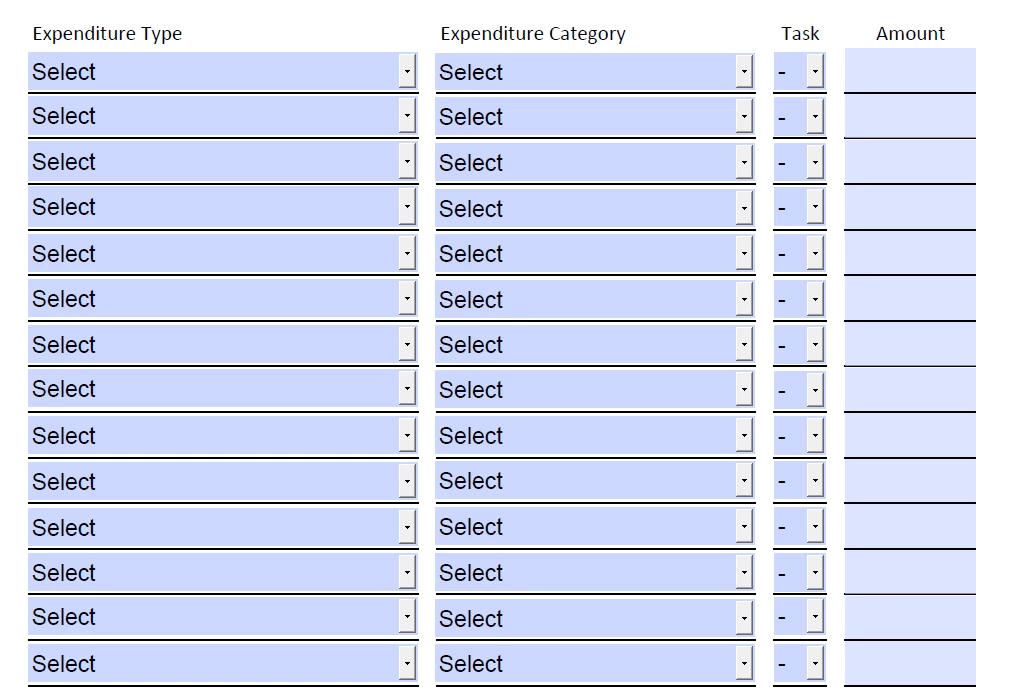
Hello, I have a form that I have created, which includes 4 columns by 14 rows of fillable data. I would like the second and third column to auto-fill based off selections from the first column. How can I accomplish this. (P.S. I have no knowledge of javascript)

For example, the first column is titled Expenditure Type, with each row as a drop down where uses can select an option. For column two, it is titled Expenditure Category, with each row as a drop down and once users select the appropriate Expenditure Type, I would like the associated Expenditure Category to auto-fill. Then column three is titled Task where each row is a drop down and once users select the appropriate Expenditure Type, I would like the associated Task number to auto-fill. 
 

This topic has been closed for replies.
Correct answer Nesa Nurani

You could use validation script to achive that, something like this (this is just example code):

To change value of Expenditure Category use script as validation in Expenditure Type field (in field options check "Commit selected value immediately):

if(event.value == "Choice1") this.getField("Expenditure Category").value = "c1";
else if(event.value == "Choice2") this.getField("Expenditure Category").value = "c2";

Now to change value of Task field use code in Expenditure Category...etc.

1 reply

Nesa Nurani
Community Expert
Nesa NuraniCommunity ExpertCorrect answer
Community Expert
July 16, 2021

You could use validation script to achive that, something like this (this is just example code):

To change value of Expenditure Category use script as validation in Expenditure Type field (in field options check "Commit selected value immediately):

if(event.value == "Choice1") this.getField("Expenditure Category").value = "c1";
else if(event.value == "Choice2") this.getField("Expenditure Category").value = "c2";

Now to change value of Task field use code in Expenditure Category...etc.

Participant
July 16, 2021

Ok, thank you so much, I see how that works. Is there a code that will update the selection (Category) if the user changes the selection (type)?