
Known Participant
September 11, 2023
Question

auto load output preview

  • September 11, 2023
  • 1 reply
  • 405 views

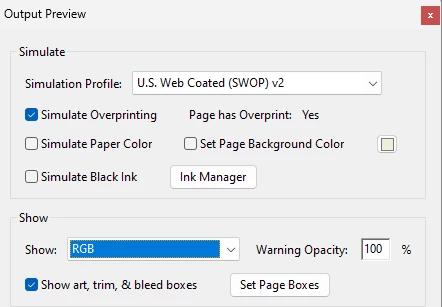
Is there any method so when I open acrobat, the window Output Preview/Show: RGB automatically start?

for example, I use this code for pitstop app.execMenuItem("FICL:PitStop_PitStop_MenuItem_ActionListPanel_PITSTOP");,

I tried this "app.execMenuItem('OutputPreview')" but doesn't  work...
Thank you

This topic has been closed for replies.

1 reply

Thom Parker
Community Expert
Community Expert
September 11, 2023

There are two reasons that running that menu item at startup will not work. 

 1. All menu item execution from JavaScript is blocked, except for those items that are Whitelisted

https://www.adobe.com/devnet-docs/acrobatetk/tools/AppSec/javascript.html?highlight=menu#disabling-menu-invoked-js


You can add the menu item you want to run to this list.

HKEY_LOCAL_MACHINE\SOFTWARE\Policies\Adobe\Adobe Acrobat
                           \<version number>\FeatureLockDown\cDefaultExecMenuItems


2. It is uncertain in a folder level script at strartup how much of the Acrobat UI is setup and which plug-ins are loaded. It might be that Pitstop or Acrobat is just not ready.  

One solution is to setup a trusted function that executes this menu item, then create an interval timer to test the plug-in list and run the function if Pitstop is loaded. 


Thom Parker - Software Developer at PDFScriptingUse the Acrobat JavaScript Reference early and often