
Question
Auto populate text fields from Drop Down menu
Hi,
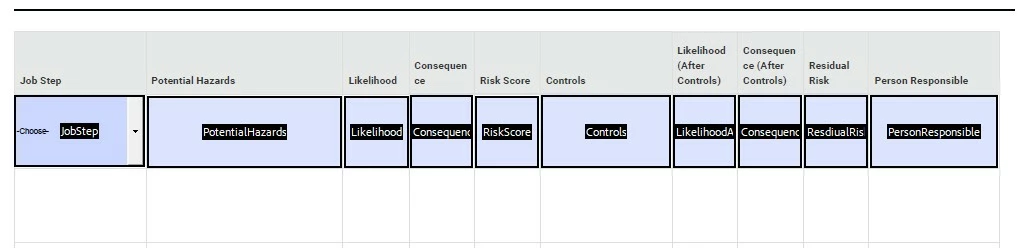
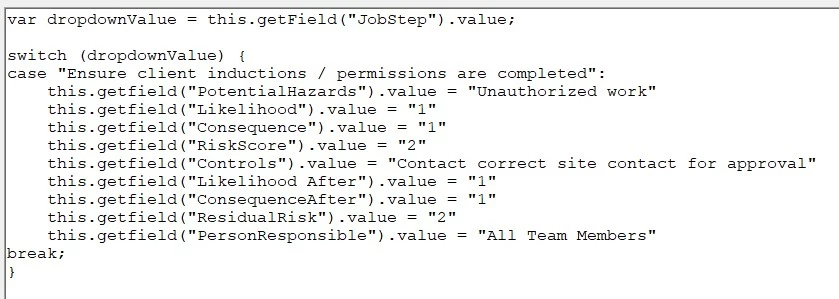
I am completey new to forms. I am trying to create a form with a drop down menu on the left, and 9 text boxes to its right that will each have a different value dependant on what is chosen from the drop down menu. There is a tutorial on YouTube that is explaining essentially the same concept. Yet even when I follow that tutorial to the letter, I have a problem where nothing is showing up in the text fields. The drop down menu works fine, but the text fields do not populate.
I have the 'commit selected value immediately' ticked so it isnt that.
Below are screen shots of the initial setup, the code (based on the YouTube tutorial) and the end result
Any suggestions are appreciated!



 AdChoices