


Participant
December 16, 2024
Answered

Auto Updates aren't working. Mode is set to 3.

  • December 16, 2024
  • 1 reply
  • 3137 views

Hi All,  I'm trying to set up automatic updates.  

Task scheduler is set here -> 

my mode is set to 3.
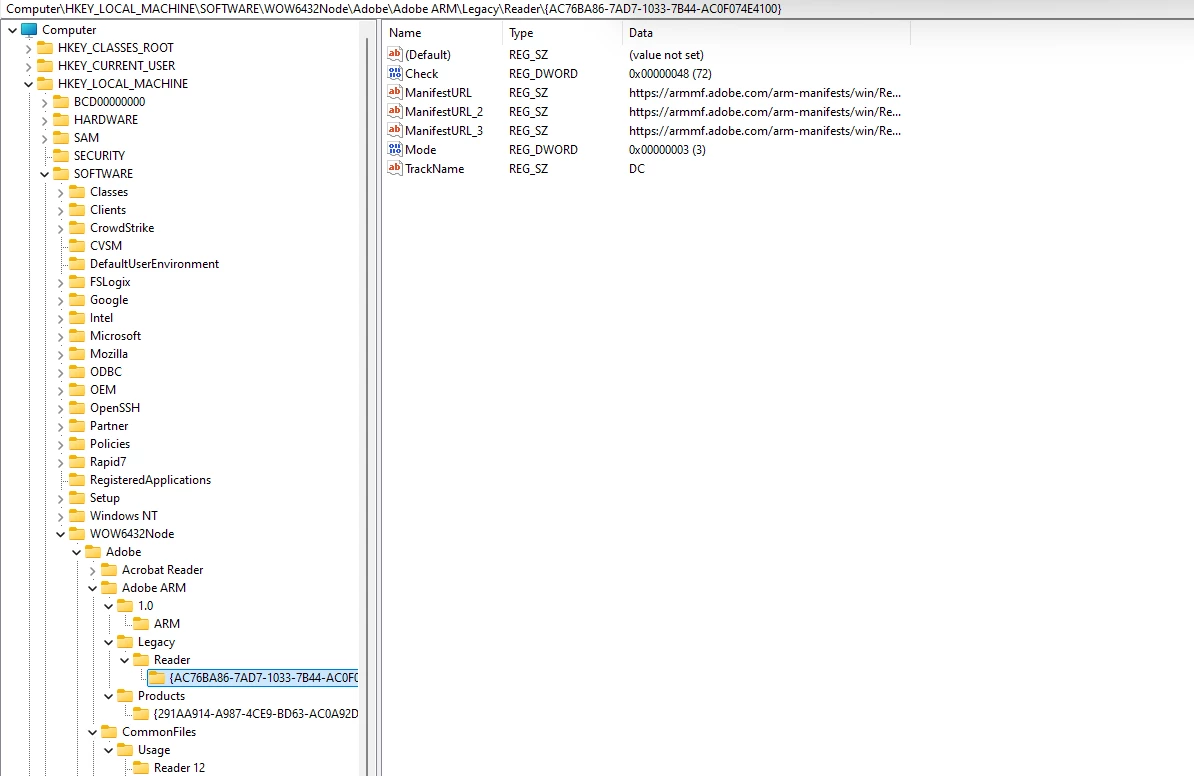
Now i'm trying to see a log to see if it tells me why its failing.

I saw something about iLogLevel but I don't know where to set that to view the log.

Also does someone have to be logged into the machine for it to automatically update?

Correct answer LeoUpdaterX

Will the updater run as system context or the user?  We don't give the users admin rights so we don't want them to get UAC prompts.


In auto mode Updater will install available updates in system context.

1 reply

Participating Frequently
December 17, 2024

iLogLevel DWORD value must be set to 1 in HKEY_LOCAL_MACHINE\SOFTWARE\WOW6432Node\Adobe\Adobe ARM\1.0\ARM

User must be logged in for Updater to be launched by Task Scheduler

AdobeARM.log file is in User Temp folder.

thedlwAuthor
Participant
December 17, 2024

After I found one issue with bUpdater which I changed to 1 (the log showed zero).  I ran the task another time and it put a file in temp.  Then I ran it a third time, but adobe didn't update.

Pictures of the log below.

Participating Frequently
December 17, 2024

It is best if you simply delete bUpdater in HKEY_LOCAL_MACHINE\SOFTWARE\WOW6432Node\Policies\Adobe\Acrobat Reader\DC\FeatureLockDown

The image you provided shows that you set it to disable updates for Reader.