


bebarth
Community Expert
Community Expert
November 17, 2025
Answered

Automatic selection of a button in a dialog box

  • November 17, 2025
  • 2 replies
  • 179 views

Hi wrote a script to generate a dialg box.

At the launch of the dialog box, the first radio button (rd00) is selected and the "Conversion calendrier Républicain" button (bRep) is selected due to the first_tab: "bRep" parameter.
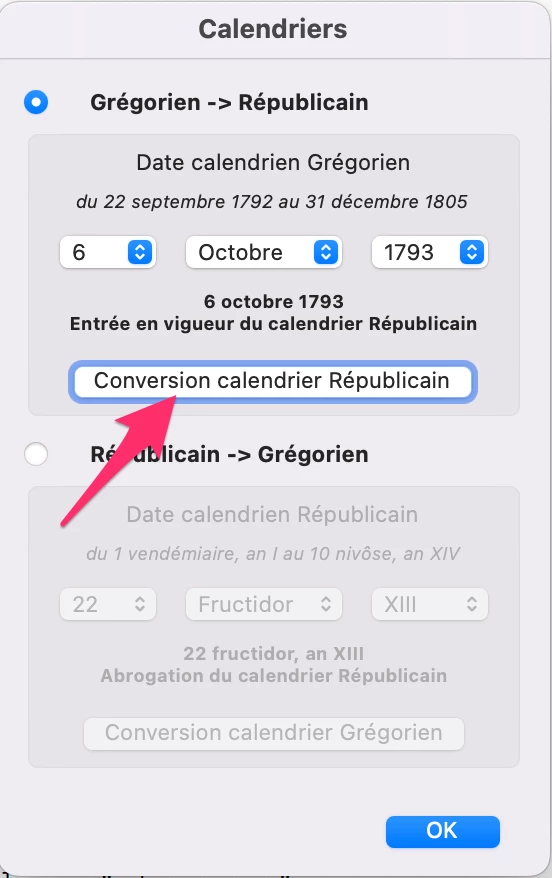
I would like by clicking the other radio button (rd01) the "Conversion calendrier Grégorien" button (bGrg) is automatically selectionnned, and by re-clicking the first radio button (rd00) the "Conversion calendrier Républicain" button (bRep) is automatically selected... instead of the "OK" button.
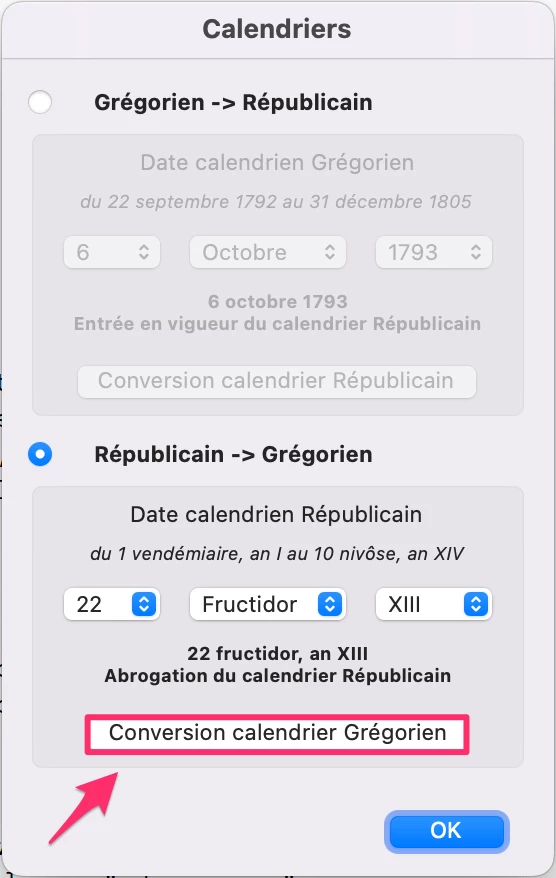
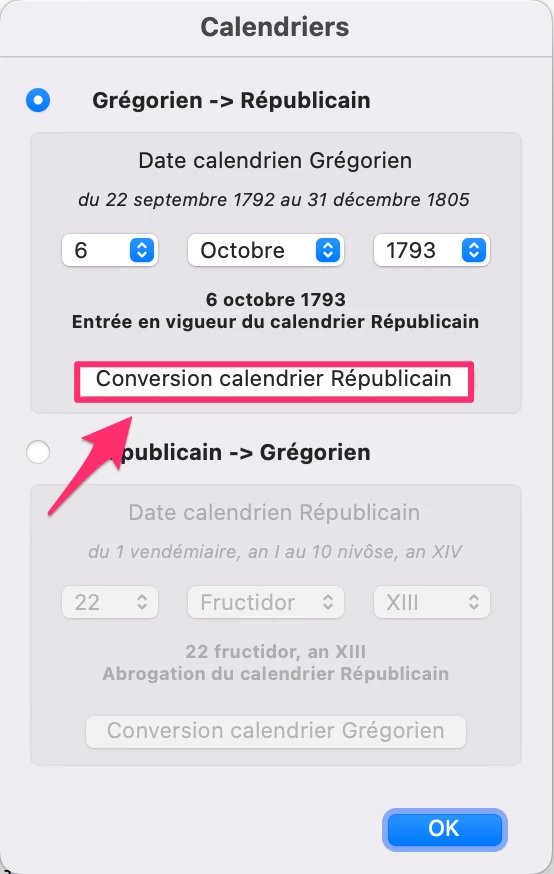
Is it possible?

Thanks

Correct answer PDF Automation Station

... and is there a place where one can find a list of these undocumented functions?


Not a complete list, but these articles should help:

https://pdfautomationstation.substack.com/p/popup-dialog-hacks-for-acrobat-pro

https://pdfautomationstation.substack.com/p/popup-dialog-hacks-for-acrobat-pro-944

https://pdfautomationstation.substack.com/p/popup-dialog-hacks-for-acrobat-pro-31e


2 replies

PDF Automation Station
Community Expert
Community Expert
November 17, 2025

It looks like your radio buttons enable and disable the respective sections when they are selected.  You will have to re-order the tabbing order when the radio buttons are selected.

bebarth
Community Expert
bebarthCommunity ExpertAuthor
Community Expert
November 17, 2025

Thanks 

Thom Parker
Community Expert
Community Expert
November 17, 2025

by "automatically selected", do you mean that you want the "Conversion calendrier" button actions to be executed? Or do you mean that you want the "Conversion calendrier" buttons to act like the "Ok" button, and end the dialog?


To end the dialog, call the dialog.end() function.   If you want the commit function to be called for these buttons, then it has to be done manually like this.  

   this.commit(dialog);


Thom Parker - Software Developer at PDFScriptingUse the Acrobat JavaScript Reference early and often
bebarth
Community Expert
bebarthCommunity ExpertAuthor
Community Expert
November 17, 2025

I would like each time a radio button is clicked, the corresponding button looks like selected (like the "Ok" button) without being executed.

These button will execute a script after choosing a date, without closing the dialog box. The results will be displayed in the console window, to allow an other calculation.

The OK button will only close the dialog box without any calculation.

Thom Parker
Community Expert
Community Expert
November 17, 2025

Ok, you want the cusor focus to be on the button. Got it. 


Use this (undocumented) function in the radio button script:

dialog.focus("bRep");


or 

dialog.focus("bGrg");


Thom Parker - Software Developer at PDFScriptingUse the Acrobat JavaScript Reference early and often