

Participant
Jun 17, 2025 2:46 AM UTC
Question

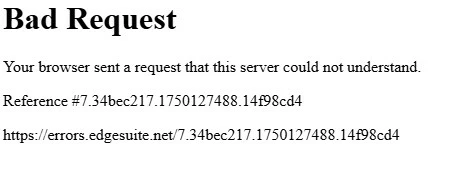
Bad Request Error Message

For the past week I have received this message whenever I try to open or download and open a PDF. I cleared the browsing history, cache and restarted my computer. Does anyone have any insight?



12 replies

Participant
Jul 16, 2025 4:18 PM UTC

Removing the Acrobat extension in Chrome and restarting the computer fixed it for me!

Translate
Participant
Jun 26, 2025 9:32 AM UTC

I am having the same problem with Chrome. I have removed the extension, I have cleared browsing data and it still does not work. Does Adobe could solve the problem with Chrome? Thanks in advance.

Translate
Participant
Jul 1, 2025 1:06 PM UTC

We are also having this problem with users at my workplace.

Translate
Participant
Jul 14, 2025 7:39 PM UTC

The Extension does not work properly. It eliminated the preview popup and created this Bad Request Message. Uninstall and all works fine.

Translate
Amal.
Legend
Jun 17, 2025 4:36 AM UTC

Hi there 


Hope you are doing well and thanks for reaching out. 


Usually, a very large Cookie triggers this error, and so the request header field exceeds the decided limit for the Web Server.

Try out the below workarounds and see if any help:

  • If you had clearing cookies no effect, please try to clear "all site data."

Go to Settings> Privacy and services> Under the “Clear browsing data” section, click the Choose what to clear button and click all.

  • Reset your Edge browser.

Go to "edge://settings/reset", click "Reset" then restart your edge and check the issue.


  • Also, if you use previous version of edge, try to update to the latest version of edge, please check edge://settings/help.


You may also try using a different web-browser and see if that works.


Translate
mary_1489Author
Participant
Jun 17, 2025 4:19 PM UTC

Thank you for your response! The strange thing is, I am using Chrome! I tried using Edge and it worked fine, but it still won't allow me to open PDF's in Chrome after I download it. I use Chrome for many reasons, and really need this to be able to open the file. Any other suggestions?

I did see in another forum that it may be a Chrome issue and Adobe was working with them to have it corrected? I've been using it fine for 2 years and all of a sudden, it stopped working.

Translate
Participant
Jun 18, 2025 8:13 PM UTC

We are also having this "Bad Request" error at our organization. We also use Chrome. 

Translate