Hi,
You can create an action wizard with the script below or use the one attached into the pdf file.
this.addWatermarkFromText({
	cText: this.documentFileName, // The text to use as the watermark
	nTextAlign: app.constants.align.left, // (optional) The text alignment to use for cText within the watermark
	cFont: font.HelvB, // (optional) The font to be used for this watermark
	nFontSize: 10, // (optional) The point size of the font to use for the watermark
	aColor: color.black, // (optional) The color to use for the watermark
	nStart: 0, // (optional) The 0-based index of the first page
	nEnd: this.numPages-1, // (optional) The last page
	bOnTop: true, // (optional) A Boolean value specifying the z-ordering of the watermark
	bOnScreen: true, // (optional) A Boolean value to indicate whether the watermark should be displayed when viewing the document on screen
	bOnPrint: true, // (optional) A Boolean value to indicate whether the watermark should be displayed when printing the document
	nHorizAlign: app.constants.align.left, // Al(optional) A number indicating how the watermark should be aligned horizontally
	nVertAlign: app.constants.align.top, // (optional) A number indicating how the watermark should be aligned vertically
	nHorizValue: 15, // (optional) A number used to shift the horizontal position of the watermark on the page
	nVertValue: -15, // (optional) A number used to shift the vertical position of the watermark on the page
	bPercentage: false, // (optional) A Boolean value used to indicate whether nHorizValue and nVertValue represent a percentage of the page size or an explicit number of points
	nScale: 1.0, // (optional) The scale to be used for the watermark
	bFixedPrint: false, // (optional) A Boolean value that indicates that the watermark should be added as a FixedPrint Watermark annotation
	nRotation: 0, // (optional) The number of degrees to rotate the watermark counterclockwise
	nOpacity: 1 // (optional) The opacity to be used for the watermark
});
this.saveAs(this.path);
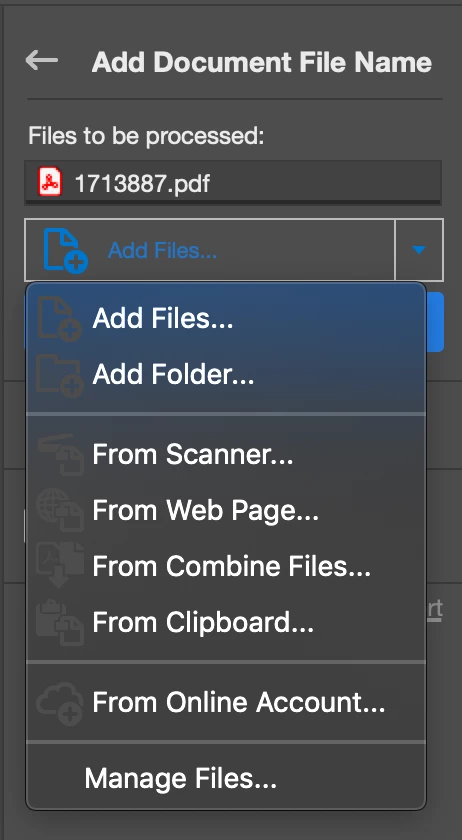
Then you run it and you add files or folder before starting.
@+





 AdChoices