
Inspiring
January 17, 2018
Answered

Bates stamping and Name Document with bates range.

  • January 17, 2018
  • 1 reply
  • 6254 views

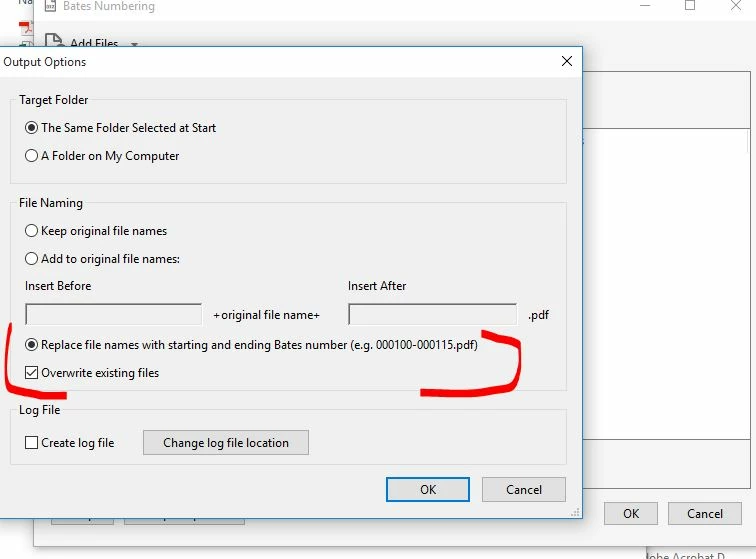
I am using Adobe Acrobat Pro DC.  I am bates stamping groups of documents.  What I am trying to do is rename each document with the bate range number, however, it creates a new document with the bates range and the separate original document is still there.  In Output Option I select "Replace File names with beginning and ending bates number" and I also select "Overwrite existing file", but it still creates a new document with the bate range and and the original document is still there.  Any input would be greatly appreciated.

Here's a pic of the selection that I made. 
Correct answer try67

This option doesn't mean the original file will be deleted. It means that if there's already a file with that name it will be overwritten by the new file. As a rule-of-thumb, Acrobat doesn't delete files.

1 reply

try67
Community Expert
try67Community ExpertCorrect answer
Community Expert
January 17, 2018

This option doesn't mean the original file will be deleted. It means that if there's already a file with that name it will be overwritten by the new file. As a rule-of-thumb, Acrobat doesn't delete files.

glendaa18Author
Inspiring
January 18, 2018

Now that you explained it, it makes sense. Thank you for your prompt reply!.